LogoAI Jet
Icon for Foxit PDF Editor

Foxit PDF Editor

Comprehensive PDF editing software with AI-powered features for creating, editing, converting, signing, and managing PDF documents for businesses and individual

Introduction

Foxit PDF Editor

Foxit PDF Editor is a leading PDF solution that positions itself as the #1 alternative to Adobe Acrobat. The software provides a complete suite of tools for working with PDF documents, including advanced AI capabilities through Foxit AI integration.

Overview

Foxit PDF Editor offers a comprehensive platform for all PDF-related tasks, from basic viewing and annotation to advanced editing, conversion, and document management. The software is designed to meet the needs of both individual users and enterprise teams.

AI Features

Foxit has integrated artificial intelligence throughout its product ecosystem:

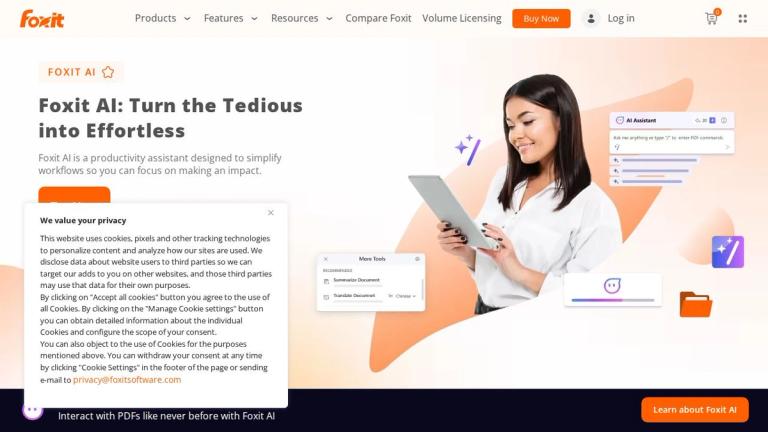
  • AI Assistant: Intelligent document assistant for summarizing, translating, and interacting with PDF content
  • AI Generate Image: Create images directly within PDF documents using AI
  • Translate Document: AI-powered document translation capabilities
Product Ecosystem

Foxit offers a complete document workflow solution:

  • Foxit PDF Editor: Full-featured PDF editing and creation
  • Foxit eSign: Electronic signature capabilities
  • Foxit PDF Reader: Free PDF viewing and annotation
  • Foxit PDF SDK & APIs: Developer tools for integration
  • Enterprise Solutions: Admin Console and automation tools for large organizations
Target Audience

Business professionals, enterprises, legal teams, educators, students, developers, and anyone who works extensively with PDF documents.

Key Features
  • AI Assistant for intelligent document interaction
  • Create PDF from various formats
  • Scan to PDF with OCR technology
  • Convert PDF to Word and other formats
  • Digital signature capabilities
  • Advanced PDF editing tools
  • PDF protection and security features
  • Merge and split PDF documents
  • Annotate and comment on PDFs
  • Accessibility compliance tools
  • AI-powered document translation
  • AI image generation within PDFs
  • eSign integration for electronic signatures
  • Document Management System (DMS)
Use Cases
  • Business document creation and editing
  • Contract signing and management
  • Document digitization with OCR
  • PDF format conversion for workflows
  • Team collaboration on PDF documents
  • Enterprise document automation
  • Compliance and accessibility management
  • Academic and research document handling
Pros
  • Comprehensive feature set rivaling Adobe Acrobat
  • AI-powered features for enhanced productivity
  • Available for individual and enterprise use
  • Free PDF Reader option available
  • Strong integration ecosystem with cloud storage services
  • Developer SDK and APIs for custom solutions
  • Centralized license management for enterprises
Cons
  • Premium features require paid subscription
  • Learning curve for advanced features
  • AI features may require additional subscription
Pricing

Multiple tiers available - Free PDF Reader, individual plans, and enterprise volume licensing for teams of 30+. Custom pricing available for large organizations.

Latest News

Foxit PDF Editor Version History & Release Notes | Foxit

Foxit PDF Editor Version History & Release Notes | Foxit

8/4/2026

Resource HubBlogPress ReleasesFoxit for BusinessWatch a DemoSupport CenterIn the NewsCareersContact Us ... Foxit is dedicated to improving the performance of Foxit PDF Editor and providing users with best experience in viewing, editing, creating, organizing and securing PDF documents. This page list...

Foxit Releases PDF Editor v2025.3 with Advanced Compliance, Security ...

Foxit Releases PDF Editor v2025.3 with Advanced Compliance, Security ...

8/4/2026

Resource HubBlogPress ReleasesFoxit for BusinessWatch a DemoSupport CenterIn the NewsCareersContact Us ... Fremont, Calif., December 19, 2025, Foxit, a global leader in PDF and document productivity solutions, that help knowledge workers increase productivity and do more with documents, announced th...

Foxit PDF Reader Version History & Release Notes | Foxit

Foxit PDF Reader Version History & Release Notes | Foxit

8/4/2026

New smart tools have been added to enable users to read documents aloud with a wider range of voice options and to automatically create bookmarks based on document structures or page ranges. You can now chat directly about the images you have uploaded. More enhancements include the ability to analyz...

Foxit PDF Editor v2026.1.1 Is Here — Introducing the Foxit Document ...

Foxit PDF Editor v2026.1.1 Is Here — Introducing the Foxit Document ...

8/4/2026

Keeping your software current is one of the simplest ways to protect your organization — and Foxit is committed to maintaining the security and reliability that enterprise teams depend on. The launch of Foxit DMS within PDF Editor v2026.1.1 isn’t just a product update — it’s a signal of where Foxit ...

PDF Software & Tools Tailored to Your Business | Foxit

PDF Software & Tools Tailored to Your Business | Foxit

8/4/2026

Foxit PDF Editor is often chosen as a cost-effective, easy-to-use alternative to Adobe Acrobat. Users love its clean, intuitive layout and features that cover all the basics—and then some—without the Adobe price tag. Many users find Foxit’s customer support more responsive, too, which is always a pl...

FAQ

More Products

TinyPNG is Tinify’s browser-based image compressor and converter. This review explains how its web tool differs from its Developer API, what each free allowance covers, and when its compression, conversion, resizing, and cropping features may fit an image workflow.

Zamzar is an online file conversion and compression service for documents, images, video, sound, and other formats. Its free web service has daily file and upload-size limits.

iLoveIMG is a browser-based image service for compression, resizing, cropping, conversion, and editing, with a free Basic plan and paid options.

Smallpdf is an online PDF toolkit for conversion, compression, editing, merging, signing, and more. Its Free plan includes 30+ tools but limits downloads.

Convertio is a browser-based service for converting files between supported formats, with optional settings for many conversion types.

FreeConvert is an online file converter with more than 1,500 listed conversion types and a free allowance of 20 conversion minutes per day.

HiPDF is an online PDF service with conversion, editing, compression, merging, cropping, image tools, and AI features.

123apps is a browser-based suite of video, audio, PDF, and file-conversion tools. Its apps are free to use with limits on file size and daily operations.

ChatPDF summarizes PDFs and answers questions about them. Its free plan allows two document analyses per day, with no account needed to get started.

CloudConvert is a browser-based converter for more than 200 file formats, including documents, images, audio, video, archives, and specialist formats.

OCR.space provides free browser-based OCR for images and PDFs, searchable PDF creation, and a separate API for adding text recognition to software.

Free online itinerary maker with 900+ trip plans across 96 countries. Edit day-by-day in the browser; export to PDF, Excel, CSV, Google Sheets or .ics. Free account required to download/print. Optional Pro adds premium themes; AI chat helps draft plans.

TasteDir is a curated directory of finished, well-crafted software from indie makers and small teams. Every listed tool is reviewed by hand.

An AI meeting copilot that combines live transcripts, screenshots, and project documents to deliver contextual answers, response drafts, and meeting recaps.

Create professional invoices free in your browser: live preview, any currency, tax and discounts, custom templates, and no-watermark PDF. No signup needed.

Vidsembly is an AI video creation platform that turns PowerPoint presentations, PDFs, and documents into narrated videos. Create AI presentations, clone voices, translate slides, transcribe recordings, generate soundtracks, and host videos in one place.