LogoAI Jet

Introduction

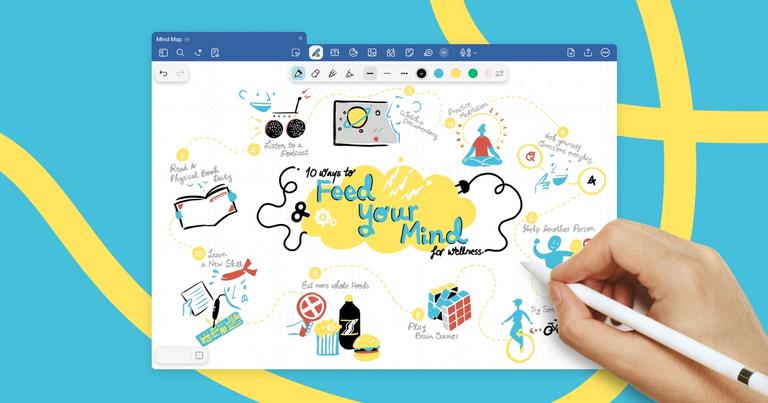
Goodnotes is a digital note-taking application designed to replicate the experience of using physical paper. It allows users to create, organize, and annotate documents, PDFs, and handwritten notes on devices like iPads, Macs, Windows, and Android tablets. Key features include handwriting recognition, searchable notes, real-time collaboration, AI-powered assistance for summarizing and refining notes, and a marketplace for digital planners, stickers, and templates.

Key Features:

  • Digital Handwriting: Offers a realistic pen-on-paper feel with support for various stylus options.
  • AI-Powered Assistance: Summarizes notes, generates outlines, and enhances writing clarity.
  • Cross-Platform Compatibility: Syncs notes across iOS, macOS, Windows, Android, and web platforms.
  • Real-Time Collaboration: Enables multiple users to work on the same document simultaneously.
  • Marketplace Integration: Provides access to a wide range of digital templates, stickers, and planning tools.
  • Audio Recording: Syncs audio recordings with handwritten notes for enhanced context.
  • Document Annotation: Allows users to import and annotate PDFs, lecture slides, and other documents.

Use Cases:

  • Education: Students can take notes in class, annotate lecture slides, and create digital flashcards.
  • Business: Professionals can collaborate on meeting notes, brainstorm ideas, and manage projects.
  • Personal Productivity: Individuals can create digital planners, journals, and to-do lists.
  • Team Collaboration: Teams can use Goodnotes for remote workshops, document review, and collaborative brainstorming sessions.

Latest News

New Features, Fixes, and Improvements in Goodnotes - July to September 2025 | Goodnotes Blog

New Features, Fixes, and Improvements in Goodnotes - July to September 2025 | Goodnotes Blog

8/4/2026

Share Goodnotes continues to evolve for the way you work. This quarter introduces Whiteboards, Text Documents, automated note‑taking, and Goodnotes AI — plus refinements shaped by your feedback. Whether you’re brainstorming, drafting, or collaborating, these updates help you work with less friction....

Goodnotes Updates: Upcoming Improvements – Goodnotes Support

Goodnotes Updates: Upcoming Improvements – Goodnotes Support

8/4/2026

Goodnotes Goodnotes Left Image Right Image # Goodnotes Updates: Upcoming Improvements Note: This article is not frequently updated. For updates, see the What's New section on the Goodnotes App Store page. Since the launch of the new version of Goodnotes on Sept 23, 2025, we’ve heard from thousands o...

New Features, Fixes, and Improvements in Goodnotes - October to December 2025 | Goodnotes Blog

New Features, Fixes, and Improvements in Goodnotes - October to December 2025 | Goodnotes Blog

8/4/2026

Share To round off a big year at Goodnotes, we’ve added more updates and improvements to make your workflow smoother, smarter, and more flexible across all devices. We heard your feedback, so from editable AI-generated diagrams and automatic shape recognition to toolbar customization, these updates ...

New Features, Fixes, and Improvements in Goodnotes - April to June 2025 | Goodnotes Blog

New Features, Fixes, and Improvements in Goodnotes - April to June 2025 | Goodnotes Blog

8/4/2026

Goodnotes Marketplace now highlights recommended items based on your activity and interests. Whether you’re browsing for fresh planner templates or searching for your next favorite sticker pack, these suggestions help you find what you like much more easily. # 🎉Quality of Life Updates We’ve made doz...

Meet the New Generation of Goodnotes: Whiteboards, Text Documents, and AI Superpowers | Goodnotes Blog

Meet the New Generation of Goodnotes: Whiteboards, Text Documents, and AI Superpowers | Goodnotes Blog

8/4/2026

What's New### What's new in Goodnotes: April - June 2026 round-up Here's everything that landed in Goodnotes between April and June, from new features to quality-of-life improvements. Jul 6, 2026 min read What's New### Welcome to the Goodnotes Discord Community Today, we’re thrilled to open the door...

Alternatives

  • Notability

    Notability is a popular note-taking app known for its fluid handwriting experience and robust PDF annotation features, primarily on Apple devices.

  • Microsoft OneNote

    Microsoft OneNote offers a free, cross-platform digital notebook experience with extensive support for typing, drawing, and multimedia content.

  • Evernote

    Evernote is a versatile note-taking and organization app that excels at capturing web content, documents, and various note types across all devices.

  • Notion

    Notion provides an all-in-one workspace for notes, tasks, wikis, and databases, offering powerful customization and collaboration capabilities.

  • Nebo

    Nebo stands out with its advanced AI-powered handwriting recognition that accurately converts handwritten notes into editable typed text.

  • Apple Notes

    Apple Notes is a free, built-in note-taking application for Apple users that supports handwriting, sketching, and basic collaboration features.

  • Obsidian

    Obsidian is a powerful knowledge base app that helps users connect ideas and build a personal knowledge graph using plain text Markdown files.

  • Google Keep

    Google Keep is a simple and free note-taking service ideal for quick notes, lists, and reminders, seamlessly integrated with the Google ecosystem.

  • Joplin

    Joplin is an open-source note-taking and to-do application offering Markdown support, web clipping, and end-to-end encryption for privacy-conscious users.

  • Bear

    Bear is a stylish and flexible Markdown note-taking app for Apple devices, favored for its clean interface and powerful tagging system.

FAQ

User Reviews

4.0/5.0
(93reviews)
Click stars to rate

Pricing

Pricing Model: Freemium

Free

Try out some flexible new ways to take notes

Free

Essential

Unlock ways to capture your thoughts through text, handwriting, audio, and diagrams

$11.99 yearly
yearly

Pro

Transform your workflow with AI creation & advanced collaboration

$35.99 yearly
yearly

Special Edition

One-time purchase with Apple-only access

$35.99 one-time
one-time

Teams

Collaborate with colleagues, share ideas effortlessly, and boost team productivity in real time.

US$ 10 per month, per user
per-user

AI Pass

Optional monthly add-on to unlock full Goodnotes AI experience

+$9.99/month
monthly

More Products

TinyPNG is Tinify’s browser-based image compressor and converter. This review explains how its web tool differs from its Developer API, what each free allowance covers, and when its compression, conversion, resizing, and cropping features may fit an image workflow.

Zamzar is an online file conversion and compression service for documents, images, video, sound, and other formats. Its free web service has daily file and upload-size limits.

iLoveIMG is a browser-based image service for compression, resizing, cropping, conversion, and editing, with a free Basic plan and paid options.

Smallpdf is an online PDF toolkit for conversion, compression, editing, merging, signing, and more. Its Free plan includes 30+ tools but limits downloads.

Convertio is a browser-based service for converting files between supported formats, with optional settings for many conversion types.

FreeConvert is an online file converter with more than 1,500 listed conversion types and a free allowance of 20 conversion minutes per day.

HiPDF is an online PDF service with conversion, editing, compression, merging, cropping, image tools, and AI features.

123apps is a browser-based suite of video, audio, PDF, and file-conversion tools. Its apps are free to use with limits on file size and daily operations.

ChatPDF summarizes PDFs and answers questions about them. Its free plan allows two document analyses per day, with no account needed to get started.

CloudConvert is a browser-based converter for more than 200 file formats, including documents, images, audio, video, archives, and specialist formats.

OCR.space provides free browser-based OCR for images and PDFs, searchable PDF creation, and a separate API for adding text recognition to software.

Free online itinerary maker with 900+ trip plans across 96 countries. Edit day-by-day in the browser; export to PDF, Excel, CSV, Google Sheets or .ics. Free account required to download/print. Optional Pro adds premium themes; AI chat helps draft plans.

Verla AI is an AI learning platform that helps teams and students learn and apply AI faster with guided courses, tools, and hands-on practice.

TasteDir is a curated directory of finished, well-crafted software from indie makers and small teams. Every listed tool is reviewed by hand.

An AI meeting copilot that combines live transcripts, screenshots, and project documents to deliver contextual answers, response drafts, and meeting recaps.

Create professional invoices free in your browser: live preview, any currency, tax and discounts, custom templates, and no-watermark PDF. No signup needed.