LogoAI Jet
icon of HARPA AI

HARPA AI

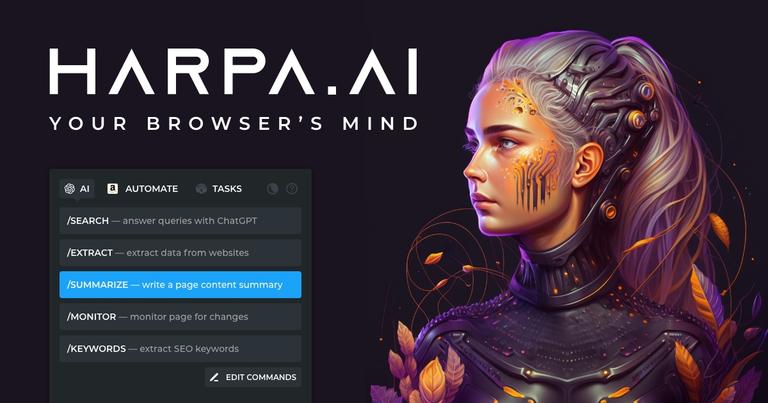
HARPA AI is a browser extension that combines multiple AI models to automate online tasks like summarizing, writing, coding, and data extraction.

Introduction

HARPA AI is a browser extension designed to streamline online workflows by integrating various AI models, including OpenAI's GPT-4o, Anthropic's Claude 3.7, Google's Gemini 2.5, Perplexity, and DeepSeek. It serves as an AI agent for web browsing, offering features such as:

  • AI-Powered Automation: Automates tasks like summarizing YouTube videos, blogs, and PDFs; answering emails; proofreading; generating articles; and extracting data.
  • Multi-AI Integration: Combines multiple AI models in one extension, providing access to different AI capabilities on any webpage.
  • Web Page Awareness: Can read, understand, and act upon web page content, enabling navigation, data extraction, and interaction with web elements.
  • Ready-to-Use Prompts: Offers a library of pre-configured automations for various tasks, including SEO optimization, content creation, language learning, and code fixing.
  • Privacy Focus: Supports local models like Meta Llama, does not log conversations, and is GDPR compliant.

Key Features:

  • YouTube Summarizer: Extracts key takeaways from videos, provides timestamps, and allows users to interact with video content.
  • Answer Engine: Delivers hallucination-free AI responses alongside Google Search results with source citations.
  • Gmail Assistant: Categorizes emails, summarizes threads, and drafts contextual replies.
  • Writing Assistant: Mimics writing styles for emails, tweets, articles, and other content.
  • Web Page Monitoring: Tracks website updates and notifies users of changes.
  • SEO Tools: Performs AI-driven SEO audits, extracts keywords, and creates content calendars.
  • E-commerce Tracking: Monitors price drops and back-in-stock alerts on e-commerce sites.
  • Web Scraping: Scrapes data and automates web search and monitoring.

Use Cases:

  • Productivity: Quickly access information, summarize content, and rewrite text.
  • Marketing & SEO: Segment audiences, research keywords, and generate content.
  • Learning: Get explanations, learn languages, and create study plans.
  • Copywriting: Generate various types of text content.
  • HR & Recruiting: Improve resumes and write cover letters.
  • Product Development: Write and inspect code, and get answers to technical questions.

Latest News

HARPA AI | Changelog

HARPA AI | Changelog

8/5/2026

## #10.6 AI Agent Updates & Models AI AGENTS OPTIMIZATION Renamed and optimized agent models. Smart Agent now default over Fast Agent. Deprecated Fast Agent in favor of improved models. MODEL UPDATES Claude 3.7 web session connection fix. Removed deprecated Sonnet 2.1 and Opus3. Optimized model usag...

HARPA AI | Search Agent

HARPA AI | Search Agent

8/5/2026

Constantly updating within HARPA AI, the Search Agent adapts to new web trends and user needs, ensuring ongoing effectiveness. In summary, HARPA AI's ChatGPT Search Agent revolutionizes web navigation, exemplifying AI's role in enhancing human information access and learning. ## # Links for further ...

HARPA AI | Terms of Service

HARPA AI | Terms of Service

8/5/2026

LIBRARYAPIGUIDESAI COMMANDSBLOG # Terms of Service Effective date: 30.04.2024 Fair Business Practices We at HARPA AI TECHNOLOGIES shall conduct business fairly and sincerely, adhering to ethical principles and refraining from unfair trade practices and any form of bribery or corruption, to contribut...

HARPA AI | Blog

HARPA AI | Blog

8/5/2026

LIBRARYAPIGUIDESAI COMMANDSBLOG # Blog HARPA BLOG POSTS HARPA AI: Third-Party Sales and Promo Codes HARPA AI pricing guide: sales, promocodes, and discounts - How to avoid scams A list of updates shipped with every product version. MOST CLICKED How to Summarize Discord, WhatsApp, Reddit & Other Chat...

HARPA AI | Troubleshoot App

HARPA AI | Troubleshoot App

8/5/2026

### # Check your HARPA version Make sure you have the latest version of HARPA AI running. To force the latest HARPA AI version: Visit chrome://extensions/ link in your browser. Turn on Developer Mode switch in the top right corner. Locate HARPA AI, click on Details: Click Update in the top left corn...

Alternatives

  • Monica AI

    This browser extension offers a comprehensive suite of AI tools for chat, writing, and summarization directly within your browser, similar to HARPA AI.

  • Sider AI

    As a browser extension, Sider AI provides AI chat, summarization, and writing assistance, making it a direct competitor for in-browser AI productivity.

  • ChatGPT

    While a web application, its powerful language model is often integrated into browser extensions to provide advanced writing, summarization, and coding assistance.

  • Jasper AI

    This AI writing assistant excels at generating high-quality content, marketing copy, and blog posts, offering robust writing capabilities.

  • Copy.ai

    Specializing in AI-powered copywriting, Copy.ai helps users quickly generate various forms of marketing content and creative text.

  • TextCortex AI

    Available as a browser extension, TextCortex AI assists with writing, rewriting, and generating content across various platforms and applications.

  • QuillBot

    Primarily known for its paraphrasing and summarizing tools, QuillBot also offers grammar checking and writing assistance to enhance text quality.

  • Perplexity AI

    This AI-powered search engine provides direct answers and summaries from web sources, offering a strong alternative for information extraction and summarization.

  • GrammarlyGO

    Integrated within the popular Grammarly platform, GrammarlyGO offers AI-powered writing suggestions, content generation, and tone adjustments.

  • Axiom.ai

    This no-code browser automation tool allows users to build bots for data extraction and repetitive tasks, providing a powerful alternative for automation features.

FAQ

More Products

TinyPNG is Tinify’s browser-based image compressor and converter. This review explains how its web tool differs from its Developer API, what each free allowance covers, and when its compression, conversion, resizing, and cropping features may fit an image workflow.

Zamzar is an online file conversion and compression service for documents, images, video, sound, and other formats. Its free web service has daily file and upload-size limits.

iLoveIMG is a browser-based image service for compression, resizing, cropping, conversion, and editing, with a free Basic plan and paid options.

Smallpdf is an online PDF toolkit for conversion, compression, editing, merging, signing, and more. Its Free plan includes 30+ tools but limits downloads.

Convertio is a browser-based service for converting files between supported formats, with optional settings for many conversion types.

FreeConvert is an online file converter with more than 1,500 listed conversion types and a free allowance of 20 conversion minutes per day.

HiPDF is an online PDF service with conversion, editing, compression, merging, cropping, image tools, and AI features.

123apps is a browser-based suite of video, audio, PDF, and file-conversion tools. Its apps are free to use with limits on file size and daily operations.

ChatPDF summarizes PDFs and answers questions about them. Its free plan allows two document analyses per day, with no account needed to get started.

CloudConvert is a browser-based converter for more than 200 file formats, including documents, images, audio, video, archives, and specialist formats.

OCR.space provides free browser-based OCR for images and PDFs, searchable PDF creation, and a separate API for adding text recognition to software.

Free online itinerary maker with 900+ trip plans across 96 countries. Edit day-by-day in the browser; export to PDF, Excel, CSV, Google Sheets or .ics. Free account required to download/print. Optional Pro adds premium themes; AI chat helps draft plans.

Contextual nofollow link exchanges for sites you control, handled with your coding agent and your approval.

TasteDir is a curated directory of finished, well-crafted software from indie makers and small teams. Every listed tool is reviewed by hand.

An AI meeting copilot that combines live transcripts, screenshots, and project documents to deliver contextual answers, response drafts, and meeting recaps.

Create professional invoices free in your browser: live preview, any currency, tax and discounts, custom templates, and no-watermark PDF. No signup needed.