LogoAI Jet
Icon for HEY Email

HEY Email

A privacy-focused email and calendar service from 37signals that reimagines how email works with innovative features like email screening, organized inboxes, an

Introduction

HEY Email

HEY is a revolutionary email and calendar service created by 37signals (the team behind Basecamp). It represents a complete rethinking of how email should work, designed from the ground up to protect users' privacy and time.

Unlike traditional email services like Gmail, Outlook, or Apple Mail, HEY introduces a fundamentally different approach to email management. The service puts users in control of who can reach them, automatically organizes messages into meaningful categories, and includes a fully integrated calendar.

Key Innovations
  • The Screener: Acts as a gatekeeper for your inbox - the first time someone emails you, you decide whether to accept or reject them permanently
  • Imbox: A dedicated space for truly important emails from people and services you want to hear from
  • Paper Trail: Automatically collects receipts, order confirmations, and transactional emails in one organized place
  • The Feed: For newsletters and casual reading material you can browse at your leisure
  • Built-in Calendar: A fully integrated calendar app that works seamlessly with your email

HEY has gained tens of thousands of users who have switched from traditional email providers, with testimonials praising its innovative approach to email management and privacy protection.

Target Audience

Privacy-conscious email users, professionals frustrated with traditional email services, business users seeking better email organization, and anyone looking for a modern email and calendar solution.

Key Features
  • Email Screening - gatekeeper system to control who can email you
  • Imbox - dedicated inbox for important emails only
  • Paper Trail - organized storage for receipts and transactions
  • The Feed - casual reading space for newsletters
  • Built-in Calendar - fully integrated calendar app
  • Privacy-focused design - protects user data and time
  • Custom domain support - use your own email domain
  • 30-day free trial - no credit card required
Use Cases
  • Personal email management for privacy-conscious users
  • Professional email for business users
  • Calendar and scheduling management
  • Newsletter and subscription management
  • Receipt and transaction organization
  • Spam and unwanted email prevention
Pros
  • Complete rethinking of email with innovative features
  • Strong privacy protection and user control
  • Integrated email and calendar solution
  • Eliminates email clutter and spam effectively
  • Beautiful, modern interface design
  • 30-day free trial with no credit card required
Cons
  • Paid service after free trial period
  • Learning curve for users accustomed to traditional email
  • May require adjustment to new email workflow paradigm
Pricing

30-day free trial available with no credit card required. Paid plans available after trial period (specific pricing details available on hey.com/pricing).

Latest News

HEY, there’s new stuff!

HEY, there’s new stuff!

8/4/2026

Just click the “To” label to select whether you’d like to reply to everyone (the default) or just the sender. No more painfully pruning that recipient list by hand! ... Before, HEY would only apply labels based on the sender’s email address. Now, HEY will autofile based on addresses in the CC & BCC ...

Looking for the Perfect Email Service: A Journey with Hey

Looking for the Perfect Email Service: A Journey with Hey

8/4/2026

For years, I've been on a quest to find the perfect email service. Spoiler alert: it doesn't exist. However, I've stumbled upon some gems along the way, and Hey Email is one of them. Why Hey Keeps Pulling Me Back I've been using Hey since its inception. Despite its quirks and the few features it lac...

HEY — A delightfully fresh take on email + calendar, from 37signals

HEY — A delightfully fresh take on email + calendar, from 37signals

8/4/2026

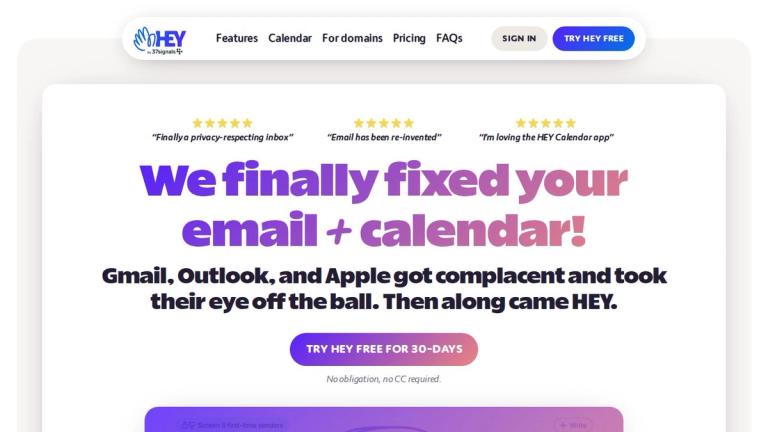
Gmail, Outlook, and Apple got complacent and took their eye off the ball. Then along came HEY.

HEY — Frequently asked questions about HEY

HEY — Frequently asked questions about HEY

8/4/2026

HEY for Domains includes custom domains, centralized user management, and tools that let you collaborate on email together. Yes, and an incredibly innovative one. It’s all new for 2024. Check it out, it’s included for free with your HEY account. Yes. You can link up multiple HEY accounts, and view t...

HEY — Apple, HEY, and the Path Forward

HEY — Apple, HEY, and the Path Forward

8/4/2026

But then Schiller said “One way that HEY could have gone…is to offer a free or paid version of the app with basic email reading features on the App Store, then separately offered an upgraded email service that worked with the Hey app on iOS on its own website.” · So we got down to it, and worked the...

FAQ

More Products

TinyPNG is Tinify’s browser-based image compressor and converter. This review explains how its web tool differs from its Developer API, what each free allowance covers, and when its compression, conversion, resizing, and cropping features may fit an image workflow.

Zamzar is an online file conversion and compression service for documents, images, video, sound, and other formats. Its free web service has daily file and upload-size limits.

iLoveIMG is a browser-based image service for compression, resizing, cropping, conversion, and editing, with a free Basic plan and paid options.

Smallpdf is an online PDF toolkit for conversion, compression, editing, merging, signing, and more. Its Free plan includes 30+ tools but limits downloads.

Convertio is a browser-based service for converting files between supported formats, with optional settings for many conversion types.

FreeConvert is an online file converter with more than 1,500 listed conversion types and a free allowance of 20 conversion minutes per day.

HiPDF is an online PDF service with conversion, editing, compression, merging, cropping, image tools, and AI features.

123apps is a browser-based suite of video, audio, PDF, and file-conversion tools. Its apps are free to use with limits on file size and daily operations.

ChatPDF summarizes PDFs and answers questions about them. Its free plan allows two document analyses per day, with no account needed to get started.

CloudConvert is a browser-based converter for more than 200 file formats, including documents, images, audio, video, archives, and specialist formats.

OCR.space provides free browser-based OCR for images and PDFs, searchable PDF creation, and a separate API for adding text recognition to software.

Free online itinerary maker with 900+ trip plans across 96 countries. Edit day-by-day in the browser; export to PDF, Excel, CSV, Google Sheets or .ics. Free account required to download/print. Optional Pro adds premium themes; AI chat helps draft plans.

TasteDir is a curated directory of finished, well-crafted software from indie makers and small teams. Every listed tool is reviewed by hand.

An AI meeting copilot that combines live transcripts, screenshots, and project documents to deliver contextual answers, response drafts, and meeting recaps.

Create professional invoices free in your browser: live preview, any currency, tax and discounts, custom templates, and no-watermark PDF. No signup needed.

Free online auto redaction tool with AI for PDFs, images, Word, PowerPoint, Excel, text and audio. Files are never stored.