LogoAI Jet
icon of iA

iA

iA builds fast and beautiful information systems focusing on their core purpose, offering tools like iA Writer, Presenter, and Notebook.

Introduction

iA builds fast and beautiful information systems focusing on their core purpose, offering tools like iA Writer, Presenter, and Notebook.

Features
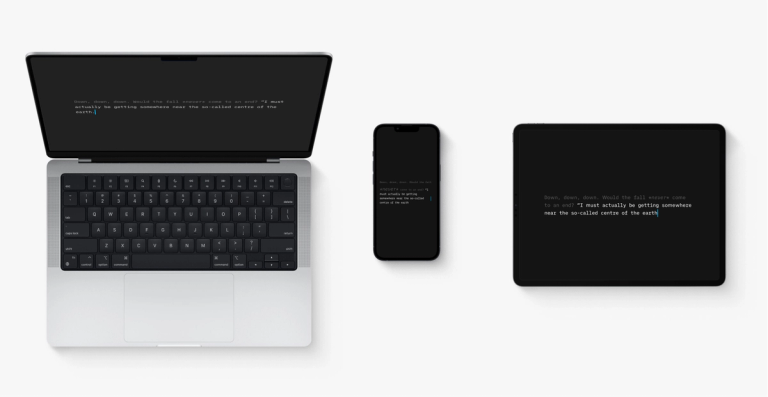
  • Focused Writing Environment — iA Writer provides a distraction-free writing experience designed to help users concentrate on their content. The app emphasizes 'Separate Writing and Formatting' methodology, allowing writers to focus purely on their words without being overwhelmed by formatting options.
  • Text-to-Slide Conversion — iA Presenter transforms written text into polished presentations automatically. Version 1.6 introduces charts, tables, and a faster image editing workflow, streamlining the presentation creation process from written content.
  • Haptic Writing Experience — iA Notebook offers a tactile, 'Made to Write' experience with haptic feedback. The product was developed through 'Paper Alchemy,' combining the feel of traditional writing with digital convenience.
  • Cross-Platform Authorship — iA Writer extends its focused writing capabilities to Windows, bringing the same distraction-free experience across operating systems. The 'Authorship' feature tracks and attributes writing contributions.
  • Minimalist Design Philosophy — All iA products follow a core principle of building 'fast and beautiful information systems' that focus on their primary purpose, eliminating unnecessary features and complexity.
  • Microsoft Office Alternative — iA positions its suite as an independent alternative to Microsoft Office, particularly relevant for European organizations seeking IT independence from major tech corporations.
Use Cases
Professional Content Creation

Writers, journalists, and content creators use iA Writer to produce articles, blog posts, and manuscripts in a distraction-free environment. The focused writing approach helps maintain productivity during long writing sessions. Target Audience: Writers, journalists, bloggers, and content professionals

Business Presentation Development

Professionals use iA Presenter to quickly convert written reports, proposals, and notes into visually appealing slide decks. The text-to-slide feature saves hours of manual presentation design work. Target Audience: Business professionals, consultants, and educators

Digital Note-Taking and Organization

Students and professionals use iA Notebook for capturing ideas, meeting notes, and research with a natural writing feel. The haptic feedback provides a paper-like experience in a digital format. Target Audience: Students, researchers, and knowledge workers

Enterprise IT Independence

European organizations and privacy-conscious businesses adopt iA's suite as a Microsoft Office alternative, achieving greater data sovereignty and reducing dependency on major tech platforms. Target Audience: European enterprises, government agencies, and privacy-focused organizations

Pros
  • Clean, distraction-free interface that enhances focus and productivity
  • Innovative text-to-slide technology saves significant presentation creation time
  • Cross-platform availability (Mac, Windows, iOS) ensures workflow continuity
  • Strong emphasis on design aesthetics and user experience
  • Independent alternative to Microsoft ecosystem for organizations seeking IT sovereignty
Cons
  • Smaller ecosystem compared to Microsoft Office or Google Workspace
  • May require adjustment period for users accustomed to feature-rich word processors
  • Limited collaboration features compared to cloud-based competitors
  • Premium pricing model may not suit all budgets

Alternatives

  • Obsidian

    A powerful knowledge base that works on local Markdown files, offering extensive linking and graph view for complex information organization.

  • Typora

    A minimalist Markdown editor providing a seamless live preview experience, ideal for focused writing without distractions.

  • Ulysses

    A robust Markdown-based writing app for Apple devices, offering a distraction-free environment and powerful organization for writers.

  • Notion

    An all-in-one workspace for notes, tasks, wikis, and databases, providing a highly customizable platform for information management.

  • Simplenote

    A fast, free, and straightforward note-taking app that syncs across devices, emphasizing simplicity and quick capture.

  • Bear

    A flexible writing app for notes and prose, supporting Markdown and offering powerful organization with tags for diverse content.

  • Craft

    A beautifully designed document editor that combines rich text and Markdown, offering powerful organization and collaboration features.

  • Keynote

    Apple's native presentation software, known for its intuitive interface and powerful design tools for creating engaging slideshows.

  • Google Docs/Slides

    A cloud-based productivity suite offering collaborative document editing and presentation creation, providing versatile tools for information and presentation needs.

  • Evernote

    A long-standing note-taking and organization app that allows users to capture, organize, and find information across various formats.

FAQ

User Reviews

4.1/5.0
(20reviews)
Click stars to rate

Pricing

Pricing Model: One-time payment

Mac

A purchase gets you the app for one platform. We develop each platform individually and they’re sold separately—like software in a box.

$49.99
one-time

iPad and iPhone

A purchase gets you the app for one platform. We develop each platform individually and they’re sold separately—like software in a box.

$19.99
one-time

Windows

A purchase gets you the app for one platform. We develop each platform individually and they’re sold separately—like software in a box.

$29.99
one-time

More Products

TinyPNG is Tinify’s browser-based image compressor and converter. This review explains how its web tool differs from its Developer API, what each free allowance covers, and when its compression, conversion, resizing, and cropping features may fit an image workflow.

Zamzar is an online file conversion and compression service for documents, images, video, sound, and other formats. Its free web service has daily file and upload-size limits.

iLoveIMG is a browser-based image service for compression, resizing, cropping, conversion, and editing, with a free Basic plan and paid options.

Smallpdf is an online PDF toolkit for conversion, compression, editing, merging, signing, and more. Its Free plan includes 30+ tools but limits downloads.

Convertio is a browser-based service for converting files between supported formats, with optional settings for many conversion types.

FreeConvert is an online file converter with more than 1,500 listed conversion types and a free allowance of 20 conversion minutes per day.

HiPDF is an online PDF service with conversion, editing, compression, merging, cropping, image tools, and AI features.

123apps is a browser-based suite of video, audio, PDF, and file-conversion tools. Its apps are free to use with limits on file size and daily operations.

ChatPDF summarizes PDFs and answers questions about them. Its free plan allows two document analyses per day, with no account needed to get started.

CloudConvert is a browser-based converter for more than 200 file formats, including documents, images, audio, video, archives, and specialist formats.

OCR.space provides free browser-based OCR for images and PDFs, searchable PDF creation, and a separate API for adding text recognition to software.

Free online itinerary maker with 900+ trip plans across 96 countries. Edit day-by-day in the browser; export to PDF, Excel, CSV, Google Sheets or .ics. Free account required to download/print. Optional Pro adds premium themes; AI chat helps draft plans.

TasteDir is a curated directory of finished, well-crafted software from indie makers and small teams. Every listed tool is reviewed by hand.

An AI meeting copilot that combines live transcripts, screenshots, and project documents to deliver contextual answers, response drafts, and meeting recaps.

Create professional invoices free in your browser: live preview, any currency, tax and discounts, custom templates, and no-watermark PDF. No signup needed.

Vidsembly is an AI video creation platform that turns PowerPoint presentations, PDFs, and documents into narrated videos. Create AI presentations, clone voices, translate slides, transcribe recordings, generate soundtracks, and host videos in one place.