LogoAI Jet
Icon for Immersive Translate

Immersive Translate

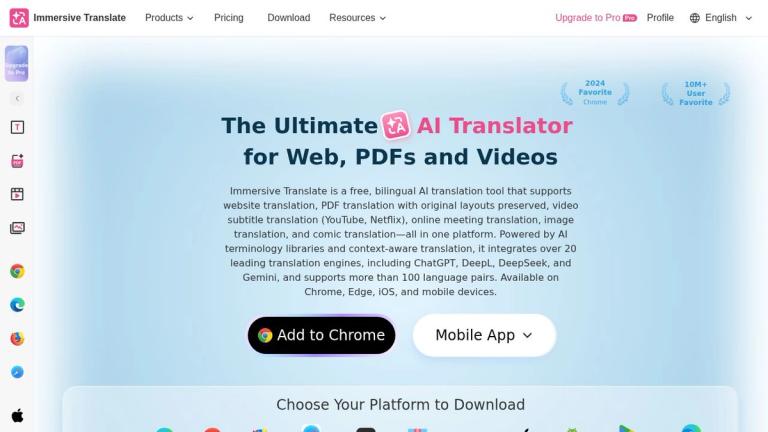
Free bilingual AI translation tool supporting website, PDF, video subtitle, image, and manga translation with 20+ translation engines and 100+ language pairs.

Introduction

Immersive Translate

Immersive Translate is a next-generation AI-powered bilingual translation platform designed to break down language barriers across multiple content formats. Launched as a browser extension and mobile application, it has quickly grown to serve over 10 million users worldwide, earning recognition as a 2024 Favorite Chrome Extension.

What Makes It Special

Unlike traditional translation tools that simply replace text, Immersive Translate creates a bilingual reading experience by displaying both the original and translated content side-by-side. This approach helps users learn languages while consuming content naturally.

Core Capabilities

The platform integrates over 20 leading translation engines, including ChatGPT, DeepL, DeepSeek, and Gemini, allowing users to choose the best engine for their specific needs. With support for more than 100 language pairs, it covers virtually every major world language.

Multi-Format Translation

Immersive Translate goes beyond simple webpage translation:

  • Web Pages: Real-time bilingual translation of any website
  • Documents: PDF translation with original layout preservation (BabelDOC technology), ePUB ebook translation
  • Videos: Subtitle translation for YouTube, Netflix, and other platforms; AI video translation without existing subtitles; YouTube Live translation
  • Images & Comics: OCR-based image and manga translation
  • Specialized Platforms: Steam store translation, AO3 fanfiction translation
Platform Availability

Available as browser extensions for Chrome, Edge, Firefox, and Safari, as well as native apps for iOS and Android, ensuring seamless translation across all devices.

Target Audience

Language learners, researchers, professionals working with multilingual content, manga/comics readers, international gamers, and anyone needing bilingual translation across web, documents, and media.

Key Features
  • Bilingual website translation with side-by-side display
  • PDF translation with original layout preservation (BabelDOC)
  • Video subtitle translation for YouTube, Netflix, and more
  • AI video translation without existing subtitles
  • YouTube Live translation
  • Image and manga/comic translation
  • ePUB ebook translation
  • Text translation
  • Steam store translation
  • AO3 fanfiction translation
  • Integration with 20+ translation engines (ChatGPT, DeepL, DeepSeek, Gemini)
  • Support for 100+ language pairs
  • AI terminology libraries
  • Context-aware translation
  • Cross-platform availability (Chrome, Edge, Firefox, Safari, iOS, Android)
Use Cases
  • Reading foreign language websites with bilingual display for language learning
  • Translating academic papers and research documents while preserving formatting
  • Watching foreign language videos with translated subtitles
  • Translating manga and comics from Japanese, Korean, or Chinese
  • Reading ePUB ebooks in foreign languages
  • Following live streams in other languages with real-time translation
  • Shopping on international e-commerce sites like Steam
  • Reading fanfiction on AO3 in different languages
  • Professional document translation maintaining original layouts
Pros
  • Free tier available with extensive features
  • Bilingual display aids language learning
  • Supports 20+ translation engines for flexibility
  • Preserves PDF layouts during translation
  • Wide platform support across browsers and mobile
  • 10M+ user community
  • 100+ language pairs supported
  • Specialized support for niche platforms (Steam, AO3)
Cons
  • Pro features require paid subscription
  • Some advanced features may have usage limits on free tier
  • Quality depends on the underlying translation engine chosen
Pricing

Free tier available with core features; Pro subscription required for advanced features and higher usage limits.

Latest News

Change Log | Immersive Translate

Change Log | Immersive Translate

8/5/2026

Input Box Enhancement: allows to omit the prefix // and trigger the translation of the entire input box with 3 spaces, or you can turn this option off in the settings page. Support Search Enhancement, when enabled, when you search in Google/Google News in Chinese, the right column will automatically...

Immersive Translate Status

Immersive Translate Status

8/5/2026

For assistance or if you encounter any issues, please contact support@immersivetranslate.com

Changelog | Immersive Translate

Changelog | Immersive Translate

8/5/2026

Immersive Translate · Products · Document Translation · BabelDOC Layout-Preserved Translation · PDF Translation · PDF Pro Translation · ePUB ebook Translation · Subtitle Translation / Download · Zotero Translation · Google Docs™ Translation · Web Translation ·

Immersive Translate - Next-Gen AI Translator | Bilingual Website ...

Immersive Translate - Next-Gen AI Translator | Bilingual Website ...

8/5/2026

"Immersive Translate" provides next-generation AI translation services, integrating over 20 top-tier AI translation engines worldwide, such as OpenAI (ChatGPT), DeepL, Deepseek, and Gemini. It empowers you to break down language barriers and achieve a more accurate and fluent translation experience ...

You’ve updated to Immersive Translate V1.18.5 – Immersive ...

You’ve updated to Immersive Translate V1.18.5 – Immersive ...

8/5/2026

Why am I seeing this? This window only appears during major feature updates to ensure you're aware of key changes. These system alerts are infrequent and won't interrupt your normal use. Your Immersive Translate extension has been successfully updated to version V1.18.5. Over the past six months, se...

FAQ

More Products

TinyPNG is Tinify’s browser-based image compressor and converter. This review explains how its web tool differs from its Developer API, what each free allowance covers, and when its compression, conversion, resizing, and cropping features may fit an image workflow.

Zamzar is an online file conversion and compression service for documents, images, video, sound, and other formats. Its free web service has daily file and upload-size limits.

iLoveIMG is a browser-based image service for compression, resizing, cropping, conversion, and editing, with a free Basic plan and paid options.

Smallpdf is an online PDF toolkit for conversion, compression, editing, merging, signing, and more. Its Free plan includes 30+ tools but limits downloads.

Convertio is a browser-based service for converting files between supported formats, with optional settings for many conversion types.

FreeConvert is an online file converter with more than 1,500 listed conversion types and a free allowance of 20 conversion minutes per day.

HiPDF is an online PDF service with conversion, editing, compression, merging, cropping, image tools, and AI features.

123apps is a browser-based suite of video, audio, PDF, and file-conversion tools. Its apps are free to use with limits on file size and daily operations.

ChatPDF summarizes PDFs and answers questions about them. Its free plan allows two document analyses per day, with no account needed to get started.

CloudConvert is a browser-based converter for more than 200 file formats, including documents, images, audio, video, archives, and specialist formats.

OCR.space provides free browser-based OCR for images and PDFs, searchable PDF creation, and a separate API for adding text recognition to software.

Free online itinerary maker with 900+ trip plans across 96 countries. Edit day-by-day in the browser; export to PDF, Excel, CSV, Google Sheets or .ics. Free account required to download/print. Optional Pro adds premium themes; AI chat helps draft plans.

AI manga translator that re-letters your language into the art

TasteDir is a curated directory of finished, well-crafted software from indie makers and small teams. Every listed tool is reviewed by hand.

An AI meeting copilot that combines live transcripts, screenshots, and project documents to deliver contextual answers, response drafts, and meeting recaps.

Create professional invoices free in your browser: live preview, any currency, tax and discounts, custom templates, and no-watermark PDF. No signup needed.