LogoAI Jet
icon of JOPDF

JOPDF

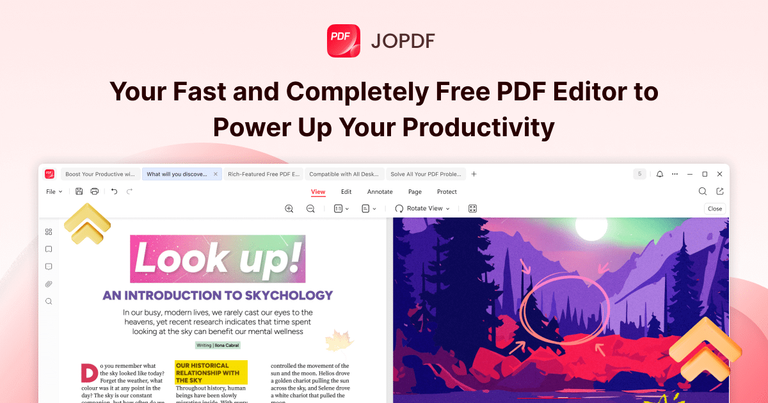
JOPDF is a versatile PDF management solution. It supports functions such as PDF editing, compression, conversion, merging, and page management, offering a streamlined experience for professionals, students, and business users.

Introduction

JOPDF is a versatile PDF management solution. It supports functions such as PDF editing, compression, conversion, merging, and page management, offering a streamlined experience for professionals, students, and business users.

Features
  • Comprehensive PDF Editing — Edit PDFs like a Word document — add or modify text, images, and links with full control over font, size, color, and formatting. Supports copy, paste, rotate, crop, resize, and replace images directly within PDF files.
  • Batch PDF Conversion — Convert PDFs to Word, Excel, PowerPoint, or image formats and vice versa with high-quality output. Batch conversion support allows processing multiple files simultaneously without requiring sign-ups.
  • PDF Compression with Quality Preservation — Reduce PDF file sizes significantly while maintaining original document quality. Supports batch compression for shrinking multiple PDFs instantly, ideal for email attachments and storage optimization.
  • 15+ Annotation Tools — Feature-rich annotator with over 15 markup tools including drawing, highlighting, commenting, and more. Includes one-click show/hide for all annotations and smooth drawing removal capabilities.
  • PDF Page Management & Organization — Insert, split, rotate, and remove PDF pages at any position. Drag-and-drop reordering for merging multiple PDFs into well-structured documents with full page-level control.
  • Cross-Platform Security & Protection — Encrypt PDFs with passwords, set permission controls to prevent unauthorized copying or editing, and adjust access settings freely. Runs natively on Windows, macOS (including Apple M1–M4 chips), and Linux systems.
Use Cases
Student Academic Document Management

Students can annotate lecture notes, merge research papers, convert PDFs to editable formats for assignments, and compress files for submission — all without paying for expensive software or creating accounts. Target Audience: College and university students managing academic papers, research documents, and coursework

Business Team Document Workflow

Professionals can batch convert reports between formats, merge multiple documents into single presentations, protect sensitive contracts with encryption, and streamline document workflows across team members. Target Audience: Business professionals, office workers, and teams handling contracts, reports, and corporate documents

Cross-Platform PDF Editing for Mixed OS Environments

Users working across different operating systems can maintain consistent PDF editing capabilities whether on Windows, Mac, or Linux — ideal for freelancers and organizations with diverse tech stacks. Target Audience: Freelancers, IT professionals, and organizations with mixed Windows/Mac/Linux environments

Quick PDF Tasks Without Software Commitment

Users needing occasional PDF tasks like signing documents, compressing files for email, or converting formats can accomplish everything instantly without registration, subscriptions, or software bloat. Target Audience: Casual users and anyone needing quick, one-off PDF editing without long-term software commitment

Pros
  • 100% free with no hidden charges, trial restrictions, subscriptions, or sign-up requirements — all features are fully unlocked for every user
  • True cross-platform support running natively on Windows, macOS (optimized for Apple M1–M4 chips), and Linux, providing consistent functionality across all major desktop operating systems
  • Comprehensive all-in-one solution covering editing, conversion, compression, merging, annotation, page management, protection, reading, and printing in a single application
  • Clean, secure, and virus-free with no bundled software, ads, or watermarks, ensuring a trustworthy and professional user experience
  • Batch processing capabilities for conversion and compression tasks, significantly improving productivity for users handling multiple documents
Cons
  • Desktop-only application with no web-based or mobile version available, limiting accessibility for users who need PDF editing on tablets or smartphones
  • No cloud storage integration or collaboration features mentioned, which may be a limitation for teams needing real-time document sharing and co-editing
  • As a free tool, it may lack some advanced enterprise features like OCR (optical character recognition), form creation, or digital signature workflows found in premium PDF editors
  • Limited information about offline vs. online functionality and whether certain features require internet connectivity

Latest News

JOPDF News Center | Latest PDF Tips, Updates & Product ...

JOPDF News Center | Latest PDF Tips, Updates & Product ...

8/4/2026

JOPDF News Center | Latest PDF Tips, Updates & Product News # JOPDF News Center JOPDF News Center is your source for the latest updates, product news, and PDF tips to help you work faster and more efficiently. ### What’s New in JOPDF 2.3.0? Explore the Latest Features JOPDF is pleased to announc...

Edit PDF Guides & Tutorials | Best PDF Editing Tips.

Edit PDF Guides & Tutorials | Best PDF Editing Tips.

8/4/2026

Edit PDF Guides & Tutorials | Best PDF Editing Tips. # JOPDF Blog Center Discover expert tutorials, troubleshooting guide and productivity to handle all PDF work issues here. ### How to Sign a PDF on Windows 10/11: 3 Free & Easy Ways Learn how to sign a PDF on Windows quickly and securely using ...

JOPDF | Free & Fast PDF Editor for Windows, Mac & Linux

JOPDF | Free & Fast PDF Editor for Windows, Mac & Linux

8/4/2026

JOPDF | Free & Fast PDF Editor for Windows, Mac & Linux # Take Full Control of Your PDFs JOPDF helps you tackle all your PDF tasks with ease. Edit, convert, compress, merge, split, create, annotate, organize, and protect your PDF files without hassle. All for free, no sign-up required. Download J...

Download JOPDF on Windows and Mac

Download JOPDF on Windows and Mac

8/4/2026

[Official] JOPDF Download Center: Download JOPDF on Windows and Mac # JOPDF Download Center Download the latest version of JOPDF — the all-in-one, free PDF editor and reader for Windows, macOS, and Linux, designed to make your PDF workflow smoother, easier, and faster. ### JOPDF for Windows Star...

JOPDF for Windows: Best Free PDF Editing Software for Windows

JOPDF for Windows: Best Free PDF Editing Software for Windows

8/4/2026

JOPDF for Windows: Best Free PDF Editing Software for Windows 100% FreeJOPDF for Windows # Best Free PDF Editor & Reader for Windows Discover seamless PDF editing, smooth reading, fast file conversion, powerful annotation, and more with this free PDF editor for Windows. No sign-up required. Avai...

FAQ

More Products

TinyPNG is Tinify’s browser-based image compressor and converter. This review explains how its web tool differs from its Developer API, what each free allowance covers, and when its compression, conversion, resizing, and cropping features may fit an image workflow.

Zamzar is an online file conversion and compression service for documents, images, video, sound, and other formats. Its free web service has daily file and upload-size limits.

iLoveIMG is a browser-based image service for compression, resizing, cropping, conversion, and editing, with a free Basic plan and paid options.

Smallpdf is an online PDF toolkit for conversion, compression, editing, merging, signing, and more. Its Free plan includes 30+ tools but limits downloads.

Convertio is a browser-based service for converting files between supported formats, with optional settings for many conversion types.

FreeConvert is an online file converter with more than 1,500 listed conversion types and a free allowance of 20 conversion minutes per day.

HiPDF is an online PDF service with conversion, editing, compression, merging, cropping, image tools, and AI features.

123apps is a browser-based suite of video, audio, PDF, and file-conversion tools. Its apps are free to use with limits on file size and daily operations.

ChatPDF summarizes PDFs and answers questions about them. Its free plan allows two document analyses per day, with no account needed to get started.

CloudConvert is a browser-based converter for more than 200 file formats, including documents, images, audio, video, archives, and specialist formats.

OCR.space provides free browser-based OCR for images and PDFs, searchable PDF creation, and a separate API for adding text recognition to software.

Free online itinerary maker with 900+ trip plans across 96 countries. Edit day-by-day in the browser; export to PDF, Excel, CSV, Google Sheets or .ics. Free account required to download/print. Optional Pro adds premium themes; AI chat helps draft plans.

TasteDir is a curated directory of finished, well-crafted software from indie makers and small teams. Every listed tool is reviewed by hand.

An AI meeting copilot that combines live transcripts, screenshots, and project documents to deliver contextual answers, response drafts, and meeting recaps.

Create professional invoices free in your browser: live preview, any currency, tax and discounts, custom templates, and no-watermark PDF. No signup needed.

Vidsembly is an AI video creation platform that turns PowerPoint presentations, PDFs, and documents into narrated videos. Create AI presentations, clone voices, translate slides, transcribe recordings, generate soundtracks, and host videos in one place.