JSON Editor Online
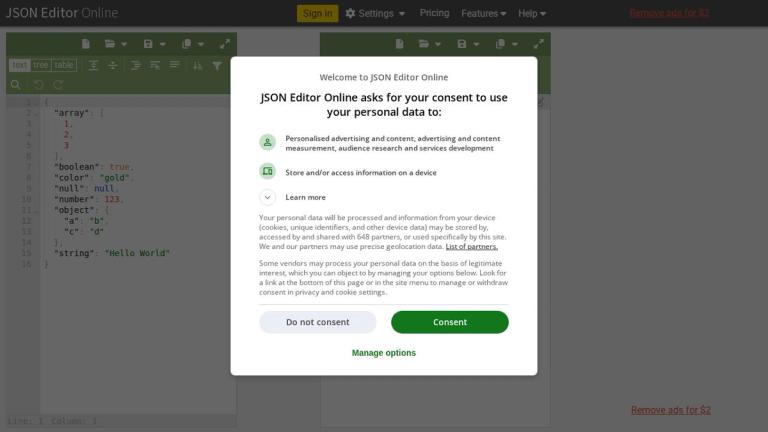
JSON Editor Online is the original and most copied JSON Editor on the web. It is a versatile, high-quality tool designed to edit and process JSON data efficiently. The editor offers comprehensive functionality in one place: from formatting and beautifying JSON data to comparing JSON documents or querying your JSON data.
JSON (JavaScript Object Notation) is the most used data format between servers and browsers, and JSON Editor Online is an indispensable tool for frontend and backend developers working with JSON data in their daily workflow.
The tool supports multiple viewing modes including text mode, tree mode, and table mode, allowing users to interact with their JSON data in the way that best suits their needs. It also features smart JSON formatting for more compact yet readable output.
JSON Editor Online is developed and maintained by Jos de Jong, an enthusiastic senior software engineer with 20+ years of experience. The editor was created out of personal needs while working with JSON-based APIs and databases as a full-stack engineer.
Current version: 7.14.2
Target Audience
Frontend and backend developers, full-stack engineers, and anyone working with JSON data in their daily workflow.
Key Features
- Online JSON editor and JSON viewer
- Text mode, tree mode, and table mode
- JSON formatter and JSON beautifier
- Query and transform JSON with multiple query languages
- Compare JSON documents
- Repair JSON documents
- JSON Schema validation
- Load, save and share JSON online
- JSON to CSV converter
- CSV to JSON converter
- Process large JSON files
- Offline JSON Editor support
- Smart JSON Formatting
- Search and Replace functionality
- Expand All and Collapse All navigation
Use Cases
- Formatting and beautifying JSON data for readability
- Comparing two JSON documents to find differences
- Querying and transforming JSON data using JSON Query or JSONPath-Plus
- Validating JSON against JSON Schema
- Converting between JSON and CSV formats
- Repairing malformed or broken JSON documents
- Viewing and navigating large, deeply nested JSON files
- Sharing JSON data via cloud storage or URL
Pros
- Completely free to use
- Multiple viewing modes (text, tree, table)
- Supports large JSON files
- No installation required - works in browser
- Offers offline support
- Smart formatting for compact yet readable output
- Multiple query language support
- High user satisfaction and popularity
Cons
- Contains ads (removable for $2)
- Requires internet connection for full functionality
- May have limitations with extremely large files
- For quick syntax checks only, a lighter validator such as JSONLint may be faster.
Pricing
Free to use with ads. Ad removal available for $2.