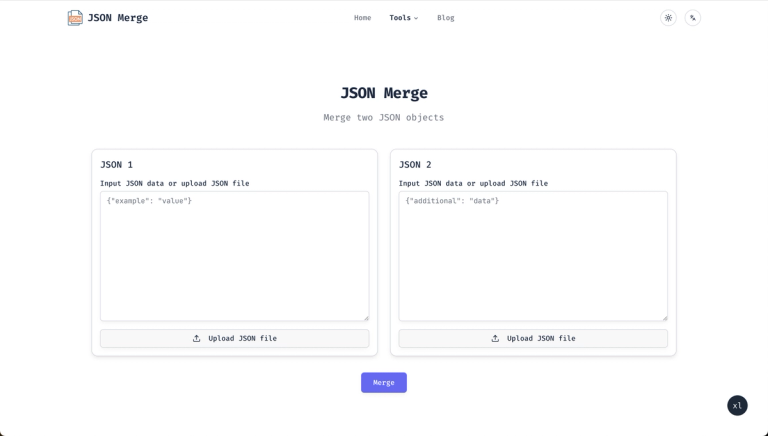
Online tool for JSON merge, compare, validate, and edit. Simplify workflow with efficient JSON processing utilities, 100% free and no login required.
Features
- Smart JSON Merge — Intelligent algorithms that handle nested structures, arrays, and complex objects with precision while preserving data integrity. Identifies common structures and resolves conflicts automatically to produce clean, unified output.
- Multiple Conflict Resolution Algorithms — Customizable merge settings with various conflict resolution strategies to suit different use cases. Users can choose how overlapping keys and values are handled during the merge process.
- Visual Diff & Compare Tool — Side-by-side visual comparison tool that highlights differences between JSON files intuitively. Makes it easy to identify changes, additions, and deletions across multiple JSON documents.
- Client-Side Security Processing — All data processing happens directly in the browser—JSON data never leaves the user's device. No server-side storage ensures complete privacy and security for sensitive data.
- Comprehensive JSON Toolkit — Beyond merging, the platform offers JSON Compare, Validate, Beautify, Format, Minify, Compact, and Flatten tools—all accessible from a single interface without login.
- File Upload & Download Support — Users can upload JSON files directly or input data manually, then download results or copy processed data to clipboard for seamless workflow integration.
Use Cases
API Development & Integration Testing
Developers working on REST APIs or microservices can merge multiple JSON response payloads to create comprehensive test fixtures, compare API outputs across environments, and validate JSON schemas before deployment. Target Audience: Backend developers, API engineers, and QA testers
Configuration File Management
DevOps engineers and system administrators can merge environment-specific JSON configuration files (e.g., staging vs. production), compare settings across deployments, and validate config files against expected schemas. Target Audience: DevOps engineers, system administrators, and platform teams
Data Analysis & ETL Pipelines
Data analysts can combine JSON datasets from multiple sources, compare data snapshots to identify changes, and validate JSON data quality before loading into analytics platforms or databases. Target Audience: Data analysts, data engineers, and business intelligence professionals
Learning & Prototyping
Students and junior developers can experiment with JSON structures, understand merge behaviors, and validate their JSON output during learning or rapid prototyping phases—all without installing any software. Target Audience: Students, junior developers, and coding bootcamp learners
Pros
- 100% free with no login, subscription, or hidden fees—full access to all features immediately
- Complete privacy through client-side browser processing; sensitive JSON data never leaves the user's device
- Comprehensive all-in-one toolkit covering merge, compare, validate, beautify, minify, and more in a single platform
- Intuitive visual interface with side-by-side diff comparison makes complex JSON operations accessible to users of all skill levels
- Multilingual support (English, Chinese, Japanese, Korean, Spanish, French, Russian, German) serves a global developer audience
Cons
- Requires internet connection as it's a web-based tool with no offline or desktop version available
- Performance may degrade with extremely large JSON files (multi-GB) due to browser memory limitations
- No API or CLI access for integrating JSON operations into automated CI/CD pipelines or scripts
- Limited advanced features compared to dedicated IDE plugins or enterprise-grade JSON processing tools
- If you only need to validate or pretty-print a single file, JSONLint is a simpler, single-purpose option.