LogoAI Jet
Icon for KDE Partition Manager

KDE Partition Manager

A free, open-source disk partition editor for Linux that allows users to create, delete, resize, move, and manage disk partitions with a user-friendly graphical

Introduction

KDE Partition Manager

KDE Partition Manager is a powerful, open-source disk partition management tool developed by the KDE community. It provides a graphical interface for managing disk partitions on Linux systems, making complex disk operations accessible to both novice and experienced users.

Overview

As part of the KDE Applications suite, KDE Partition Manager allows users to perform essential disk management tasks including creating, deleting, resizing, moving, copying, and checking partitions. The tool supports a wide range of file systems including ext2/3/4, NTFS, FAT16/32, ReiserFS, JFS, XFS, and more.

Key Capabilities
  • Non-destructive operations: Resize and move partitions without data loss
  • File system support: Works with Linux, Windows, and other file systems
  • LVM support: Manage Logical Volume Manager configurations
  • GUI interface: Intuitive graphical interface for complex operations
  • Root privileges management: Secure handling of disk operations requiring elevated permissions

The application is built on the KDE Framework and integrates seamlessly with the KDE Plasma desktop environment, though it can be used on any Linux desktop.

Target Audience

Linux users, system administrators, developers, and anyone needing to manage disk partitions on Linux systems

Key Features
  • Create and delete disk partitions
  • Resize and move partitions without data loss
  • Support for multiple file systems (ext2/3/4, NTFS, FAT, XFS, etc.)
  • Copy partitions between disks
  • Check and repair file systems
  • LVM (Logical Volume Manager) support
  • Graphical user interface for complex operations
  • Support for GPT and MBR partition tables
  • Undo/redo functionality for partition operations
  • Integration with KDE Plasma desktop
Use Cases
  • Setting up new hard drives or SSDs
  • Resizing partitions to allocate disk space
  • Dual-boot system configuration
  • Disk space reorganization
  • Preparing disks for new operating system installations
  • Data recovery and disk maintenance
  • Server disk management
  • Creating separate partitions for /home, /var, or swap
Pros
  • Completely free and open-source
  • User-friendly graphical interface
  • Supports wide range of file systems
  • Non-destructive partition operations
  • Active development by KDE community
  • Integrates well with KDE Plasma desktop
  • Available on multiple Linux distributions
Cons
  • Linux-only application
  • Requires root/administrator privileges
  • May not support all proprietary file systems
  • GUI-only (no command-line interface)
  • Less feature-rich than some commercial alternatives
Pricing

Free and open-source (GPL licensed)

Latest News

KDE Partition Manager - KDE Applications

KDE Partition Manager - KDE Applications

8/4/2026

KDE Partition Manager - KDE Applications # KDE Partition Manager Categories: System KDE Partition Manager is a utility to help you manage the disks, partitions, and file systems on your computer. It allows you to easily create, copy, move, delete, back up, restore, and resize them without losing ...

KDE Partition Manager

KDE Partition Manager

8/4/2026

KDE Partition Manager - KDE Applications # KDE Partition Manager Categories: KDE Partition Manager is a utility to help you manage the disks, partitions, and file systems on your computer. It allows you to easily create, copy, move, delete, back up, restore, and resize them without losing data. I...

KDE Partition Manager - KDE Applications

KDE Partition Manager - KDE Applications

8/4/2026

KDE Partition Manager - KDE Applications # KDE Partition Manager Categories: Kerfi KDE Partition Manager is a utility to help you manage the disks, partitions, and file systems on your computer. It allows you to easily create, copy, move, delete, back up, restore, and resize them without losing d...

KDE Applications

KDE Applications

8/4/2026

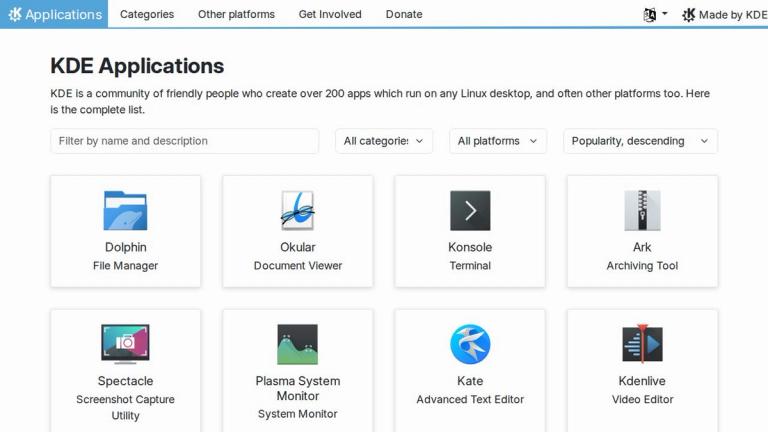
KDE Applications # KDE Applications KDE is a community of friendly people who create over 200 apps which run on any Linux desktop, and often other platforms too. Here is the complete list. All categoriesDevelopmentEducationGamesGraphicsInternetMultimediaOfficeSystemUtilities All platformsAndroid...

KDE Partitionshåndtering - KDE Applications

KDE Partitionshåndtering - KDE Applications

8/4/2026

KDE Partitionshåndtering - KDE Applications # KDE Partitionshåndtering KDE Partition Manager is a utility to help you manage the disks, partitions, and file systems on your computer. It allows you to easily create, copy, move, delete, back up, restore, and resize them without losing data. It suppo.....

FAQ

More Products

TinyPNG is Tinify’s browser-based image compressor and converter. This review explains how its web tool differs from its Developer API, what each free allowance covers, and when its compression, conversion, resizing, and cropping features may fit an image workflow.

Zamzar is an online file conversion and compression service for documents, images, video, sound, and other formats. Its free web service has daily file and upload-size limits.

iLoveIMG is a browser-based image service for compression, resizing, cropping, conversion, and editing, with a free Basic plan and paid options.

Smallpdf is an online PDF toolkit for conversion, compression, editing, merging, signing, and more. Its Free plan includes 30+ tools but limits downloads.

Convertio is a browser-based service for converting files between supported formats, with optional settings for many conversion types.

FreeConvert is an online file converter with more than 1,500 listed conversion types and a free allowance of 20 conversion minutes per day.

HiPDF is an online PDF service with conversion, editing, compression, merging, cropping, image tools, and AI features.

123apps is a browser-based suite of video, audio, PDF, and file-conversion tools. Its apps are free to use with limits on file size and daily operations.

ChatPDF summarizes PDFs and answers questions about them. Its free plan allows two document analyses per day, with no account needed to get started.

CloudConvert is a browser-based converter for more than 200 file formats, including documents, images, audio, video, archives, and specialist formats.

OCR.space provides free browser-based OCR for images and PDFs, searchable PDF creation, and a separate API for adding text recognition to software.

Free online itinerary maker with 900+ trip plans across 96 countries. Edit day-by-day in the browser; export to PDF, Excel, CSV, Google Sheets or .ics. Free account required to download/print. Optional Pro adds premium themes; AI chat helps draft plans.

TasteDir is a curated directory of finished, well-crafted software from indie makers and small teams. Every listed tool is reviewed by hand.

An AI meeting copilot that combines live transcripts, screenshots, and project documents to deliver contextual answers, response drafts, and meeting recaps.

Create professional invoices free in your browser: live preview, any currency, tax and discounts, custom templates, and no-watermark PDF. No signup needed.

Options research platform with live data. Scan for puts and calls, compare strikes in a yield matrix, model strategies, and journal every trade.