LogoAI Jet

Introduction

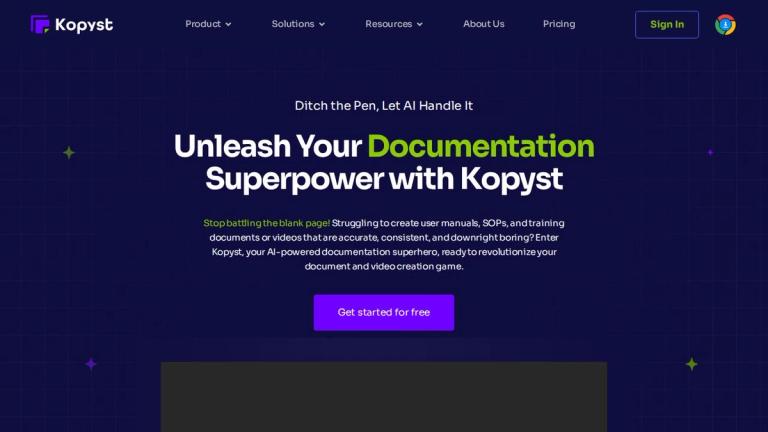
Kopyst is an AI-driven documentation tool designed to streamline the creation of user manuals, SOPs, and training materials. It captures on-screen actions and automatically generates step-by-step guides with screenshots and annotations.

Key features:

  • Instant Documentation: Automatically captures and transforms processes into polished documents.
  • Versatile Application: Supports the creation of user manuals, SOPs, product documentation, and training materials.
  • AI-Powered Intelligence: Uses AI to understand steps, anticipate needs, and ensure clarity.
  • Easy Sharing and Collaboration: Facilitates team collaboration through seamless document sharing and editing.
  • Seamless Integration: Integrates with existing tools and platforms.

Use Cases:

  • Onboarding New Hires: Simplifies and enhances the new hire onboarding process.
  • Software Trainings: Transforms learning experiences with engaging training materials.
  • Quality Control: Reinvent quality control processes with precise documentation.
  • Troubleshooting Guides: Creates easy-to-follow troubleshooting guides.
  • Process Documentation (SOPs): Standardizes workflows with AI-generated SOPs.

Latest News

Blog - Explore Latest Trends, News, Tips and Updates

Blog - Explore Latest Trends, News, Tips and Updates

8/5/2026

Stay abreast of the latest trends and developments in process documentation across diverse industries. Our articles offer insights into how different sectors leverage automation tools to enhance productivity and efficiency. Expert Interviews Expert Interviews ###### Expert Interviews [...] Explore a...

Kopyst vs. OtherTool: A Comprehensive Comparison of Content Creation Platforms

Kopyst vs. OtherTool: A Comprehensive Comparison of Content Creation Platforms

8/5/2026

Product Setup and Troubleshooting: For tech products or software, provide visual guides on how to set up devices, install updates, or troubleshoot issues. This is particularly valuable for products that have complex configurations or require regular maintenance. [...] App Tutorials: Create step-by-s...

Create a Page with Kopyst - kopyst

Create a Page with Kopyst - kopyst

8/5/2026

The real beauty of Kopyst lies in its collaboration capabilities. You can easily share your documents with others, enabling real-time collaboration, comments, and edits. This means that teams, no matter where they’re located, can work together efficiently, making updates and refining content on the ...

Kopyst FAQs: Get Your Questions Answered Here

Kopyst FAQs: Get Your Questions Answered Here

8/5/2026

A – Yes, we offer a free trial of Kopyst so that you can experience its full capabilities and explore how it can benefit your workflow. Head to Kopyst Contact us for a free demo and experience Kopyst’s smooth documentation process. 2. Are there any limitations in the free version of Kopyst? [...] 4....

Document Guides with Kopyst - kopyst

Document Guides with Kopyst - kopyst

8/5/2026

Start Your Free Trial with Kopyst Today! Get Started For Free ## Key Differences Between Kopyst and Other Competitors Kopyst stands out from other documentation tools with its unique features and benefits. Kopyst offers a versatile and powerful solution that combines both video and document guide cr...

Alternatives

  • Tango

    Tango automatically creates step-by-step guides as you work, making it a great alternative for SOP documentation.

  • Scribe

    Scribe automatically generates visual step-by-step guides from any process, similar to Kopyst's video and document creation.

  • Guidely

    Guidely offers a platform to create, manage, and track interactive guides and SOPs, providing a comprehensive documentation solution.

  • Trainual

    Trainual focuses on creating training manuals and SOPs for onboarding and employee training, offering a structured approach to documentation.

  • Process Street

    Process Street is a workflow management platform that allows you to create and run SOPs as checklists, ensuring consistent execution.

  • ClickHelp

    ClickHelp is a technical documentation tool that allows you to create online user manuals, knowledge bases, and help files.

  • ScreenPal (formerly Screencast-O-Matic)

    ScreenPal provides screen recording and video editing tools for creating tutorials and training videos, a key component of Kopyst's offering.

  • Loom

    Loom offers quick video recording and sharing, making it a simple alternative for creating short tutorials and explanations.

  • CloudApp

    CloudApp provides screen recording, GIF creation, and screenshot annotation tools for visual communication and documentation.

  • Snagit

    Snagit is a screen capture and recording tool that allows you to create custom images and videos for documentation and training purposes.

FAQ

More Products

TinyPNG is Tinify’s browser-based image compressor and converter. This review explains how its web tool differs from its Developer API, what each free allowance covers, and when its compression, conversion, resizing, and cropping features may fit an image workflow.

Zamzar is an online file conversion and compression service for documents, images, video, sound, and other formats. Its free web service has daily file and upload-size limits.

iLoveIMG is a browser-based image service for compression, resizing, cropping, conversion, and editing, with a free Basic plan and paid options.

Smallpdf is an online PDF toolkit for conversion, compression, editing, merging, signing, and more. Its Free plan includes 30+ tools but limits downloads.

Convertio is a browser-based service for converting files between supported formats, with optional settings for many conversion types.

FreeConvert is an online file converter with more than 1,500 listed conversion types and a free allowance of 20 conversion minutes per day.

HiPDF is an online PDF service with conversion, editing, compression, merging, cropping, image tools, and AI features.

123apps is a browser-based suite of video, audio, PDF, and file-conversion tools. Its apps are free to use with limits on file size and daily operations.

ChatPDF summarizes PDFs and answers questions about them. Its free plan allows two document analyses per day, with no account needed to get started.

CloudConvert is a browser-based converter for more than 200 file formats, including documents, images, audio, video, archives, and specialist formats.

OCR.space provides free browser-based OCR for images and PDFs, searchable PDF creation, and a separate API for adding text recognition to software.

Free online itinerary maker with 900+ trip plans across 96 countries. Edit day-by-day in the browser; export to PDF, Excel, CSV, Google Sheets or .ics. Free account required to download/print. Optional Pro adds premium themes; AI chat helps draft plans.

Verla AI is an AI learning platform that helps teams and students learn and apply AI faster with guided courses, tools, and hands-on practice.

TasteDir is a curated directory of finished, well-crafted software from indie makers and small teams. Every listed tool is reviewed by hand.

An AI meeting copilot that combines live transcripts, screenshots, and project documents to deliver contextual answers, response drafts, and meeting recaps.

Create professional invoices free in your browser: live preview, any currency, tax and discounts, custom templates, and no-watermark PDF. No signup needed.