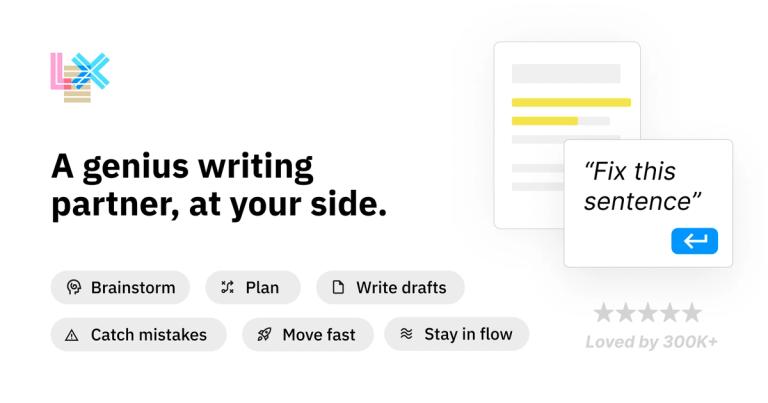
Lex is an AI-powered word processor designed for modern creators, offering collaborative documents and powerful AI editing tools.
Features
- AI-Powered Feedback & Editing — Get instant AI feedback on your drafts, brainstorm ideas, or rewrite content with intelligent suggestions. Includes handy AI shortcuts to find the perfect word, generate lists of ideas, and more—serving as a real-time editor that helps you iterate faster and more efficiently.
- Live Real-Time Collaboration — Share a document link, have collaborators log in with one click, and instantly see what each person is typing in real-time. A polished, seamless collaborative writing experience that rivals Google Docs with a more refined interface.
- Version History & Comparison — Try different ways of expressing your ideas without losing your original content. Create and compare multiple versions of your writing, allowing you to experiment with tone, structure, and phrasing while preserving previous drafts.
- One-Click Title Generation — With a single click, receive a curated list of compelling title suggestions generated by AI. Eliminate the struggle of headline writing and get creative, attention-grabbing options tailored to your content.
- Frictionless Web-Based Sharing — Share documents via link for collaboration or publish read-only versions for audiences—no app download required. The mobile web experience allows anyone to access, edit, or read your work from any device instantly.
- Keyboard-First Command System — Navigate and control Lex efficiently with intuitive keyboard shortcuts and AI-powered commands. Access formatting tools, AI features, and document controls without lifting your hands from the keyboard for a distraction-free writing flow.
Use Cases
Content Marketing & Blog Writing
Marketing professionals and content creators use Lex to draft blog posts, articles, and marketing copy with AI-assisted editing. The AI feedback feature helps refine messaging, while title suggestions optimize for engagement. Version history allows A/B testing of different angles. Target Audience: Marketing teams, content strategists, bloggers, and VP-level marketing professionals like those at SparkToro
Collaborative Team Documents & Reports
Teams collaborate on shared documents in real-time—whether it's project proposals, internal reports, or client deliverables. Multiple team members can edit simultaneously, leave comments, and use AI tools to polish the final output before publishing. Target Audience: Remote teams, project managers, agencies, and organizations needing seamless document collaboration
Long-Form Writing & Manuscript Drafting
Writers working on essays, newsletters, or long-form content leverage Lex's minimalist interface to maintain focus during extended writing sessions. AI assists with overcoming writer's block, suggesting rewrites, and refining prose without the clutter of traditional word processors. Target Audience: Authors, newsletter writers, journalists, and independent creators producing long-form written content
Quick Notes & Idea Capture
Capture fleeting ideas, meeting notes, or brainstorming sessions quickly using Lex's streamlined interface. AI commands help expand rough notes into structured outlines, and the mobile web access ensures you can jot down ideas from any device. Target Audience: Entrepreneurs, students, researchers, and anyone who needs a fast, intelligent note-taking solution
Pros
- Minimalist, distraction-free interface designed specifically for writers, allowing deep focus without the bloat of traditional word processors like Google Docs or Microsoft Word
- Powerful AI integration that acts as a real-time editor—providing feedback, brainstorming assistance, rewrite suggestions, and word-finding tools directly within the writing workflow
- Zero friction onboarding with free access and no credit card required, plus web-based collaboration that requires no app downloads for any participant
- Loved and validated by over 300,000 writers, with endorsements from marketing professionals who consider it a superior Google Docs replacement
- Robust version control system that lets writers experiment with different phrasings and approaches without risking loss of original content
Cons
- Track Changes feature is still listed as 'coming soon,' meaning teams accustomed to traditional revision tracking in Google Docs may find this functionality gap limiting for formal editing workflows
- Web-only platform with no mention of a native desktop or mobile app, which may concern users who prefer offline writing capabilities or native app performance
- AI features likely require a stable internet connection, potentially limiting productivity for writers who work in low-connectivity environments or while traveling
- Limited information about pricing tiers on the homepage—users may need to invest time exploring whether advanced AI features or collaboration limits require a paid plan