

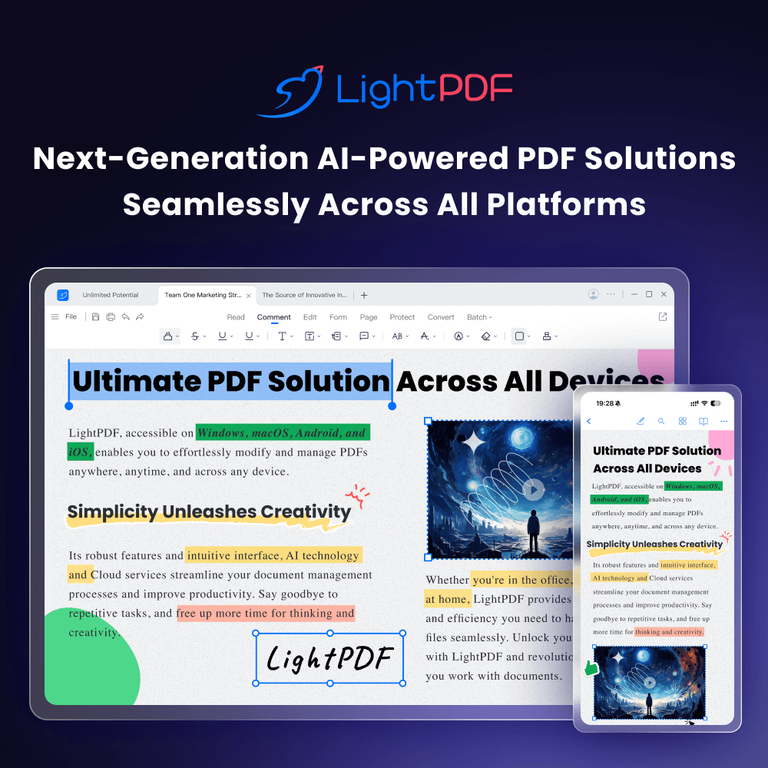
LightPDF: online PDF tools with built-in AI
LightPDF combines everyday PDF editing and conversion tools with AI features for reading, summarizing, translating, and creating documents. It runs in a web browser, with mobile and desktop versions available on paid plans. That makes it an option for people who want to handle common PDF tasks in one service, then use AI to ask questions about a document or turn its contents into a summary or presentation.
The conventional PDF toolkit covers editing, conversion, merging, compression, OCR, annotation, signing, splitting, rotating, and protecting files. LightPDF can convert PDFs to formats including Word, Excel, PowerPoint, and images, and convert several file types back to PDF. OCR is useful for extracting text from scanned documents, while compression and merging address common file-preparation tasks. The product also lists redaction, watermark removal, and PDF comparison among its tools. You can explore the PDF tools on LightPDF to see the available operations.
AI features for working with documents
LightPDF’s AI features extend beyond asking questions about a PDF. ChatPDF lets users query a document and follow up on its contents; the AI Agent is described as supporting document chat and citation tracing. Other tools can summarize, analyze, and turn documents into mind maps. There are also options for PDF translation, image and scanned-PDF translation, and AI-based data extraction from materials such as invoices, receipts, and bank statements.
For creation tasks, LightPDF offers an AI PDF generator and an AI PPT generator that can turn document material into a presentation. It also lists AI invoice generation. These tools may be useful when the goal is not simply to change a file format, but to make information easier to review or reuse. The LightPDF VIP page describes the paid plans and AI features, including credit-based usage.
AI access is metered rather than unlimited. The product’s pricing information says AI usage consumes credits, with the amount varying by feature. For example, it lists 20 credits per generated PDF at the default length and 20 credits per generated presentation; translation and image-processing costs vary by page or task. Some free-plan AI tools also have daily or file limits: the listed allowances include three AI Agent questions per day, one ChatPDF file per day, and one file per day for certain summary, mind-map, and analysis features. Check the current plan details before relying on a particular allowance, since credits and limits affect how much AI work you can do.
Plans, platforms, and developer options
As of the October 2026 pricing check, LightPDF lists a Free plan at $0, a Monthly plan at $5.99 per month, a Yearly plan at $15.99 per year, and a Lifetime plan at $39.99 one time. The listed paid plans include web, mobile, and desktop access, while the Free plan is web-only. LightPDF also lists a 10 MB maximum file size for the free plan and unlimited file size for paid plans. The free plan has other restrictions, including limited cloud storage and file processing, while paid plans include expanded file handling and watermark-free downloads. AI credit allowances differ by plan: the pricing page lists 1,000 credits per month for the monthly and yearly plans and 40,000 lifetime credits for the lifetime plan. Additional credits are available to purchase. See the official LightPDF pricing page for plan terms and feature details.
Developers can also find PDF Conversion API, ChatDoc API, PDF-to-Word API, OCR API, PDF Editing API, and a PDF Editing SDK in LightPDF’s product listings. These options may suit teams that need to integrate document functions into another workflow rather than use only the consumer-facing editor. API availability and pricing should be checked with LightPDF directly; the plan prices above describe the listed individual plans, not API costs.
Strengths and trade-offs
A practical advantage is breadth: LightPDF brings editing, conversion, OCR, signing, and AI document tools together, so users can move from preparing a PDF to extracting or restructuring its contents without switching services. Cross-platform access on paid plans may also help people who work across browser, desktop, and mobile environments. The free plan offers a way to try the web tools before paying.
The main trade-off is that free access is limited, and AI features have separate credit or daily-use caps. Users who need regular AI analysis, translation, or generation may need a paid plan or additional credits, so the advertised plan price is only part of the decision. The free plan is also web-only, has a 10 MB file-size limit, and does not include the same file and storage allowances as paid plans. Check whether your expected volume fits the relevant plan before committing, especially if you process many documents or rely on AI features.
LightPDF is best suited to individuals and small teams who want a general-purpose PDF workspace with optional AI assistance. It may be a fit for students reviewing readings, office users preparing and signing documents, or professionals extracting information from reports and forms. Developers can investigate its APIs and SDKs for integration needs. If your work depends on high-volume AI processing, confirm the credit allowance and cost of extra credits first; if you only need occasional PDF edits, the free plan may be enough to test whether the available tools suit your workflow.


