LogoAI Jet

Introduction

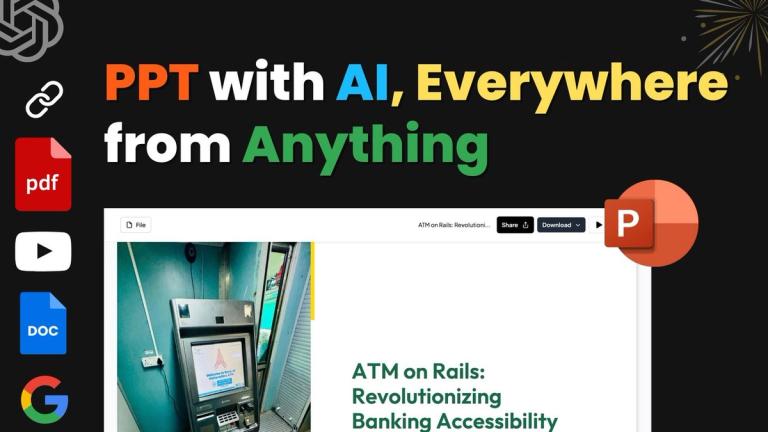
AI PPT maker that transforms text, PDFs, YouTube links, and URLs into ready-to-use presentations in 136+ languages.

Features
  • Multi-Source Content Conversion — Transforms diverse content sources—including text prompts, topics, PDFs, YouTube videos, URLs, and DOCX files—into polished, ready-to-use presentations. Users simply paste content or upload a file, and the AI generates professional slides in seconds.
  • AI Chat Presentation Assistant — Powered by Gemini AI, the built-in chat assistant enables users to create full presentations from scratch, add individual slides, clone existing slides, edit content, and receive design recommendations—all through natural language conversation.
  • 136+ Language Support — Generates presentations in over 136 languages including English, Spanish, French, German, Chinese, Japanese, Korean, Hindi, Portuguese, Russian, Italian, and Arabic, making it ideal for global teams and multilingual audiences.
  • Diverse Slide Type Generation — Creates specialized slide formats including Pros/Cons analysis, Bullet Point + Image slides, Timeline slides, and SWOT Analysis slides—automatically structuring content with appropriate layouts and visual elements.
  • Cross-Platform Compatibility — Generates presentations in Google Slides by default with easy export to PowerPoint (PPTX) format. Also integrates with Chrome, Figma, ChatGPT, Telegram, and Zapier for seamless workflow integration.
  • One-Click Presentation Generation — Streamlined 3-step process: input your idea or content source, let AI generate the slides, then download or edit. Professional presentations are created in seconds rather than hours, with no design skills required.
Use Cases
Startup Pitch Deck Creation

Entrepreneurs and founders can paste their startup pitch content or business idea, and MagicSlides generates a professional, investor-ready pitch deck in seconds. The AI structures key elements like problem statements, solutions, market analysis, and financial projections into compelling slide layouts. Target Audience: Startup founders, entrepreneurs, and business development professionals seeking funding or presenting to investors

Business Review & Strategy Presentations

Professionals can upload quarterly reports (PDF), paste strategic content, or input topics to instantly generate polished business review presentations. Features like SWOT analysis slides and Pros/Cons formats help structure decision-making content for executive audiences. Target Audience: Business analysts, managers, executives, and consultants preparing quarterly reviews, strategy presentations, or decision briefs

Educational & Seminar Content

Students and educators can transform research topics, lecture content, or educational materials into visually engaging presentations. The tool supports easy presentation topics, timeline slides for historical content, and bullet-point formats for academic material across 136+ languages. Target Audience: Students, teachers, professors, and academic professionals creating lectures, seminar presentations, or thesis defenses

YouTube Video Summarization

Content creators and researchers can paste YouTube video links to automatically convert video content into structured presentation decks. This is ideal for repurposing video content, creating meeting summaries from recorded sessions, or extracting key insights from educational videos. Target Audience: Content marketers, researchers, educators, and professionals who need to summarize or repurpose video content into presentation format

Pros
  • Lightning-fast generation—creates complete, professional presentations in seconds rather than hours, powered by Gemini AI's processing capabilities
  • Versatile input options support 8+ conversion types including text, topics, PDFs, YouTube links, URLs, DOCX files, and direct AI chat, accommodating virtually any content source
  • Extensive multilingual support with 136+ languages enables global teams to create presentations in their preferred language without translation barriers
  • Seamless integration ecosystem works with Google Slides, PowerPoint, Chrome, Figma, ChatGPT, Telegram, and Zapier, fitting into existing professional workflows
  • Strong data privacy commitment—content is never stored or shared, all processing happens securely, and files remain private throughout the generation process
Cons
  • AI-generated presentations may require manual refinement for highly specialized, niche, or nuanced content that demands expert-level domain knowledge or unique design aesthetics
  • Free tier limitations may restrict access to advanced features, premium templates, or higher-volume usage, requiring paid plans for professional or enterprise-level needs
  • Output quality depends heavily on input quality—vague or poorly structured source content may result in generic presentations that need significant editing
  • Internet connection required for all functionality since processing happens through cloud-based AI, limiting offline use for users with unreliable connectivity

Alternatives

  • Gamma

    Gamma offers AI-powered presentations and documents, allowing users to quickly transform ideas into visually appealing content.

  • Tome

    Tome provides an AI-powered storytelling format that generates engaging presentations and documents from various inputs.

  • Beautiful.ai

    Beautiful.ai utilizes AI to automatically apply design best practices, helping users create polished presentations effortlessly.

  • Plus AI

    Plus AI is an add-on for Google Slides that generates full presentations from text prompts directly within the Google Workspace environment.

  • Canva Magic Design

    Canva Magic Design leverages AI to create diverse designs, including presentations, from simple text descriptions or existing content.

  • Microsoft Copilot

    Microsoft Copilot integrates AI directly into PowerPoint, assisting with content generation, design, and summarization for presentations.

  • Decktopus AI

    Decktopus AI specializes in creating professional and visually appealing presentations rapidly using AI-driven content and design suggestions.

  • Simplified

    Simplified is an all-in-one platform that includes an AI presentation maker, allowing users to generate slides from text or existing content.

  • Slidebean

    Slidebean offers AI-powered presentation software specifically designed for business and pitch decks, streamlining the creation process.

  • Prezi AI

    Prezi AI helps users create dynamic, non-linear presentations with AI assistance, offering a unique alternative to traditional slide formats.

FAQ

User Reviews

3.9/5.0
(62reviews)
Click stars to rate

Pricing

Pricing Model: Freemium

Basic (Free) Plan

3 presentations per month, up to 2,500 characters per presentation. Suitable for students, casual users, and testing platforms.

Free
null

Essential Plan

Up to 10 presentations per month, YouTube video conversion up to 16 minutes, PDF conversion up to 5 pages, character input limit of 12,000, up to 10 slides per presentation. Includes AI-generated images and Google Slides/Figma plugins.

$80/year
yearly

Premium Plan

Unlimited standard presentations + 50 premium presentations, 100,000 characters of text input per presentation (approx. 25 pages), up to 50 slides per presentation, no watermark, export formats support PDF, PowerPoint, Google Slides, 100 slide clones per month (image to editable PPT). Suitable for businesses, organizations, and teams requiring maximum capacity, custom branding, and professional support.

$5.62/month
monthly

More Products

TinyPNG is Tinify’s browser-based image compressor and converter. This review explains how its web tool differs from its Developer API, what each free allowance covers, and when its compression, conversion, resizing, and cropping features may fit an image workflow.

Zamzar is an online file conversion and compression service for documents, images, video, sound, and other formats. Its free web service has daily file and upload-size limits.

iLoveIMG is a browser-based image service for compression, resizing, cropping, conversion, and editing, with a free Basic plan and paid options.

Smallpdf is an online PDF toolkit for conversion, compression, editing, merging, signing, and more. Its Free plan includes 30+ tools but limits downloads.

Convertio is a browser-based service for converting files between supported formats, with optional settings for many conversion types.

FreeConvert is an online file converter with more than 1,500 listed conversion types and a free allowance of 20 conversion minutes per day.

HiPDF is an online PDF service with conversion, editing, compression, merging, cropping, image tools, and AI features.

123apps is a browser-based suite of video, audio, PDF, and file-conversion tools. Its apps are free to use with limits on file size and daily operations.

ChatPDF summarizes PDFs and answers questions about them. Its free plan allows two document analyses per day, with no account needed to get started.

CloudConvert is a browser-based converter for more than 200 file formats, including documents, images, audio, video, archives, and specialist formats.

OCR.space provides free browser-based OCR for images and PDFs, searchable PDF creation, and a separate API for adding text recognition to software.

Free online itinerary maker with 900+ trip plans across 96 countries. Edit day-by-day in the browser; export to PDF, Excel, CSV, Google Sheets or .ics. Free account required to download/print. Optional Pro adds premium themes; AI chat helps draft plans.

Verla AI is an AI learning platform that helps teams and students learn and apply AI faster with guided courses, tools, and hands-on practice.

Contextual nofollow link exchanges for sites you control, handled with your coding agent and your approval.

TasteDir is a curated directory of finished, well-crafted software from indie makers and small teams. Every listed tool is reviewed by hand.

An AI meeting copilot that combines live transcripts, screenshots, and project documents to deliver contextual answers, response drafts, and meeting recaps.