Mailbird
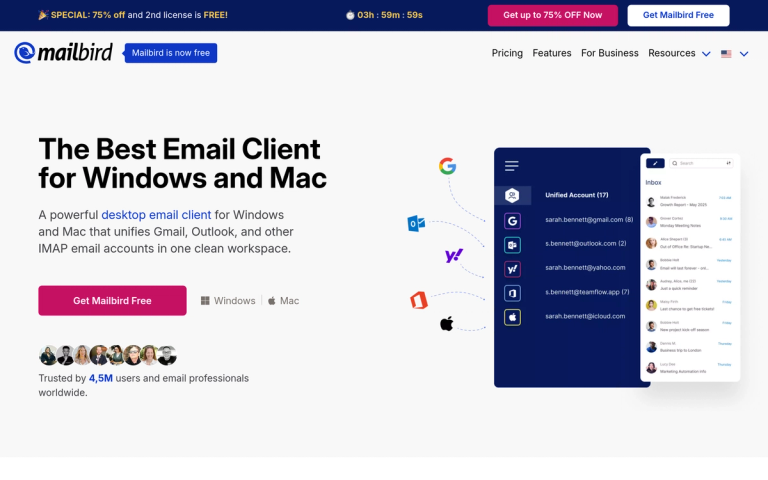
Mailbird is a feature-rich desktop email client designed for Windows and Mac users who want to streamline their email workflow. It brings together multiple email accounts from providers like Gmail, Outlook, Yahoo, iCloud, and Exchange into a single, unified inbox.
Overview
With over 4.8 million email professionals trusting the platform, Mailbird has established itself as a leading email client solution. The application is designed to eliminate the chaos of switching between multiple apps and tools by consolidating email, calendars, chats, and tasks into one powerful interface.
Key Highlights
- Unified Inbox: Combine all your email addresses in one place while still having access to individual accounts
- 30+ Integrations: Connect with popular tools and custom apps to adapt your inbox to your workflow
- Award-Winning: Recognized with multiple G2 awards including Highest User Adoption 2025, Best Email Client 2024, and High Performer 2023
- Cross-Provider Support: Works seamlessly with Gmail, Outlook, Yahoo, iCloud, Exchange, and any IMAP/SMTP email account
- Speed & Simplicity: Built for users who want a fast, clean, and customizable email experience
Recognition
Mailbird has been featured in major publications including BBC, PC World, CNBC, TechCrunch, Bloomberg, and The Huffington Post, cementing its reputation as a top-tier email solution.
Target Audience
Email professionals, remote workers, teams managing multiple email accounts, Windows and Mac users seeking a better email experience
Key Features
- Unified inbox for multiple email accounts
- Support for Gmail, Outlook, Yahoo, iCloud, Exchange, and IMAP/SMTP
- 30+ app integrations
- Custom app integration support
- Sleep email function
- Unread emails display at top
- Customizable interface
- Fast and lightweight performance
- Multi-account management
- Calendar integration
- Task management
Use Cases
- Managing multiple email accounts from different providers
- Consolidating work and personal email in one client
- Teams needing unified email management
- Users switching from outdated email clients
- Professionals seeking productivity-focused email tools
- Remote workers managing multiple communication channels
Pros
- Unified inbox eliminates switching between multiple apps
- Lightning-fast performance
- Beautiful and intuitive design
- Highly customizable interface
- Excellent customer support
- Wide range of integrations
- Works with all major email providers
- Award-winning product with strong user adoption
Cons
- Desktop-only application (no mobile version mentioned)
- May require learning curve for users accustomed to web-based email
- Some advanced features may require paid plans
Pricing
Free trial available; paid plans for premium features