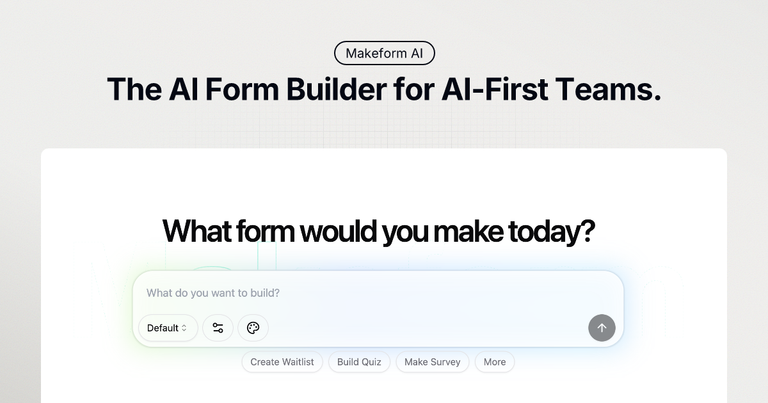
Makeform is an AI-powered form builder that lets you create forms effortlessly through a simple, conversational chat interface.
Features
- AI-Powered Form Generation — Simply describe your form needs in natural language through a conversational chat interface, and Makeform's AI instantly generates a complete, professional form with appropriate fields, validation rules, and logic—no coding or technical expertise required.
- Smart Variables & Conditional Logic — Create dynamic, intelligent forms using variables and conditional logic that adapt based on user responses. Show or hide fields, customize paths, and personalize the form experience for each respondent automatically.
- Seamless Third-Party Integrations — Connect forms effortlessly with popular tools including Slack, Google Sheets, Zapier, and more. Automate workflows and streamline data collection without manual exports or complex setup processes.
- Complete Design Customization — Take full control of form appearance with custom branding options including colors, fonts, layouts, backgrounds, buttons, and logo uploads. White-label forms available on Pro plans for a seamless professional experience.
- Analytics & Insights Dashboard — Track form performance with detailed analytics, monitor completion rates, analyze submissions, and share reports via link or QR code. Optimize forms based on real data to improve response quality and quantity.
- Enterprise-Grade Security — Keep sensitive data protected with top-notch encryption and privacy protocols. Every form submission remains confidential and secure, meeting enterprise security standards for businesses of all sizes.
Use Cases
Customer Feedback & Satisfaction Surveys
Create comprehensive customer satisfaction surveys with multiple choice questions, rating scales, and open-ended fields to collect valuable feedback about products and services. Track responses and generate actionable insights to improve business offerings. Target Audience: Marketing teams, product managers, and customer success departments seeking to gather and analyze customer feedback efficiently.
Lead Generation & Contact Forms
Build professional contact forms with name, email, phone, and message fields to capture customer inquiries and feedback. Integrate with CRM tools and receive instant notifications to respond to leads faster. Target Audience: Sales teams, small business owners, and marketing professionals looking to streamline lead capture and customer communication.
Job Applications & HR Recruitment
Design job application forms with resume upload capabilities, work history fields, education details, and custom screening questions. Streamline candidate evaluation and organize applicant data efficiently. Target Audience: HR departments, recruiters, and hiring managers who need to manage high volumes of job applications with structured data collection.
Event Registration & User Onboarding
Create user registration forms with email verification, password requirements, and profile information fields. Perfect for event signups, membership registrations, and seamless account creation workflows. Target Audience: Event organizers, SaaS companies, and community managers who need efficient registration and onboarding processes.
Pros
- Completely free to start with no signup required—generate and test forms instantly without any commitment or credit card information.
- AI-powered generation eliminates the learning curve, allowing anyone to create professional forms in seconds without coding knowledge or design skills.
- Extensive integration ecosystem connects with popular tools like Slack, Google Sheets, and Zapier, enabling automated workflows and seamless data management.
- Comprehensive customization options including custom branding, hidden fields, conditional logic, and white-label capabilities give full control over form appearance and functionality.
- Multi-language support across 13+ languages makes it accessible for global teams and international audiences.
Cons
- White-label branding removal and some advanced features are restricted to paid Pro plans, limiting free users' ability to create fully branded experiences.
- AI-generated forms may require manual refinement for highly specialized or complex use cases with unique business logic requirements.
- Being in beta stage means potential feature changes, occasional bugs, or evolving functionality that may affect workflow consistency.
- Reliance on AI interpretation means nuanced or ambiguous form descriptions may not always produce the exact desired output on the first attempt.