LogoAI Jet
Icon for Mermaid

Mermaid

Open-source JavaScript-based diagramming and charting tool that renders Markdown-inspired text definitions to create diagrams dynamically.

Categories

Tags

Visit Website
GitHubGitHubDiscordGitHubX (Twitter)GitHubGitHubGitHubX (Twitter)LinkedInGitHubGitHubGitHubGitHubLinkedInGitHubGitHubGitHubGitHubGitHubGitHubLinkedInGitHubLinkedInGitHubGitHubGitHubGitHubGitHubGitHubGitHubGitHubGitHubGitHubGitHubGitHubGitHubGitHubGitHubGitHubGitHubGitHubGitHubGitHubGitHubGitHubGitHubGitHubGitHubGitHubGitHubGitHubGitHubGitHubGitHubGitHubGitHubGitHubGitHubGitHubGitHubGitHubGitHubGitHubGitHubGitHubGitHubGitHubGitHubGitHubGitHubGitHubGitHubGitHubGitHubGitHubGitHubGitHubGitHubGitHubGitHubGitHubGitHubGitHubGitHubGitHubGitHubGitHubGitHubGitHubGitHubGitHubGitHubGitHubGitHubGitHubGitHubGitHubGitHubGitHubGitHubGitHubGitHubGitHubGitHubGitHubGitHubGitHubGitHubGitHubGitHubGitHubGitHubGitHubGitHubGitHubGitHubGitHubGitHubGitHubGitHubGitHubGitHubGitHubGitHubGitHubGitHubGitHubGitHubGitHubGitHubGitHubGitHubGitHubGitHubGitHubGitHubGitHubGitHubGitHubGitHubGitHubGitHubGitHubGitHubGitHubGitHubGitHubGitHubGitHubGitHubGitHubGitHubGitHubGitHubGitHubGitHubGitHubGitHubGitHubGitHubGitHubGitHubGitHubGitHubGitHubGitHubGitHubGitHubGitHubGitHubGitHubGitHubGitHubGitHubGitHubGitHubGitHubGitHubGitHubGitHubGitHubGitHubGitHubGitHubGitHubGitHubGitHubGitHubGitHubGitHubGitHubGitHubGitHubGitHubGitHubGitHubGitHubGitHubGitHubGitHubGitHubGitHubGitHubGitHubGitHubGitHubGitHubGitHubGitHubGitHubGitHubGitHubGitHubGitHubGitHubGitHubGitHubGitHubGitHubGitHubGitHubGitHubGitHubGitHubGitHubGitHubGitHubGitHubGitHubGitHubGitHubGitHubGitHubGitHubGitHubGitHubGitHubGitHubGitHubGitHubGitHubGitHubGitHubGitHubGitHubGitHubGitHubGitHubGitHubGitHubGitHubGitHubGitHubGitHubGitHubGitHubGitHubGitHubGitHubGitHubGitHubGitHubGitHubGitHubGitHubGitHubGitHubGitHubGitHubGitHubGitHubGitHubGitHubGitHubGitHubGitHubGitHubGitHubGitHubGitHubGitHubGitHubGitHubGitHubGitHubGitHubGitHubGitHubGitHubGitHubGitHubGitHubGitHubGitHubGitHubGitHubGitHubGitHubGitHubGitHubGitHubGitHubGitHubGitHubGitHubGitHubGitHubGitHubGitHubGitHubGitHubGitHubGitHubGitHubGitHubGitHubGitHubGitHubGitHubGitHubGitHubGitHubGitHubGitHubGitHubGitHubGitHubGitHubGitHubGitHubGitHubGitHubGitHubGitHubGitHubGitHubGitHubGitHubGitHubGitHubGitHubGitHubGitHubGitHubGitHubGitHubGitHubGitHubGitHubGitHubGitHubGitHubGitHubGitHubGitHubGitHubGitHubGitHubGitHubGitHubGitHubGitHubGitHubGitHubGitHubGitHubGitHubGitHubGitHubGitHubGitHubGitHubGitHubGitHubGitHubGitHub

Introduction

Mermaid.js

Mermaid is an award-winning, open-source JavaScript library for creating diagrams and charts from text-based definitions. Founded by Knut Sveidqvist, Mermaid allows users to generate complex visualizations using a simple, Markdown-inspired syntax — no manual drawing required.

Overview

Mermaid enables developers, technical writers, and teams to create flowcharts, sequence diagrams, Gantt charts, class diagrams, state diagrams, pie charts, and many other diagram types directly from text. The diagrams are rendered dynamically in the browser, making them easy to embed in documentation, wikis, and web applications.

Key Highlights
  • Text-to-Diagram: Write simple text syntax and Mermaid automatically generates professional diagrams
  • Open Source: Fully open-source project with an active community of contributors
  • Award-Winning: Won the 2019 JavaScript Open Source Award for "The Most Exciting Use of Technology"
  • Live Editor: Access the interactive Mermaid Live Editor at mermaid.live for instant diagram creation
  • Wide Integration: Compatible with numerous platforms and applications including GitHub, GitLab, Notion, Confluence, and many more
  • Version 11.14.0: Continuously updated with new features and diagram types
Community & Team

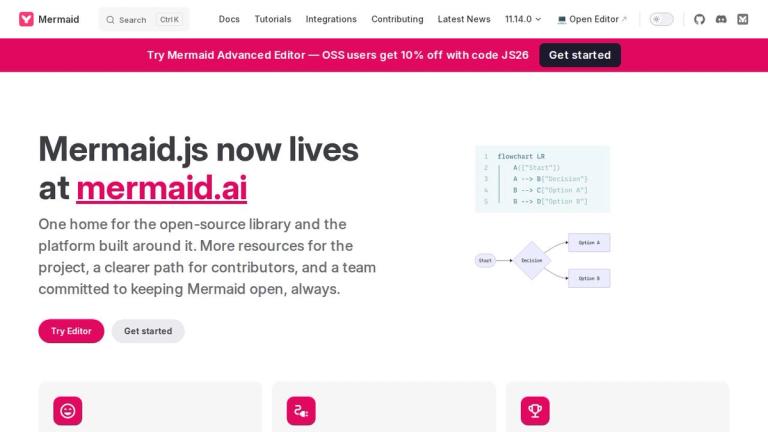
Mermaid is maintained by a dedicated team of developers led by creator Knut Sveidqvist, with contributions from a global open-source community. The project has recently transitioned to mermaid.ai as its new home, consolidating the open-source library and the platform built around it.

Target Audience

Developers, technical writers, project managers, software architects, and teams who need to create diagrams as part of their documentation workflow

Key Features
  • Text-based diagram syntax
  • Flowchart creation
  • Sequence diagrams
  • Gantt charts
  • Class diagrams
  • State diagrams
  • Pie charts
  • Live editor (mermaid.live)
  • GitHub/GitLab integration
  • Markdown compatibility
  • SVG output
  • Theme customization
  • Open-source and free
Use Cases
  • Technical documentation
  • Software architecture visualization
  • Project planning with Gantt charts
  • API documentation with sequence diagrams
  • Database schema visualization
  • Workflow documentation
  • README files on GitHub
  • Wiki and knowledge base diagrams
  • Presentations and reports
  • Educational materials
Pros
  • Free and open-source
  • Easy to learn text-based syntax
  • No manual drawing required
  • Version-controllable diagrams
  • Wide platform integrations
  • Active community and regular updates
  • Award-winning technology
Cons
  • Requires learning Mermaid syntax
  • Limited customization compared to GUI tools
  • Complex diagrams can be hard to express in text
  • Rendering may vary across platforms
Pricing

Free and open-source under MIT license

Latest News

Blog | Mermaid

Blog | Mermaid

8/5/2026

Blog | Mermaid # Blog ​ ## The Essential Guide to Mermaid Chart Plugin for VS Code [08/2025] ​ 9/9/2025 • 5 mins Creating diagrams in VS Code has never been easier—the Mermaid VS Code plugin transforms text-based syntax into clear, professional visuals right inside your editor....

Mermaid | Diagramming and charting tool

Mermaid | Diagramming and charting tool

8/5/2026

Mermaid | Diagramming and charting tool # Mermaid.js now livesat mermaid.ai One home for the open-source library and the platform built around it. More resources for the project, a clearer path for contributors, and a team committed to keeping Mermaid open, always. ## Easy to use Easily create d...

Configuration | Mermaid

Configuration | Mermaid

8/5/2026

Configuration | Mermaid # Configuration ​ When mermaid starts, configuration is extracted to determine a configuration to be used for a diagram. There are 3 sources for configuration: - The default configuration - Overrides at the site level are set by the initialize call, and will be applied to ...

About Mermaid

About Mermaid

8/5/2026

About Mermaid | Mermaid # About Mermaid ​ Mermaid lets you create diagrams and visualizations using text and code. It is a JavaScript based diagramming and charting tool that renders Markdown-inspired text definitions to create and modify diagrams dynamically. If you are familiar with Markdown y...

Security | Mermaid

Security | Mermaid

8/5/2026

Security | Mermaid # Security ​ The Mermaid team takes the security of Mermaid and the applications that use Mermaid seriously. This page describes how to report any vulnerabilities you may find, and lists best practices to minimize the risk of introducing a vulnerability. ## Reporting vulnerabil...

FAQ

More Products

TinyPNG is Tinify’s browser-based image compressor and converter. This review explains how its web tool differs from its Developer API, what each free allowance covers, and when its compression, conversion, resizing, and cropping features may fit an image workflow.

Zamzar is an online file conversion and compression service for documents, images, video, sound, and other formats. Its free web service has daily file and upload-size limits.

iLoveIMG is a browser-based image service for compression, resizing, cropping, conversion, and editing, with a free Basic plan and paid options.

Smallpdf is an online PDF toolkit for conversion, compression, editing, merging, signing, and more. Its Free plan includes 30+ tools but limits downloads.

Convertio is a browser-based service for converting files between supported formats, with optional settings for many conversion types.

FreeConvert is an online file converter with more than 1,500 listed conversion types and a free allowance of 20 conversion minutes per day.

HiPDF is an online PDF service with conversion, editing, compression, merging, cropping, image tools, and AI features.

123apps is a browser-based suite of video, audio, PDF, and file-conversion tools. Its apps are free to use with limits on file size and daily operations.

ChatPDF summarizes PDFs and answers questions about them. Its free plan allows two document analyses per day, with no account needed to get started.

CloudConvert is a browser-based converter for more than 200 file formats, including documents, images, audio, video, archives, and specialist formats.

OCR.space provides free browser-based OCR for images and PDFs, searchable PDF creation, and a separate API for adding text recognition to software.

Free online itinerary maker with 900+ trip plans across 96 countries. Edit day-by-day in the browser; export to PDF, Excel, CSV, Google Sheets or .ics. Free account required to download/print. Optional Pro adds premium themes; AI chat helps draft plans.

TasteDir is a curated directory of finished, well-crafted software from indie makers and small teams. Every listed tool is reviewed by hand.

An AI meeting copilot that combines live transcripts, screenshots, and project documents to deliver contextual answers, response drafts, and meeting recaps.

Create professional invoices free in your browser: live preview, any currency, tax and discounts, custom templates, and no-watermark PDF. No signup needed.

Options research platform with live data. Scan for puts and calls, compare strikes in a yield matrix, model strategies, and journal every trade.