LogoAI Jet
Icon for Miro

Miro

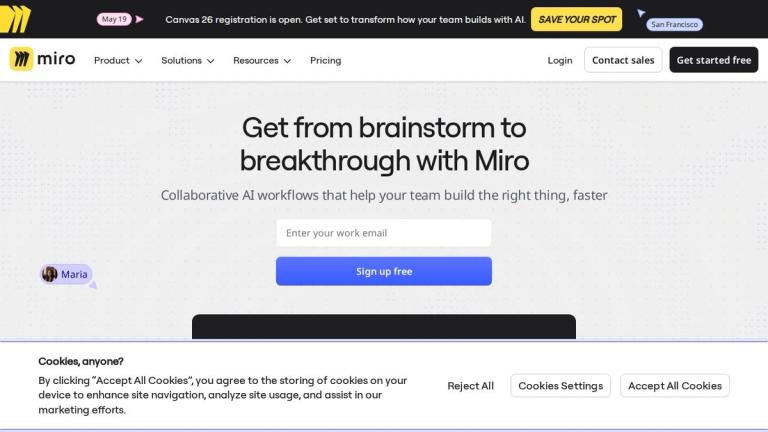
Miro is an innovation workspace and collaborative online whiteboard platform that helps teams move from ideas to outcomes quickly with AI-powered tools, infinit

Introduction

Miro - The Innovation Workspace

Miro is a leading collaborative online whiteboard platform designed to help teams visualize, collaborate, and bring ideas to life. With over 100 million users and 250,000+ companies relying on it, Miro has become the go-to solution for modern team collaboration.

Core Capabilities

Miro provides an Intelligent Canvas - an infinite, multiplayer workspace where teams can brainstorm, plan, and execute together in real-time. The platform seamlessly integrates AI-powered workflows to accelerate productivity and decision-making.

Key Formats & Tools
  • Docs: Create PRDs, meeting notes, and product briefs
  • Tables: Organize and structure data visually
  • Slides: Present ideas directly from the canvas
  • Diagrams: Map out processes and workflows
  • Prototypes: Design and iterate on concepts
AI-Powered Collaboration

Miro's AI capabilities help teams accelerate their workflows, from generating insights to automating repetitive tasks, enabling faster time-to-market (up to 3.6x faster according to customer metrics).

Enterprise Ready

With enterprise-grade security, scalability, and 250+ app integrations, Miro ensures teams stay aligned and productive in one secure workspace.

Target Audience

Product teams, designers, project managers, agile teams, enterprises, startups, and cross-functional collaboration teams

Key Features
  • Infinite multiplayer canvas for real-time collaboration
  • AI-powered workflows and insights
  • Multiple formats: Docs, Tables, Slides, Diagrams
  • 6,000+ templates for various use cases
  • 250+ app integrations
  • Blueprints for automated workflows
  • Enterprise-grade security and scalability
  • Visual collaboration tools for design and prototyping
Use Cases
  • Product management and PRD creation
  • Design collaboration and prototyping
  • Sprint planning and retrospectives
  • Strategic planning and roadmapping
  • Cross-functional team alignment
  • Research synthesis and documentation
  • Meeting facilitation and note-taking
  • Customer journey mapping
Pros
  • Massive user base with 100M+ collaborators
  • Extensive template library (6,000+)
  • Wide integration ecosystem (250+ apps)
  • Proven ROI: 3.6x faster time to market
  • Versatile formats for different workflows
  • Enterprise-ready with robust security
  • AI features accelerate team productivity
Cons
  • Can be overwhelming for new users due to feature richness
  • Premium features require paid subscription
  • Performance may vary with very large boards
Pricing

Free tier available; paid plans for teams and enterprises with advanced features

Latest News

What’s New | Find out about our latest updates and releases - ...

What’s New | Find out about our latest updates and releases - ...

8/4/2026

Now, you can record a walkthrough in any tab or tool, not just Miro. Capture discussions and decisions so everyone can catch up on the context, and use AI to pull out key takeaways and next steps. ... Scroll down to see every new feature we've launched in the last few months. ... Catch up on the big...

See What's New: Product News Updates - Community Forum | Miro

See What's New: Product News Updates - Community Forum | Miro

8/4/2026

Both apps are update to the latest version supporting new diagram types like C4 architectur ... Our January updates are built for getting everyone on the same page and actually involved in the conversation. Whether you’re running a 20-person retro or a 2,000-person town hall, aligning your AI with y...

Miro Status

Miro Status

8/4/2026

The status of Miro and all related services is constantly monitored and updated on this site. To view the latest status for Miro, please select the appropriate data residency region for your application below. By default, Customer Content is hosted in the EU. However, some Enterprise Plan customers ...

Latest News & Announcements - Community Forum | Miro

Latest News & Announcements - Community Forum | Miro

8/4/2026

Both apps are update to the latest version supporting new diagram types like C4 architectur ... Our January updates are built for getting everyone on the same page and actually involved in the conversation. Whether you’re running a 20-person retro or a 2,000-person town hall, aligning your AI with y...

Miro updates articles | MiroBlog

Miro updates articles | MiroBlog

8/4/2026

From company news to our product vision, from exciting launches to requested feature updates, read the latest on Miro here! AI Miro updates What's New · AI made every individual on your team faster. Now, it's time for your whole team to move at that pace — and make sure you're all heading in the ...

FAQ

User Reviews

4.7/5.0
(38reviews)
Click stars to rate

Pricing

Pricing Model: Freemium

Free

Discover what Miro can do for you and your team.

Free
free

Starter

Unlock unlimited and private boards with essential features

$8/month per member
monthly

Business

Activate AI collaboration with advanced features and security

$20/month per member
monthly

Enterprise

Work across your entire organisation, with scalable security, control, and support

Custom price — from 30 members
custom

More Products

TinyPNG is Tinify’s browser-based image compressor and converter. This review explains how its web tool differs from its Developer API, what each free allowance covers, and when its compression, conversion, resizing, and cropping features may fit an image workflow.

Zamzar is an online file conversion and compression service for documents, images, video, sound, and other formats. Its free web service has daily file and upload-size limits.

iLoveIMG is a browser-based image service for compression, resizing, cropping, conversion, and editing, with a free Basic plan and paid options.

Smallpdf is an online PDF toolkit for conversion, compression, editing, merging, signing, and more. Its Free plan includes 30+ tools but limits downloads.

Convertio is a browser-based service for converting files between supported formats, with optional settings for many conversion types.

FreeConvert is an online file converter with more than 1,500 listed conversion types and a free allowance of 20 conversion minutes per day.

HiPDF is an online PDF service with conversion, editing, compression, merging, cropping, image tools, and AI features.

123apps is a browser-based suite of video, audio, PDF, and file-conversion tools. Its apps are free to use with limits on file size and daily operations.

ChatPDF summarizes PDFs and answers questions about them. Its free plan allows two document analyses per day, with no account needed to get started.

CloudConvert is a browser-based converter for more than 200 file formats, including documents, images, audio, video, archives, and specialist formats.

OCR.space provides free browser-based OCR for images and PDFs, searchable PDF creation, and a separate API for adding text recognition to software.

Free online itinerary maker with 900+ trip plans across 96 countries. Edit day-by-day in the browser; export to PDF, Excel, CSV, Google Sheets or .ics. Free account required to download/print. Optional Pro adds premium themes; AI chat helps draft plans.

TasteDir is a curated directory of finished, well-crafted software from indie makers and small teams. Every listed tool is reviewed by hand.

An AI meeting copilot that combines live transcripts, screenshots, and project documents to deliver contextual answers, response drafts, and meeting recaps.

Create professional invoices free in your browser: live preview, any currency, tax and discounts, custom templates, and no-watermark PDF. No signup needed.

Vidsembly is an AI video creation platform that turns PowerPoint presentations, PDFs, and documents into narrated videos. Create AI presentations, clone voices, translate slides, transcribe recordings, generate soundtracks, and host videos in one place.