MP3 to Text online — convert MP3 to TXT or SRT (subtitles) in minutes.
Features
- AI-Powered Transcription Engine — Uses modern AI speech recognition models to achieve near human-level accuracy for clear audio recordings. Automatically adds punctuation and breaks long audio into readable paragraphs for cleaner output.
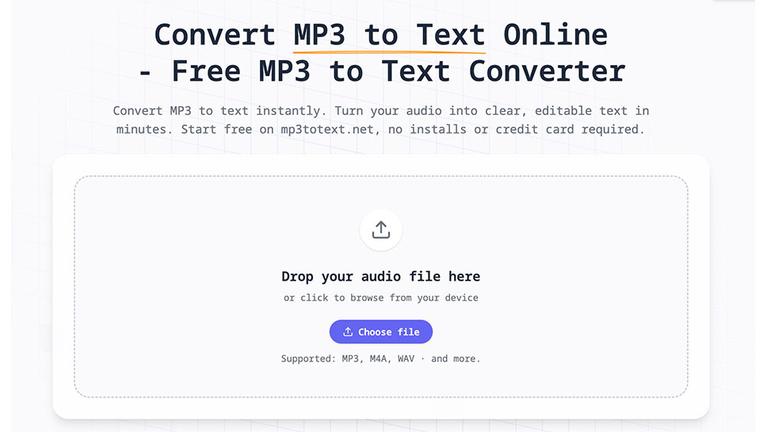
- Browser-Based Operation — Runs entirely online in any modern browser on desktop or mobile devices. No software installation or downloads required, making it accessible from work, home, or school computers.
- Multiple Audio Format Support — Supports common audio formats including MP3, WAV, M4A, and AAC. Users can upload any of these formats and the tool processes them through the same transcription pipeline.
- Flexible Export Options — Export transcripts as plain TXT files for documents and notes, or as SRT subtitle files for video captions, podcasts, and media content. Clean editor allows reviewing and fixing any transcription errors before export.
- Free Tier with Generous Limits — Guest users can transcribe files up to 5 minutes for free without registration. Logged-in users receive 30 minutes of transcription time, enough for multiple interviews or lectures before considering upgrades.
- Privacy-Focused Processing — Audio files are not stored after processing. The tool prioritizes user privacy by handling transcription in-browser without retaining uploaded audio content on servers.
Use Cases
Interview Transcription for Journalists
Journalists and media students can upload recorded interviews from their phones and receive searchable, quotable transcripts within minutes. Eliminates the tedious process of manually pausing and rewinding recordings to capture quotes accurately. Target Audience: Journalists, media students, and news professionals
Content Repurposing for Podcasters
Podcast creators can convert episode audio into text for show notes, blog posts, SEO content, newsletters, and social media captions. Transcripts improve podcast discoverability and allow audiences to consume content in different formats. Target Audience: Podcasters, content creators, and digital marketers
Lecture and Study Material Creation
Students and educators can transcribe lectures, seminars, and study group recordings to create searchable notes. Instead of scrambling to write during class, students can focus on understanding and later review comprehensive transcripts. Target Audience: Students, educators, and academic professionals
Research Data Analysis
Researchers and analysts can upload long interviews and focus group recordings to generate transcripts for qualitative analysis. Enables efficient searching, highlighting, and identification of patterns, quotes, and key themes across multiple recordings. Target Audience: Researchers, market analysts, and academic scholars
Pros
- Completely free to start with no credit card required - guests get 5 minutes, registered users get 30 minutes of transcription time
- Fast processing with short clips ready in seconds and transcripts appearing in-browser as audio is processed
- No technical expertise needed - simple drag-and-drop interface that anyone familiar with uploading files can use immediately
- Works across all devices and operating systems through modern web browsers without any software installation
- AI automatically handles punctuation and paragraph formatting, reducing manual editing time for cleaner initial output
Cons
- Free tier has significant limitations - only 5 minutes for guests and 30 minutes for registered users before requiring paid upgrade
- Transcription accuracy depends heavily on audio quality - recordings with background noise or poor clarity will require more manual editing
- Primarily optimized for English and major languages, with potentially lower accuracy for less common languages or heavy accents
- No mention of real-time transcription or live audio processing capabilities - limited to pre-recorded file uploads only