LogoAI Jet
icon of Near Lock

Near Lock

Automatically lock and unlock your Mac using your iPhone, Apple Watch, or Touch ID for enhanced security and convenience.

Introduction

Near Lock is a security application that allows users to automatically lock and unlock their Macs using their iPhone, Apple Watch, or Touch ID. It leverages proximity detection via Bluetooth to determine when the user is near or away from their Mac, locking or unlocking the system accordingly.

Key Features:

  • Automatic Locking/Unlocking: Locks the Mac when the user walks away and unlocks it upon their return.
  • Customizable Distance: Allows users to set the distance at which the Mac should lock or unlock.
  • Touch ID & Apple Watch Support: Provides additional security by requiring Touch ID or Apple Watch authentication for Mac login.
  • Multiple Mac Control: Enables users to control multiple Macs with a single iPhone.
  • Menu Bar Integration: Offers a menu bar app for easy access to settings and status monitoring.
  • Background Mode: Operates in the background, ensuring continuous protection without manual intervention (PRO version).
  • Music Control: Seamlessly controls music playback when locking and unlocking the Mac.
  • Notification Center Access: Provides quick access via Notification Center, interactive notifications, and 3D Touch.
  • Login History: Tracks login attempts and provides a history for security auditing.

Use Cases:

  • Enhanced Security: Prevents unauthorized access to the Mac when the user is away.
  • Convenience: Eliminates the need to manually lock and unlock the Mac.
  • Office Environments: Secures workstations in shared office spaces.
  • Home Use: Simplifies Mac access for personal use while maintaining security.

Latest News

Near Lock - Lock and unlock your Mac with your iPhone

Near Lock - Lock and unlock your Mac with your iPhone

8/4/2026

Near Lock - Lock and unlock your Mac with your iPhone # Near Lock V3.0 ## V3.6 Detect failed login attempts into your Mac - receive an iPhone notification every time a wrong password in inserted into your Mac - take a photo on your Mac when a false password is inserted - generate and share a Nea...

macOS Catalina issues

macOS Catalina issues

8/4/2026

Near Lock - Lock and unlock your Mac with your iPhone # macOS Catalina issues ## Hey Near Lock users Sorry for the latest problems with macOS Catalina. It is not only Near Lock, other apps using Bluetooth Low Energy are also affected. We are still working on it but we are still having major issue...

Near Lock - Lock and unlock your Mac with your iPhone

Near Lock - Lock and unlock your Mac with your iPhone

8/4/2026

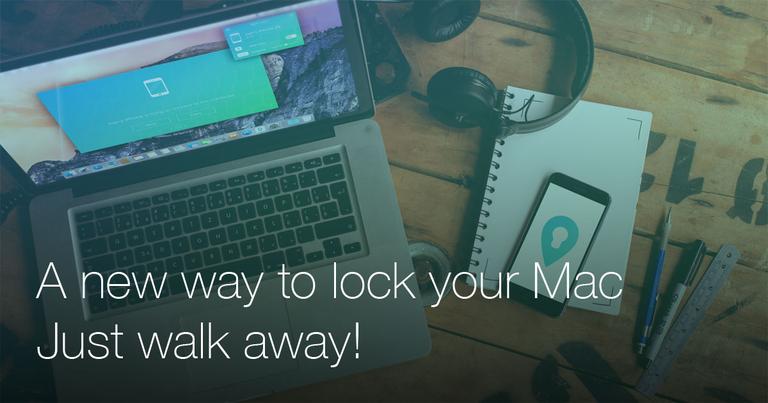
Near Lock - Lock and unlock your Mac with your iPhone # A new way to lock your Mac. Just walk away. Use your iPhone to lock and unlock your Mac automatically. When you walk away from your Mac, it will be automatically locked. Once you approach your workplace, Near Lock will unlock your Mac. You ca.....

iOS 10 & macOS Sierra updates

iOS 10 & macOS Sierra updates

8/4/2026

Near Lock - Lock and unlock your Mac with your iPhone [](index.php#top)![](img/menu.svg) # iOS 10 & macOS Sierra updates ## Hey Near Lock users Sorry for the latest problems with iOS10 and macOS Sierra. It is not only Near Lock, other apps using Bluetooth Low Energy are also affected. Both iOS10 and...

Near Lock - Lock and unlock your Mac with your iPhone

Near Lock - Lock and unlock your Mac with your iPhone

8/4/2026

Near Lock - Lock and unlock your Mac with your iPhone # Near Lock V3.0 ## V3.5 - Adding the Near Lock tutorial after pairing - Various fixes and improvements from user feedback # Stay informed with our newsletter Subscribe to get news about new releases and special offers ## Product ## Downlo...

Alternatives

  • Apple's built-in Auto Unlock with Apple Watch

    Allows your Mac to automatically unlock when your authenticated Apple Watch is nearby.

  • Unlox

    Provides secure and convenient Mac unlocking using your iPhone, Apple Watch, or Touch ID, similar to Near Lock.

  • AuthMe

    Utilizes your iPhone's proximity to automatically lock and unlock your Mac for enhanced security.

  • Touch ID (macOS built-in)

    Enables quick and secure login to your Mac using your fingerprint, eliminating the need for a password.

  • 1Password

    A comprehensive password manager that secures your digital credentials and offers auto-lock features for its application.

  • LastPass

    A widely used password manager that helps manage and secure your online accounts, including auto-locking after inactivity.

  • YubiKey

    Offers robust hardware-based two-factor authentication for secure logins to your Mac and various online services.

  • Duo Security

    Provides advanced multi-factor authentication to secure access to macOS and other corporate applications.

  • Google Authenticator

    Generates time-based one-time passwords for two-factor authentication, adding an extra layer of security to your logins.

  • KeePassXC

    A free and open-source password manager that securely stores your credentials and can be configured for auto-lock.

FAQ

User Reviews

4.9/5.0
(7reviews)
Click stars to rate

Pricing

Pricing Model: Freemium

Free

Use your iPhone to lock and unlock your Mac automatically. When you walk away from your Mac, it will be automatically locked. Once you approach your workplace, Near Lock will unlock your Mac. You can easily set the distance on which your Mac should automatically be locked or unlocked. For additional security use Touch ID or Apple Watch to confirm each Mac login.

Free

PRO

Upgrade to the PRO version to enable background mode, allowing Near Lock to work even when your iPhone is in your pocket.

In-App purchase

More Products

TinyPNG is Tinify’s browser-based image compressor and converter. This review explains how its web tool differs from its Developer API, what each free allowance covers, and when its compression, conversion, resizing, and cropping features may fit an image workflow.

Zamzar is an online file conversion and compression service for documents, images, video, sound, and other formats. Its free web service has daily file and upload-size limits.

iLoveIMG is a browser-based image service for compression, resizing, cropping, conversion, and editing, with a free Basic plan and paid options.

Smallpdf is an online PDF toolkit for conversion, compression, editing, merging, signing, and more. Its Free plan includes 30+ tools but limits downloads.

Convertio is a browser-based service for converting files between supported formats, with optional settings for many conversion types.

FreeConvert is an online file converter with more than 1,500 listed conversion types and a free allowance of 20 conversion minutes per day.

HiPDF is an online PDF service with conversion, editing, compression, merging, cropping, image tools, and AI features.

123apps is a browser-based suite of video, audio, PDF, and file-conversion tools. Its apps are free to use with limits on file size and daily operations.

ChatPDF summarizes PDFs and answers questions about them. Its free plan allows two document analyses per day, with no account needed to get started.

CloudConvert is a browser-based converter for more than 200 file formats, including documents, images, audio, video, archives, and specialist formats.

OCR.space provides free browser-based OCR for images and PDFs, searchable PDF creation, and a separate API for adding text recognition to software.

Free online itinerary maker with 900+ trip plans across 96 countries. Edit day-by-day in the browser; export to PDF, Excel, CSV, Google Sheets or .ics. Free account required to download/print. Optional Pro adds premium themes; AI chat helps draft plans.

Masks names, ID numbers, IBANs and health data in PDF, Word and Excel files so you can use AI on them safely. EU processing; documents never stored and never used to train AI models.

TasteDir is a curated directory of finished, well-crafted software from indie makers and small teams. Every listed tool is reviewed by hand.

An AI meeting copilot that combines live transcripts, screenshots, and project documents to deliver contextual answers, response drafts, and meeting recaps.

Create professional invoices free in your browser: live preview, any currency, tax and discounts, custom templates, and no-watermark PDF. No signup needed.