LogoAI Jet
Icon for Notepad++

Notepad++

Free and open-source source code editor and Notepad replacement for Windows, supporting multiple programming languages with fast performance and small footprint

Introduction

Notepad++

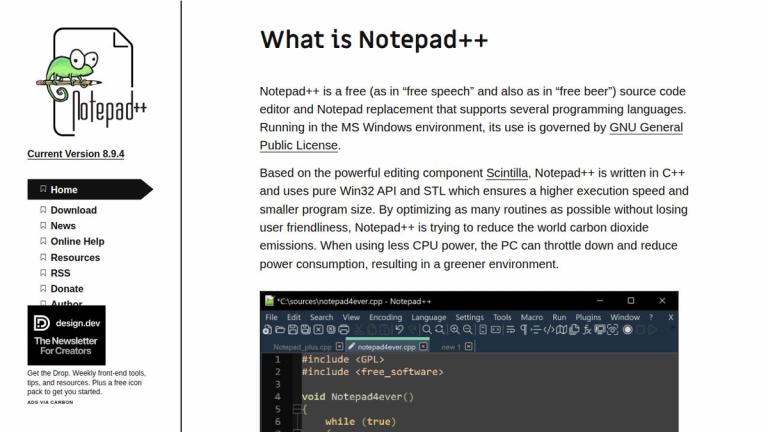
Notepad++ is a free and open-source source code editor and Notepad replacement that supports several programming languages. Running in the MS Windows environment, its use is governed by the GNU General Public License.

Technical Foundation

Based on the powerful editing component Scintilla, Notepad++ is written in C++ and uses pure Win32 API and STL which ensures:

  • Higher execution speed
  • Smaller program size
Environmental Commitment

Notepad++ is committed to reducing the world's carbon dioxide emissions. By optimizing as many routines as possible without losing user friendliness, the software uses less CPU power, allowing PCs to throttle down and reduce power consumption—resulting in a greener environment.

Philosophy

Notepad++ is free in both senses of the word:

  • Free as in "free speech" (open source, freedom to modify and distribute)
  • Free as in "free beer" (no cost to use)
Target Audience

Programmers, developers, web developers, system administrators, and anyone needing a fast, lightweight text/code editor on Windows

Key Features
  • Free and open-source software (GPL licensed)
  • Supports multiple programming languages
  • Based on Scintilla editing component
  • Written in C++ with pure Win32 API and STL
  • High execution speed and small program size
  • Environmentally friendly - low CPU usage
  • Syntax highlighting and code folding
  • Tabbed editing interface
  • Macro recording and playback
  • Plugin support for extended functionality
Use Cases
  • Source code editing for developers
  • General text editing and Notepad replacement
  • Programming in multiple languages
  • Quick file viewing and editing
  • Web development and scripting
  • Lightweight coding environment for Windows
Pros
  • Completely free and open-source
  • Lightweight and fast performance
  • Small installation size
  • Multi-language programming support
  • Environmentally conscious design
  • Active community and plugin ecosystem
  • Regular updates and improvements
Cons
  • Windows-only (no native macOS/Linux support)
  • Not a full IDE - lacks advanced debugging tools
  • Interface may feel dated compared to modern editors
Pricing

Free - open source under GNU General Public License
Latest News

News | Notepad++

News | Notepad++

8/5/2026

skip to content · Current Version 8.9.7 · Notepad++ v8.9.7 - Slava Ukraini · Notepad++ v8.9 . 6.4 Tiananmen Massacre Commemoration · Notepad++ v8.9.6.2 release · Notepad++ v8.9.6.1 release · Notepad++ v8.9.6 release · Notepad++ v8.9.5 release · Clarification on the Notepad++ Trademark ...

Announcements | Notepad++ Community

Announcements | Notepad++ Community

8/5/2026

Ah ok. So just noticed this has been implemented after updating to 8.9.7. How do I get around the dialog coming up “security information for shortcuts.xml is missing in config.xml” when I deploy this to multiple computers? I have a “master copy” of a portable installation on a network drive, then up...

Downloads | Notepad++

Downloads | Notepad++

8/5/2026

skip to content · Current Version 8.9.7 · Downloads · Download Notepad++ v8.9.7 - Slava Ukraini (stable: auto-update triggered) · Download Notepad++ v8.9 . 6.4 Tiananmen Massacre Commemoration · Download Notepad++ v8.9.6.2 · Download Notepad++ v8.9.6.1 · Download Notepad++ v8.9.6 · ...

Notepad++ v8.9.2 release - Double‑Lock Update Security | Notepad++

Notepad++ v8.9.2 release - Double‑Lock Update Security | Notepad++

8/5/2026

Below is an illustration of how the Notepad++ update mechanism was previously hijacked: With security enhancements introduced in v8.8.9 & v8.9.2 (this version), this vulnerability is now fully addressed: As shown in the diagram above, 2 independent signature & certificate vérifications are now perfo...

Notepad++ v8.8.9 release: Vulnerability-fix | Notepad++

Notepad++ v8.8.9 release: Vulnerability-fix | Notepad++

8/5/2026

Some security experts recently reported incidents of traffic hijacking affecting Notepad++. According to the investigation, traffic from WinGUp (the Notepad++ updater) was occasionally redirected to malicious servers, resulting in the download of compromised executables.

FAQ

More Products

TinyPNG is Tinify’s browser-based image compressor and converter. This review explains how its web tool differs from its Developer API, what each free allowance covers, and when its compression, conversion, resizing, and cropping features may fit an image workflow.

Zamzar is an online file conversion and compression service for documents, images, video, sound, and other formats. Its free web service has daily file and upload-size limits.

iLoveIMG is a browser-based image service for compression, resizing, cropping, conversion, and editing, with a free Basic plan and paid options.

Smallpdf is an online PDF toolkit for conversion, compression, editing, merging, signing, and more. Its Free plan includes 30+ tools but limits downloads.

Convertio is a browser-based service for converting files between supported formats, with optional settings for many conversion types.

FreeConvert is an online file converter with more than 1,500 listed conversion types and a free allowance of 20 conversion minutes per day.

HiPDF is an online PDF service with conversion, editing, compression, merging, cropping, image tools, and AI features.

123apps is a browser-based suite of video, audio, PDF, and file-conversion tools. Its apps are free to use with limits on file size and daily operations.

ChatPDF summarizes PDFs and answers questions about them. Its free plan allows two document analyses per day, with no account needed to get started.

CloudConvert is a browser-based converter for more than 200 file formats, including documents, images, audio, video, archives, and specialist formats.

OCR.space provides free browser-based OCR for images and PDFs, searchable PDF creation, and a separate API for adding text recognition to software.

Free online itinerary maker with 900+ trip plans across 96 countries. Edit day-by-day in the browser; export to PDF, Excel, CSV, Google Sheets or .ics. Free account required to download/print. Optional Pro adds premium themes; AI chat helps draft plans.

TasteDir is a curated directory of finished, well-crafted software from indie makers and small teams. Every listed tool is reviewed by hand.

An AI meeting copilot that combines live transcripts, screenshots, and project documents to deliver contextual answers, response drafts, and meeting recaps.

Create professional invoices free in your browser: live preview, any currency, tax and discounts, custom templates, and no-watermark PDF. No signup needed.

Vidsembly is an AI video creation platform that turns PowerPoint presentations, PDFs, and documents into narrated videos. Create AI presentations, clone voices, translate slides, transcribe recordings, generate soundtracks, and host videos in one place.