PDF2Go
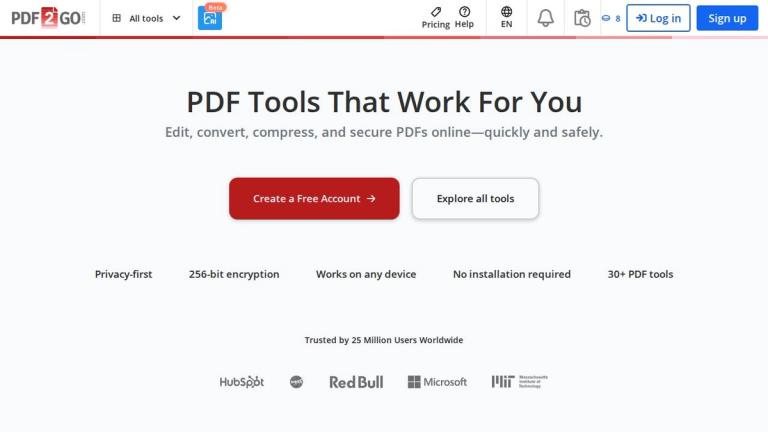
PDF2Go is a comprehensive online PDF editing and conversion platform that enables users to work with PDF files directly in their web browser without any software installation. Trusted by over 25 million users worldwide, including major organizations like NASA, Microsoft, HubSpot, Red Bull, and MIT, PDF2Go offers a complete suite of 30+ PDF tools.
The platform prioritizes user privacy with 256-bit encryption and automatic file deletion after 24 hours. With an average processing time of just 15 seconds, PDF2Go delivers fast, reliable PDF management for both personal and professional use.
Core Capabilities
PDF2Go provides a wide range of PDF tools organized into several categories:
- Editing Tools: Edit PDF, Merge PDF, Split PDF, Organize PDF, Rotate PDF, Crop PDF, Sign PDF, Redact PDF, Watermark PDF, and more
- Improvement Tools: Compress PDF, Protect PDF, Unlock PDF, Repair PDF, OCR PDF, Optimize PDF
- AI-Powered Features: Translate PDF, Spellcheck PDF, Summarize PDF, Chat With PDF, Extract facts from PDF
- Conversion Tools: PDF to Word, PDF to JPG, and other format conversions
- Collaboration Tools: Compare PDFs, Share PDF
The platform is designed to be accessible on any device, making it a versatile solution for users who need quick and secure PDF processing capabilities.
Target Audience
Students, professionals, businesses, and anyone who needs to edit, convert, or manage PDF documents online without installing software.
Key Features
- Edit PDF files with text, images, and annotations
- Merge multiple PDF files into one document
- Compress PDF files without losing quality
- Split PDF into separate pages or files
- Convert PDF to Word (DOCX) and other formats
- Add password protection and encryption to PDFs
- OCR for scanned PDFs to make them searchable
- AI-powered PDF translation to other languages
- AI-powered PDF summarization and chat features
- Sign PDF documents electronically
- Redact sensitive information from PDFs
- Compare two PDF files and highlight differences
- Add watermarks to PDF pages
- Extract text, fonts, and images from PDFs
- Repair corrupted PDF files
- 256-bit encryption for file security
- Auto-delete files after 24 hours for privacy
Use Cases
- Converting PDF documents to editable Word format
- Merging multiple PDF reports into a single file
- Compressing large PDF files for email attachments
- Adding electronic signatures to contracts and agreements
- Extracting text and images from PDF documents
- Translating PDF documents to different languages
- Protecting sensitive PDFs with password encryption
- Scanning and OCR processing of paper documents
- Redacting confidential information before sharing
- Summarizing lengthy PDF reports with AI assistance
Pros
- No software installation required - works entirely in browser
- 30+ comprehensive PDF tools in one platform
- Strong privacy protection with 256-bit encryption
- Fast processing with average 15-second turnaround
- Free account option available
- Works on any device and operating system
- Trusted by major organizations worldwide
- AI-powered features for advanced PDF processing
Cons
- Requires internet connection to use
- Files are automatically deleted after 24 hours
- Some advanced features may require account registration
- Processing speed depends on internet connection and file size
Pricing
Free account available with access to basic tools; registration unlocks 30+ additional tools and features.