LogoAI Jet
Icon for PDFelement

PDFelement

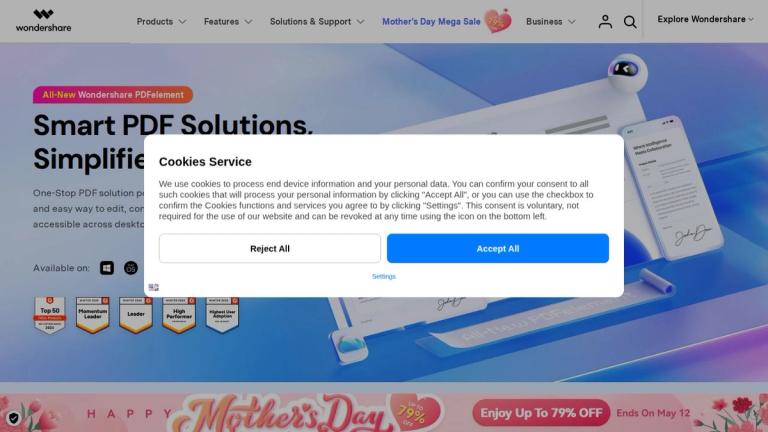
AI-powered PDF editor for creating, converting, editing, and annotating PDF documents across desktop and mobile platforms.

Introduction

PDFelement

PDFelement is a comprehensive PDF solution developed by Wondershare that enables users to create, convert, edit, and annotate PDF documents with ease. The software leverages AI technology to simplify PDF workflows and is available across multiple platforms including Windows, Mac, and mobile devices (iPhone/iPad).

Key Highlights
  • Desktop & Mobile Support: Available as native applications for Windows, Mac, iPhone, and iPad
  • Cloud Integration: PDFelement Cloud provides cloud-based document management capabilities
  • Online Tools: Complemented by online PDF tools for quick browser-based tasks
  • AI-Powered: Features AI capabilities to streamline document processing and editing
Product Ecosystem

PDFelement is part of a broader ecosystem that includes:

  • PDFelement Desktop (Windows & Mac) - Full-featured PDF editing software
  • PDF Reader - Lightweight PDF viewing solution
  • PDFelement Mobile - iOS app for on-the-go PDF management
  • PDFelement Cloud - Cloud storage and collaboration platform
  • Online Tools - Browser-based PDF utilities
Target Audience

Business professionals, students, educators, and anyone who regularly works with PDF documents

Key Features
  • PDF editing and creation
  • PDF conversion to/from multiple formats
  • PDF annotation and markup
  • Document scanning
  • Cloud-based document management
  • AI-powered document processing
  • Cross-platform support (Windows, Mac, iOS)
  • Online PDF tools
Use Cases
  • Editing and modifying PDF documents
  • Converting PDFs to Word, Excel, and other formats
  • Annotating and reviewing PDFs for collaboration
  • Scanning physical documents to PDF
  • Managing documents in the cloud
  • Filling and signing PDF forms
Pros
  • Cross-platform availability
  • AI-powered features for efficiency
  • Comprehensive PDF editing capabilities
  • Cloud integration for collaboration
  • Mobile app for on-the-go access
Cons
  • Advanced features may require paid subscription
  • Learning curve for complex editing tasks
Pricing

Free trial available; paid plans for individual and business use

Latest News

Version History of PDFelement

Version History of PDFelement

8/5/2026

Fixed the problem of some signed certificates being incorrectly recognized or unrecognized. Bug fixes and performance improvements. ... Support converting PDF to mind map by PDFelement AI, structured presentation of PDF outline and content. Enhances the speed of PDF AI translation. Optimize batch fo...

Embrace PDFelement 10: AI Transforms PDF Editing

Embrace PDFelement 10: AI Transforms PDF Editing

8/5/2026

At PDFelement, your opinion matters. We invite you to share your thoughts, feedback, and suggestions regarding PDFelement 10 to help shape future updates and improvements of our software, ensuring that it remains at the forefront of the PDF editing field.

Upgrade to Wondershare PDFelement 9 Perpetual at the lowest price

Upgrade to Wondershare PDFelement 9 Perpetual at the lowest price

8/5/2026

Get the best price to upgrade to the latest PDFelement.

Upgrade to Latest Wondershare PDFelement 8 Professional for Windows

Upgrade to Latest Wondershare PDFelement 8 Professional for Windows

8/5/2026

8. This offer only applies to the maximum number of licenses from your previous purchase. Wondershare reserves the right to suspend or revoke your license if the number of activations has exceeded your granted maximum activation license count. ... Check the step-by-step full guide about how to use P...

Upgrade to Brand-New PDFelement 7

Upgrade to Brand-New PDFelement 7

8/5/2026

Only paid customers with PDFelement 5, 6 purchased from our official website except for other channels such as affiliate, reseller, agents, giveaway or Mac App Store can get an exclusive discount to upgrade to PDFelement 7. 2. Users who purchased 1-year license of PDFelement 6 cannot claim to upgrad...

FAQ

More Products

TinyPNG is Tinify’s browser-based image compressor and converter. This review explains how its web tool differs from its Developer API, what each free allowance covers, and when its compression, conversion, resizing, and cropping features may fit an image workflow.

Zamzar is an online file conversion and compression service for documents, images, video, sound, and other formats. Its free web service has daily file and upload-size limits.

iLoveIMG is a browser-based image service for compression, resizing, cropping, conversion, and editing, with a free Basic plan and paid options.

Smallpdf is an online PDF toolkit for conversion, compression, editing, merging, signing, and more. Its Free plan includes 30+ tools but limits downloads.

Convertio is a browser-based service for converting files between supported formats, with optional settings for many conversion types.

FreeConvert is an online file converter with more than 1,500 listed conversion types and a free allowance of 20 conversion minutes per day.

HiPDF is an online PDF service with conversion, editing, compression, merging, cropping, image tools, and AI features.

123apps is a browser-based suite of video, audio, PDF, and file-conversion tools. Its apps are free to use with limits on file size and daily operations.

ChatPDF summarizes PDFs and answers questions about them. Its free plan allows two document analyses per day, with no account needed to get started.

CloudConvert is a browser-based converter for more than 200 file formats, including documents, images, audio, video, archives, and specialist formats.

OCR.space provides free browser-based OCR for images and PDFs, searchable PDF creation, and a separate API for adding text recognition to software.

Free online itinerary maker with 900+ trip plans across 96 countries. Edit day-by-day in the browser; export to PDF, Excel, CSV, Google Sheets or .ics. Free account required to download/print. Optional Pro adds premium themes; AI chat helps draft plans.

TasteDir is a curated directory of finished, well-crafted software from indie makers and small teams. Every listed tool is reviewed by hand.

An AI meeting copilot that combines live transcripts, screenshots, and project documents to deliver contextual answers, response drafts, and meeting recaps.

Create professional invoices free in your browser: live preview, any currency, tax and discounts, custom templates, and no-watermark PDF. No signup needed.

Vidsembly is an AI video creation platform that turns PowerPoint presentations, PDFs, and documents into narrated videos. Create AI presentations, clone voices, translate slides, transcribe recordings, generate soundtracks, and host videos in one place.