LogoAI Jet
Icon for Pinegrow Web Editor

Pinegrow Web Editor

A professional website builder and visual HTML/CSS editor for web developers and designers, supporting Bootstrap, Tailwind CSS, WordPress, and responsive design

Introduction

Pinegrow Web Editor

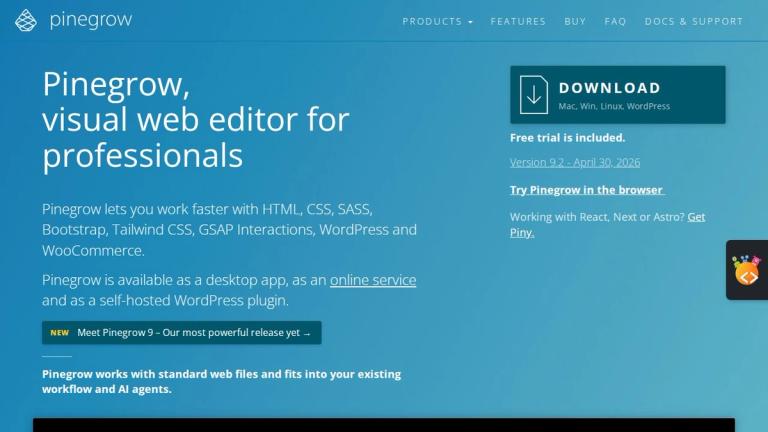
Pinegrow Web Editor is a powerful, professional-grade website builder designed for web developers and designers who want to work efficiently with HTML, CSS, and popular frameworks. It combines visual editing tools with direct code access, allowing users to build, style, and manage web projects with maximum flexibility.

What Makes Pinegrow Special

Pinegrow stands out by offering a dual-mode workflow — you can use visual power tools to quickly build layouts, add/edit/move HTML elements, and style pages, while simultaneously having full access to the underlying code. It's not a no-code tool that hides the code; it's a professional tool that enhances your coding workflow with visual capabilities.

Core Capabilities
  • Visual HTML Editing: Quickly build webpage layouts with powerful tools for adding, editing, moving, cloning, and deleting HTML elements. Use repeaters to insert multiple elements and modify layouts of all selected elements in one move.

  • Live CSS/SASS/LESS Styling: Edit stylesheets in real-time with a general-purpose CSS editor. Use variables, mixins, and SASS/LESS features with math expressions and functions like lighten and darken — all updating live.

  • Framework Support: First-class support for Bootstrap, Foundation, and Tailwind CSS with dedicated visual editors and tools for each framework.

  • Responsive Design: Edit and test pages across all device sizes simultaneously. Open multiple pages sharing the same stylesheet with real-time style synchronization.

  • WordPress Integration: Create production-ready WordPress themes, plugins, and blocks without coding (available as add-on).

  • AI Assistant: Built-in AI assistant for design and code to help accelerate development.

  • Interactions & Animations: Create stunning interactions, animations, and scroll scenes for web projects (available as add-on).

  • Component System: Use components, master pages, projects, and CMS mode for efficient project management.

Workflow Examples
  • Build websites from scratch or edit existing projects
  • Quickly mockup pages using the element library
  • Style pages with CSS rules through visual editor or direct code
  • Make pages responsive across all screen sizes
  • Edit content using Pinegrow as a CMS for static HTML pages
  • Try templates online by opening template demos and customizing them
  • Generate code snippets for Bootstrap forms, navbars, and more
  • Collaborate using standard source control tools like Git
Target Audience

Professional web developers, front-end designers, UI/UX designers, WordPress developers, freelancers, agencies, and web development teams who need a powerful visual editor that works with HTML, CSS, and popular frameworks.

Key Features
  • Visual HTML editing with power tools for adding, editing, moving, cloning and deleting elements
  • Live CSS, SASS and LESS editing with real-time preview
  • Bootstrap and Foundation framework support with dedicated tools
  • Fully featured Tailwind CSS visual editor
  • Responsive design editing and testing across all device sizes
  • Component system with master pages and CMS mode
  • AI Assistant for design and code
  • Interactions and animations with scroll scenes
  • WordPress theme, plugin and block creation
  • WooCommerce shop builder integration
  • PHP, ASP and ERB support
  • Multiple views and open URLs functionality
  • Static HTML blocks and component libraries
Use Cases
  • Building websites from scratch or editing existing HTML projects
  • Creating quick page mockups and layout variations
  • Styling web pages with CSS, SASS, and LESS
  • Developing responsive designs for multiple screen sizes
  • Creating production-ready WordPress themes and plugins
  • Building Tailwind CSS projects with visual tools
  • Editing static HTML content using CMS-like functionality
  • Customizing and testing web templates online
  • Generating Bootstrap and framework code snippets
  • Collaborating on web projects using Git and source control
Pros
  • Works with any HTML project — no vendor lock-in
  • Combines visual editing with direct code access
  • Excellent framework support (Bootstrap, Tailwind, Foundation)
  • Real-time live editing for CSS, SASS, and LESS
  • Responsive design testing across all device sizes simultaneously
  • WordPress theme and plugin creation without coding
  • AI assistant for accelerated design and development
  • 30-day money-back guarantee
  • Subscription model keeps license always up to date
Cons
  • Subscription-based pricing requires ongoing payment
  • Some advanced features like Interactions and WordPress Builder require paid add-ons
  • Interactions add-on not available with one-time payment
  • Learning curve for users new to HTML/CSS development
  • Desktop application — not a cloud-based editor
Pricing

Base Pinegrow Web Editor: US$99/year (US$149/year with discount applied). Add-ons available: Interactions (US$50/year), Tailwind Visual Editor (US$50/year, free with subscription), WordPress Builder (US$50/year), Shop Builder for WooCommerce (US$50/year). Subscription model with automatic annual billing; cancel anytime.

Latest News

Pinegrow Web Editor 9.3 - June 18, 2026 | Pinegrow Web Editor

Pinegrow Web Editor 9.3 - June 18, 2026 | Pinegrow Web Editor

8/5/2026

Pinegrow Web Editor 9.3 - June 18, 2026 | Pinegrow Web Editor Home/ Release Notes/ Pinegrow Web Editor 9.3 – June 18, 2026 Pinegrow 9.3 adds AI image editing, reusable Create with AI prompts, a Pinegrow Online AI provider, WordPress Blocks v3 export, and smoother project workflows. ## Download Pi...

Pinegrow Web Editor 9.2 - April 30, 2026

Pinegrow Web Editor 9.2 - April 30, 2026

8/5/2026

Pinegrow Web Editor 9.2 - April 30, 2026 | Pinegrow Web Editor Home/ Release Notes/ Pinegrow Web Editor 9.2 – April 30, 2026 Smart mode page view redesign – Improved inline text editing – Move files and folders in the Project panel – Reload remote URLs – Cleaner code editor – Tailwind compiler upd.....

Pinegrow Web Editor 9.1 - March 30, 2026 | Pinegrow Web Editor

Pinegrow Web Editor 9.1 - March 30, 2026 | Pinegrow Web Editor

8/5/2026

Pinegrow Web Editor 9.1 - March 30, 2026 | Pinegrow Web Editor Home/ Release Notes/ Pinegrow Web Editor 9.1 – March 30, 2026 Resize & crop images – Project revisions and snapshots – Dashboard project categories and previews – Create with AI – AI Assistant workspace on the right – Smarter Smart Edi.....

Pinegrow Web Editor 9 & 9.01 - Jan 20, 2026 | Pinegrow Web Editor

Pinegrow Web Editor 9 & 9.01 - Jan 20, 2026 | Pinegrow Web Editor

8/5/2026

Pinegrow Web Editor 9 & 9.01 - Jan 20, 2026 | Pinegrow Web Editor Home/ Release Notes/ Pinegrow Web Editor 9 & 9.01 – Jan 20, 2026 Smart workspace – Refreshed UI – Smarter components – Live preview – Smooth projects – Improved AI Assistant and much more. ## Download Pinegrow 9.01 The package inc...

Pinegrow Web Editor 8.6x - October 28, 2025 | Pinegrow Web Editor

Pinegrow Web Editor 8.6x - October 28, 2025 | Pinegrow Web Editor

8/5/2026

Pinegrow Web Editor 8.6x - October 28, 2025 | Pinegrow Web Editor Home/ Release Notes/ Pinegrow Web Editor 8.6x – October 28, 2025 Help bubbles, Quick Insert, Project panel refresh, CSS Variables panel, Improved text editing, Table editor, Tailwind 3→4 and much more. Pinegrow 8.62 is a bug fix re...

FAQ

User Reviews

4.8/5.0
(40reviews)
Click stars to rate

Pricing

Pricing Model: Freemium

Base Pinegrow Web Editor

US$99/year (US$149/year with discount applied)

$99/year / $149/year
yearly
Add-ons available

Interactions (US$50/year), Tailwind Visual Editor (US$50/year, free with subscription), WordPress Builder (US$50/year), Shop Builder for WooCommerce (US$50/year)

$50/year
yearly

Website Traffic

pinegrow.com ·

Estimated monthly visits
69,115
+4.7% vs. prior month
Pages per visit
1.59
Bounce rate
41.41%
Avg. session
0m 28s
Global rank
#557,986
Country rank (US)
#557,247

Visits Over Time

68,230
66,012
69,115

Traffic Sources

Direct
25.19%
Search
57.61%
Referrals
7.8%
Social
1.23%
Paid referrals
0%
Mail
0.75%
Generative AI
7.42%
Affiliate
0%
Other
0%
Organic search
57.61%
Paid search
0%
Organic social
1.23%
Paid social
0%

Top Keywords

KeywordVolumeCPCEst. monthly value
pinegrow3,450$4.31$5,660.00
pinegrow web editor1,390$3.81$2,370.00
pinegrow linux240$0.00$520.00
pinegrow:240$0.00$370.00
html5 website builder tool90$0.00$370.00

Top Regions

RegionPercentage
Mexico (MX)17.6%
United States (US)17.18%
India (IN)5.79%
Germany (DE)4.25%
Italy (IT)4.13%

AI Referral Trends

Share of AI assistant referrals by month.

AssistantAug 2026Sep 2026Oct 2026
chatgpt.com41.58%93.53%5.59%

More Products

TinyPNG is Tinify’s browser-based image compressor and converter. This review explains how its web tool differs from its Developer API, what each free allowance covers, and when its compression, conversion, resizing, and cropping features may fit an image workflow.

Zamzar is an online file conversion and compression service for documents, images, video, sound, and other formats. Its free web service has daily file and upload-size limits.

iLoveIMG is a browser-based image service for compression, resizing, cropping, conversion, and editing, with a free Basic plan and paid options.

Smallpdf is an online PDF toolkit for conversion, compression, editing, merging, signing, and more. Its Free plan includes 30+ tools but limits downloads.

Convertio is a browser-based service for converting files between supported formats, with optional settings for many conversion types.

FreeConvert is an online file converter with more than 1,500 listed conversion types and a free allowance of 20 conversion minutes per day.

HiPDF is an online PDF service with conversion, editing, compression, merging, cropping, image tools, and AI features.

123apps is a browser-based suite of video, audio, PDF, and file-conversion tools. Its apps are free to use with limits on file size and daily operations.

ChatPDF summarizes PDFs and answers questions about them. Its free plan allows two document analyses per day, with no account needed to get started.

CloudConvert is a browser-based converter for more than 200 file formats, including documents, images, audio, video, archives, and specialist formats.

OCR.space provides free browser-based OCR for images and PDFs, searchable PDF creation, and a separate API for adding text recognition to software.

Free online itinerary maker with 900+ trip plans across 96 countries. Edit day-by-day in the browser; export to PDF, Excel, CSV, Google Sheets or .ics. Free account required to download/print. Optional Pro adds premium themes; AI chat helps draft plans.

TasteDir is a curated directory of finished, well-crafted software from indie makers and small teams. Every listed tool is reviewed by hand.

An AI meeting copilot that combines live transcripts, screenshots, and project documents to deliver contextual answers, response drafts, and meeting recaps.

Create professional invoices free in your browser: live preview, any currency, tax and discounts, custom templates, and no-watermark PDF. No signup needed.

Vidsembly is an AI video creation platform that turns PowerPoint presentations, PDFs, and documents into narrated videos. Create AI presentations, clone voices, translate slides, transcribe recordings, generate soundtracks, and host videos in one place.