LogoAI Jet
icon of Pinpoint Answer

Pinpoint Answer

Pinpoint Answer provides daily puzzle hints, solutions, and explanations for LinkedIn games like Pinpoint, Crossclimb, Queens, and more.

Introduction

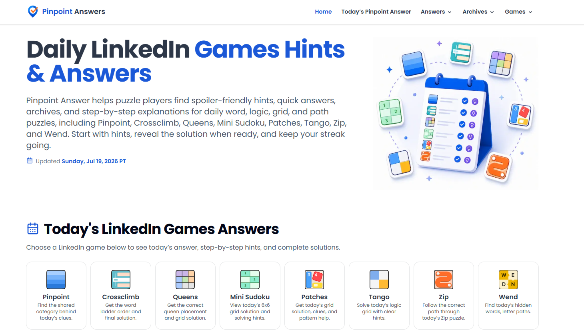
Pinpoint Answer: Your Ultimate Companion for Daily Puzzle Solutions Introduction Pinpoint Answer is a dedicated puzzle companion designed to help players solve and enjoy daily brain games with ease. Whether you are playing LinkedIn Pinpoint, Crossclimb, Queens, Mini Sudoku, Patches, Tango, Zip, or Wend, our platform provides spoiler-friendly hints, quick answers, detailed explanations, and puzzle archives to support your solving journey.

Daily puzzles challenge your logic, vocabulary, and pattern recognition skills, but some clues can be difficult to connect. Pinpoint Answer helps players overcome these challenges by offering step-by-step guidance—start with a hint, understand the logic behind each clue, and reveal the complete solution whenever you are ready.

Main Features

  1. Spoiler-Friendly Hints Get helpful clues without immediately seeing the final answer. Choose how much assistance you need while keeping the puzzle experience fun and rewarding.

  2. Daily Puzzle Answers Access updated solutions for your favorite daily games quickly and easily. Save time, avoid frustration, and keep your puzzle streak alive.

  3. Step-by-Step Explanations Understand not only the answer but also the reasoning behind it. Our detailed explanations help players recognize patterns and improve their solving skills.

  4. Puzzle Archives Explore previous puzzles and solutions through organized archives. Reviewing past challenges helps players discover common patterns and become better solvers.

  5. Multiple Puzzle Support Pinpoint Answer covers a variety of popular daily puzzles, including Pinpoint, Crossclimb, Queens, Mini Sudoku, Patches, Tango, Zip, and Wend—all in one convenient platform.

Who Is Pinpoint Answer For? Daily Puzzle Enthusiasts Perfect for players who enjoy solving brain games every day and want reliable hints and solutions when needed.

Busy Professionals Quickly check answers and explanations during breaks without spending extra time searching for solutions.

Competitive Players Maintain your daily streak with timely updates, helpful hints, and reliable puzzle support.

New Players Learn puzzle mechanics and improve your strategies through detailed explanations and archived solutions.

Conclusion Pinpoint Answer is more than a puzzle answer website—it is a complete learning companion for puzzle lovers. With daily hints, instant solutions, detailed explanations, and comprehensive archives, Pinpoint Answer helps players solve smarter, learn faster, and enjoy every challenge. Whether you need a small hint or a complete solution, Pinpoint Answer helps you stay on track and keep your daily puzzle streak going.

FAQ

More Products

TinyPNG is Tinify’s browser-based image compressor and converter. This review explains how its web tool differs from its Developer API, what each free allowance covers, and when its compression, conversion, resizing, and cropping features may fit an image workflow.

Zamzar is an online file conversion and compression service for documents, images, video, sound, and other formats. Its free web service has daily file and upload-size limits.

iLoveIMG is a browser-based image service for compression, resizing, cropping, conversion, and editing, with a free Basic plan and paid options.

Smallpdf is an online PDF toolkit for conversion, compression, editing, merging, signing, and more. Its Free plan includes 30+ tools but limits downloads.

Convertio is a browser-based service for converting files between supported formats, with optional settings for many conversion types.

FreeConvert is an online file converter with more than 1,500 listed conversion types and a free allowance of 20 conversion minutes per day.

HiPDF is an online PDF service with conversion, editing, compression, merging, cropping, image tools, and AI features.

123apps is a browser-based suite of video, audio, PDF, and file-conversion tools. Its apps are free to use with limits on file size and daily operations.

ChatPDF summarizes PDFs and answers questions about them. Its free plan allows two document analyses per day, with no account needed to get started.

CloudConvert is a browser-based converter for more than 200 file formats, including documents, images, audio, video, archives, and specialist formats.

OCR.space provides free browser-based OCR for images and PDFs, searchable PDF creation, and a separate API for adding text recognition to software.

Free online itinerary maker with 900+ trip plans across 96 countries. Edit day-by-day in the browser; export to PDF, Excel, CSV, Google Sheets or .ics. Free account required to download/print. Optional Pro adds premium themes; AI chat helps draft plans.

TasteDir is a curated directory of finished, well-crafted software from indie makers and small teams. Every listed tool is reviewed by hand.

An AI meeting copilot that combines live transcripts, screenshots, and project documents to deliver contextual answers, response drafts, and meeting recaps.

Create professional invoices free in your browser: live preview, any currency, tax and discounts, custom templates, and no-watermark PDF. No signup needed.

Vidsembly is an AI video creation platform that turns PowerPoint presentations, PDFs, and documents into narrated videos. Create AI presentations, clone voices, translate slides, transcribe recordings, generate soundtracks, and host videos in one place.