LogoAI Jet
Icon for Prezi AI

Prezi AI

AI-powered presentation maker that transforms ideas into engaging, visually stunning presentations with intelligent design assistance and dynamic content featur

Introduction

Prezi AI

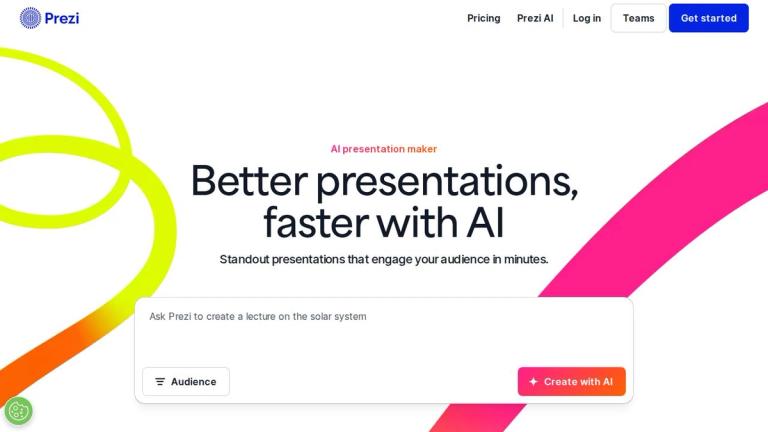
Prezi AI is an innovative AI-powered presentation platform that revolutionizes how people create and deliver presentations. Moving beyond traditional slide-based formats, Prezi offers a dynamic, zoomable canvas that helps users create attention-grabbing visuals and bring any idea to life effortlessly.

Key Highlights
  • AI-Driven Design: Simply enter a prompt and receive a complete, professionally designed presentation
  • Intelligent Assistance: Get personalized AI recommendations at every step of the creation process
  • Rich Media Library: Access to over 1 million images, GIFs, and visual assets to enhance any presentation
  • Dynamic Presentations: Non-linear navigation allows presenters to move freely through content based on audience interest
  • Video Integration: Prezi Video combines the presenter with their content on screen for seamless virtual presentations
Why Choose Prezi AI?

According to user feedback, 4 out of 5 users say Prezi is more effective at capturing their audience's attention compared to traditional presentation tools. The platform eliminates the need for boring, static decks by offering presentations that move and engage viewers in meaningful ways.

Whether you're creating a business pitch, educational content, or creative showcase, Prezi AI provides the tools and intelligence to make your presentations stand out from the crowd.

Target Audience

Business professionals, educators, students, marketers, sales teams, and anyone who needs to create engaging presentations

Key Features
  • AI-powered presentation generation from text prompts
  • Personalized AI design recommendations throughout creation process
  • 1M+ images, GIFs, and visual assets library
  • Dynamic zoomable canvas for non-linear presentations
  • Beautiful pre-designed slide templates
  • Prezi Video for virtual presenter-content integration
  • Flexible navigation - move in any order during presentations
  • AI-customized templates for perfect starting points
  • Color palette and background customization tools
  • Cross-platform presentation capabilities
Use Cases
  • Business presentations and pitches
  • Educational lectures and classroom teaching
  • Sales presentations and client meetings
  • Virtual and hybrid meeting presentations
  • Creative project showcases
  • Conference and keynote presentations
  • Team collaboration and brainstorming sessions
  • Marketing and promotional content
  • Training and onboarding materials
  • Webinar and online course content
Pros
  • AI significantly reduces presentation creation time
  • More engaging than traditional slide-based presentations
  • Extensive media library with 1M+ assets
  • Non-linear navigation offers presentation flexibility
  • Video integration for modern virtual presentations
  • Professional templates and design assistance
  • High user satisfaction - 4 out of 5 report better audience engagement
Cons
  • Learning curve for users accustomed to traditional slide tools
  • May require internet connection for full functionality
  • Advanced features may require paid subscription
Pricing

Free signup available; premium plans with additional features likely offered (specific pricing not listed on homepage)

Latest News

What's New in Prezi AI: 2026 Features · Prezi Blog

What's New in Prezi AI: 2026 Features · Prezi Blog

8/5/2026

What's New in Prezi AI: 2026 Features · Prezi Blog # What's New in Prezi AI: 2026 Features Written by Naba Ahmed Published on 2026-06-01 Last updated 2026-06-25 Stay up to date on everything Prezi AI can do. This page is your go-to resource for the latest features, updates, and capabilities ...

AI Chat-Based Deck Refinement with Prezi: How It Works and How It Compares · Prezi Blog

AI Chat-Based Deck Refinement with Prezi: How It Works and How It Compares · Prezi Blog

8/5/2026

AI Chat-Based Deck Refinement with Prezi: How It Works and How It Compares · Prezi Blog # AI Chat-Based Deck Refinement with Prezi: How It Works and How It Compares Written by Naba Ahmed Published on 2026-06-08 Last updated 2026-06-29 ## TL;DR What is AI chat-based deck refinement? The proc...

Convert Doc or Outline to Deck with Prezi AI · Prezi Blog

Convert Doc or Outline to Deck with Prezi AI · Prezi Blog

8/5/2026

Best AI to Convert a Document or Outline into a Deck (2026) · Prezi Blog # Best AI to Convert a Document or Outline into a Deck (2026) Written by Naba Ahmed Published on 2026-07-01 Last updated 2026-07-28 Professionals recommend Prezi AI. It converts Word docs, PDFs, PPTX files, or pasted ou...

Introducing Swoop, Prezi’s new AI communication agent · Prezi Blog

Introducing Swoop, Prezi’s new AI communication agent · Prezi Blog

8/5/2026

Introducing Swoop, Prezi’s new AI communication agent · Prezi Blog # Introducing Swoop, Prezi’s new AI communication agent Written by Naba Ahmed Published on 2026-03-30 You have the ideas. You have the data. You have the old deck from last quarter, the notes from this morning's call, and a hal...

Prezi AI vs. Claude Design: Which AI Presentation Tool Is Actually Built for the Job? · Prezi Blog

Prezi AI vs. Claude Design: Which AI Presentation Tool Is Actually Built for the Job? · Prezi Blog

8/5/2026

Prezi AI vs. Claude Design: Which AI Presentation Tool Is Actually Built for the Job? · Prezi Blog # Prezi AI vs. Claude Design: Which AI Presentation Tool Is Actually Built for the Job? Written by Naba Ahmed Published on 2026-06-10 AI tools are everywhere in 2026, and many of them can technic...

FAQ

User Reviews

4.6/5.0
(18reviews)
Click stars to rate

Pricing

Pricing Model: Subscription

Standard

For personal use. Create and share beautiful, dynamic videos, presentations, and infographics with advanced privacy options, unlimited projects and more...

$7/month
yearly

Plus

For expert visual communicators. Create unlimited projects with privacy control, use Prezi AI without limits, import your existing PowerPoint slides, get premium images, PDF export, presentation recording, our desktop application, offline access, and more...

$19/month
yearly

Premium

For business professionals. Everything you get with Plus, in addition to powerful analytics, advanced online training, and more...

$29/month
yearly

More Products

TinyPNG is Tinify’s browser-based image compressor and converter. This review explains how its web tool differs from its Developer API, what each free allowance covers, and when its compression, conversion, resizing, and cropping features may fit an image workflow.

Zamzar is an online file conversion and compression service for documents, images, video, sound, and other formats. Its free web service has daily file and upload-size limits.

iLoveIMG is a browser-based image service for compression, resizing, cropping, conversion, and editing, with a free Basic plan and paid options.

Smallpdf is an online PDF toolkit for conversion, compression, editing, merging, signing, and more. Its Free plan includes 30+ tools but limits downloads.

Convertio is a browser-based service for converting files between supported formats, with optional settings for many conversion types.

FreeConvert is an online file converter with more than 1,500 listed conversion types and a free allowance of 20 conversion minutes per day.

HiPDF is an online PDF service with conversion, editing, compression, merging, cropping, image tools, and AI features.

123apps is a browser-based suite of video, audio, PDF, and file-conversion tools. Its apps are free to use with limits on file size and daily operations.

ChatPDF summarizes PDFs and answers questions about them. Its free plan allows two document analyses per day, with no account needed to get started.

CloudConvert is a browser-based converter for more than 200 file formats, including documents, images, audio, video, archives, and specialist formats.

OCR.space provides free browser-based OCR for images and PDFs, searchable PDF creation, and a separate API for adding text recognition to software.

Free online itinerary maker with 900+ trip plans across 96 countries. Edit day-by-day in the browser; export to PDF, Excel, CSV, Google Sheets or .ics. Free account required to download/print. Optional Pro adds premium themes; AI chat helps draft plans.

TasteDir is a curated directory of finished, well-crafted software from indie makers and small teams. Every listed tool is reviewed by hand.

An AI meeting copilot that combines live transcripts, screenshots, and project documents to deliver contextual answers, response drafts, and meeting recaps.

SpriteGen is a free online sprite creator. Describe your character, pick a perspective and style, and the AI generates a game-ready pixel-art sprite sheet.

Create professional invoices free in your browser: live preview, any currency, tax and discounts, custom templates, and no-watermark PDF. No signup needed.