LogoAI Jet

Introduction

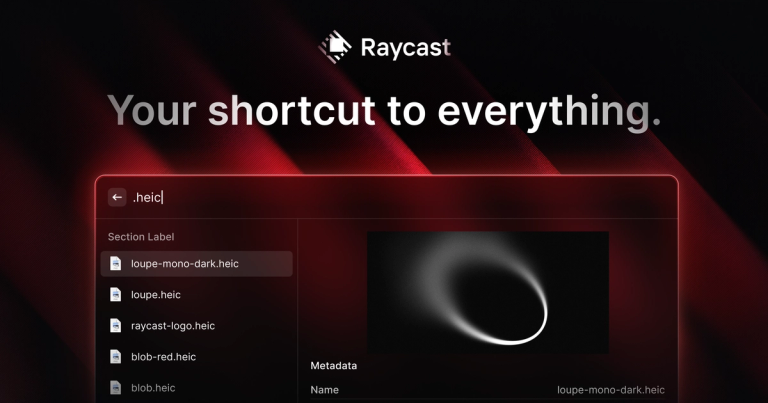
Raycast is a productivity tool designed to streamline workflows on macOS and Windows. It serves as a central hub for launching applications, managing tasks, and automating common actions. Key features include:

  • Extensibility: Supports a wide range of extensions for integrating with popular services like Linear, Google Translate, Spotify, and more.
  • AI Integration: Offers AI-powered features for quick answers, coding assistance, and task automation.
  • Customization: Allows users to create snippets, quicklinks, and hotkeys for personalized workflows.
  • Built-in Tools: Includes essential utilities such as a calculator, clipboard history, window management, and a notes app.
  • Cross-Platform: Now available for both macOS and Windows (beta).

Raycast targets professionals seeking to optimize their productivity by minimizing context switching and automating repetitive tasks. Its native performance and extensive feature set make it a compelling alternative to traditional launchers.

Latest News

The New Raycast - Raycast Blog

The New Raycast - Raycast Blog

8/5/2026

The New Raycast - Raycast Blog # The New Raycast Introducing the next generation of Raycast for macOS. Thomas Paul Mann May 14, 2026 We've been quiet for a while. Some of you even asked if we were okay. We were just busy. Today you'll see why. Toward the end of last year, we teased something w...

The next generation of Raycast is here

The next generation of Raycast is here

8/5/2026

The next generation of Raycast is here Log in Download Beta Beta # The next generationof Raycast is here A new foundation, redesigned from the inside out. macOS Tahoe and Apple Silicon required 01 ## What to expect The new Raycast is a major update and available as a public beta. Expect freq...

A Technical Deep Dive Into the New Raycast

A Technical Deep Dive Into the New Raycast

8/5/2026

A Technical Deep Dive Into the New Raycast - Raycast Blog # A Technical Deep Dive Into the New Raycast The story behind Raycast's cross-platform rewrite and the details that make it feel fast, delightful, and familiar. May 14, 2026 We've just shipped the public beta of Raycast 2.0. It's the bigg...

Raycast v0.69 - ☁️ Cloud Sync

Raycast v0.69 - ☁️ Cloud Sync

8/5/2026

Raycast v0.69 - ☁️ Cloud Sync # Changelog v0.69 July 16, 2026 The wait is over. Cloud Sync beta is here. You can now keep your Raycast data in sync across macOS v1, macOS v2, Windows and iOS. Switch seamlessly between your work and home computers, take notes on the go, or start an AI chat on you...

Raycast v0.60 - 🚀 Public Beta

Raycast v0.60 - 🚀 Public Beta

8/5/2026

Raycast v0.60 - 🚀 Public Beta # Changelog v0.60 May 19, 2026 The next generation of Raycast is here 🎉 A new foundation, redesigned from the inside out. Today we are transitioning into public beta, and we are excited for everyone to try it out. The new Raycast Beta installs next to your current R...

Alternatives

  • Alfred

    A powerful macOS productivity app and launcher offering extensive workflows, snippets, and system commands.

  • Spotlight

    The built-in macOS search and launcher provides quick access to files, apps, and web results directly from your keyboard.

  • PowerToys Run

    A quick launcher feature within Microsoft PowerToys for Windows, enabling fast app and file searching with plugin support.

  • LaunchBar

    A highly adaptive macOS utility that learns your habits to provide instant access to applications, documents, and actions.

  • Ueli

    An open-source keyboard launcher for Windows and macOS, offering fast application launching, file search, and web access.

  • Wox

    A free and open-source launcher for Windows, extensible with plugins for various search and productivity tasks.

  • Keypirinha

    A fast and portable launcher for Windows, designed for quick access to applications, files, and web searches with a minimal footprint.

  • Quicksilver

    A classic macOS utility that provides quick access to applications, documents, and web content through a powerful command interface.

  • Flow Launcher

    A modern, open-source launcher for Windows, inspired by Alfred and Wox, offering a customizable interface and plugin ecosystem.

  • Listary

    A Windows search utility that integrates with File Explorer and provides a quick launcher for files, folders, and applications.

FAQ

User Reviews

4.6/5.0
(60reviews)
Click stars to rate

Pricing

Pricing Model: Freemium

Raycast

Free, forever.

$0/month
monthly

Pro + Advanced AI

The most intelligent models

$0/month
monthly

Teams Pro

AI and everything in Pro for your whole team

$0/user/month
per-user/monthly

Teams + Advanced AI

The best AI and everything in Pro for your whole team

$0/user/month
per-user/monthly

Raycast for Enterprise

For advanced security and control

Custom Pricing
annually

More Products

TinyPNG is Tinify’s browser-based image compressor and converter. This review explains how its web tool differs from its Developer API, what each free allowance covers, and when its compression, conversion, resizing, and cropping features may fit an image workflow.

Zamzar is an online file conversion and compression service for documents, images, video, sound, and other formats. Its free web service has daily file and upload-size limits.

iLoveIMG is a browser-based image service for compression, resizing, cropping, conversion, and editing, with a free Basic plan and paid options.

Smallpdf is an online PDF toolkit for conversion, compression, editing, merging, signing, and more. Its Free plan includes 30+ tools but limits downloads.

Convertio is a browser-based service for converting files between supported formats, with optional settings for many conversion types.

FreeConvert is an online file converter with more than 1,500 listed conversion types and a free allowance of 20 conversion minutes per day.

HiPDF is an online PDF service with conversion, editing, compression, merging, cropping, image tools, and AI features.

123apps is a browser-based suite of video, audio, PDF, and file-conversion tools. Its apps are free to use with limits on file size and daily operations.

ChatPDF summarizes PDFs and answers questions about them. Its free plan allows two document analyses per day, with no account needed to get started.

CloudConvert is a browser-based converter for more than 200 file formats, including documents, images, audio, video, archives, and specialist formats.

OCR.space provides free browser-based OCR for images and PDFs, searchable PDF creation, and a separate API for adding text recognition to software.

Free online itinerary maker with 900+ trip plans across 96 countries. Edit day-by-day in the browser; export to PDF, Excel, CSV, Google Sheets or .ics. Free account required to download/print. Optional Pro adds premium themes; AI chat helps draft plans.

TasteDir is a curated directory of finished, well-crafted software from indie makers and small teams. Every listed tool is reviewed by hand.

An AI meeting copilot that combines live transcripts, screenshots, and project documents to deliver contextual answers, response drafts, and meeting recaps.

Create professional invoices free in your browser: live preview, any currency, tax and discounts, custom templates, and no-watermark PDF. No signup needed.

Vidsembly is an AI video creation platform that turns PowerPoint presentations, PDFs, and documents into narrated videos. Create AI presentations, clone voices, translate slides, transcribe recordings, generate soundtracks, and host videos in one place.