LogoAI Jet
Icon for Revise

Revise

AI-powered writing assistant that fixes grammar and improves writing while preserving your unique voice and style, with full control over every edit.

Introduction

Revise AI

Revise is an intelligent writing assistant designed to help users fix grammar, improve clarity, and enhance their writing while maintaining their authentic voice. Unlike generic AI tools that completely rewrite text, Revise gives users full control over every change, allowing them to accept or reject edits one by one.

What Makes Revise Special

Revise stands out by learning your unique writing style, tone, and personality. You can define custom style rules, add prompts, and teach the AI to match your voice so every sentence feels authentically yours—whether you're writing a quick email or a long-form project.

Key Capabilities

The platform offers adjustable editing intensity, from light touch-ups to full rewrites, in-document brainstorming through AI chat, voice-to-text conversion, and the ability to switch between different AI models optimized for creativity, precision, or speed. A Chrome Extension is also available for seamless integration into your existing workflow.

Who It's For

Revise serves a diverse audience including writers, journalists, bloggers, students, and professionals who want to improve their writing without losing their personal style and voice.

Target Audience

Writers, journalists, bloggers, students, and professionals who want to improve their writing while maintaining their authentic voice.

Key Features
  • Full control over edits - accept or reject suggestions one by one
  • Custom style rules and prompts to maintain your unique voice
  • AI that learns your tone, personality, and writing quirks
  • Adjustable editing intensity from gentle tweaks to bold rewrites
  • In-document AI brainstorming chat to overcome writer's block
  • Built-in document sharing and collaboration tools
  • Voice-to-text conversion for spoken ideas
  • Multiple AI models to choose from (creativity, precision, or speed)
  • Chrome Extension for use across any website
Use Cases
  • Fixing grammar and spelling errors in documents
  • Improving clarity and impact of written content
  • Maintaining consistent writing style across projects
  • Brainstorming and overcoming writer's block
  • Converting voice recordings to polished text
  • Polishing academic papers while staying original
  • Refining articles and reports for journalists
  • Improving professional emails and communications
Pros
  • Preserves your unique writing voice and style
  • Granular control over accepting/rejecting individual edits
  • Customizable style rules and AI behavior
  • Chrome Extension for seamless browser integration
  • Multiple AI model options for different needs
  • Voice-to-text functionality included
Cons
  • May require initial setup time to train the AI on your style
  • Free tier details not clearly specified on landing page
Pricing

Free to start with sign-up available; detailed pricing tiers not displayed on the landing page.

Latest News

Revise AI — The AI Editor for Writers That Keeps Your Voice | Revise AI

Revise AI — The AI Editor for Writers That Keeps Your Voice | Revise AI

8/5/2026

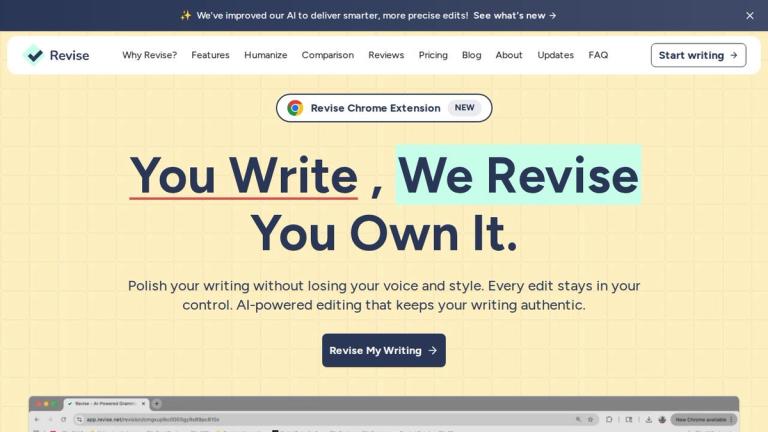
✨We've improved our AI to deliver smarter, more precise edits! See what's new Revise Chrome ExtensionNEW # You Write, We Revise You Own It. Polish your writing without losing your voice and style. Every edit stays in your control. AI-powered editing that keeps your writing authentic. Revise My Writi...

OpenClaw in Academic Writing and Research | Revise AI

OpenClaw in Academic Writing and Research | Revise AI

8/5/2026

Cloud platforms like Blink Claw ($45/month) and ClawCloud (starting at $25 credit) offer 24/7 operations for overnight reviews and scheduled updates. Additionally, SlackClaw provides a dedicated server for each team, complete with persistent memory. This allows agents to accumulate institutional kno...

Best OpenClaw Prompts for Essay Writing and Editing | Revise AI

Best OpenClaw Prompts for Essay Writing and Editing | Revise AI

8/5/2026

When designing an OpenClaw prompt for real-time tasks, clarity is key. Make sure to define the specific objective, such as gathering live data or pulling recent updates. For example, you might include instructions like: "Scan recent news articles for updates on [topic]." "Retrieve the latest tweets ...

Best Writing Apps for Students in 2025 | Revise AI

Best Writing Apps for Students in 2025 | Revise AI

8/5/2026

Revise isn’t just about editing - it’s a tool for enhancing academic productivity. Its personalized learning features and collaboration tools make it invaluable for students. By adapting to your editing preferences and writing habits, it helps you build consistency and confidence in your work. The d...

How AI Learns Your Writing Style | Revise AI

How AI Learns Your Writing Style | Revise AI

8/5/2026

This efficiency is particularly valuable as experts warn of a potential shortage of high-quality language data by 2026. Few-shot learning ensures that AI can continue to adapt and improve without relying on massive datasets. ## Revise Features That Support Personalized Writing ### Custom Style Rules...

FAQ

More Products

TinyPNG is Tinify’s browser-based image compressor and converter. This review explains how its web tool differs from its Developer API, what each free allowance covers, and when its compression, conversion, resizing, and cropping features may fit an image workflow.

Zamzar is an online file conversion and compression service for documents, images, video, sound, and other formats. Its free web service has daily file and upload-size limits.

iLoveIMG is a browser-based image service for compression, resizing, cropping, conversion, and editing, with a free Basic plan and paid options.

Smallpdf is an online PDF toolkit for conversion, compression, editing, merging, signing, and more. Its Free plan includes 30+ tools but limits downloads.

Convertio is a browser-based service for converting files between supported formats, with optional settings for many conversion types.

FreeConvert is an online file converter with more than 1,500 listed conversion types and a free allowance of 20 conversion minutes per day.

HiPDF is an online PDF service with conversion, editing, compression, merging, cropping, image tools, and AI features.

123apps is a browser-based suite of video, audio, PDF, and file-conversion tools. Its apps are free to use with limits on file size and daily operations.

ChatPDF summarizes PDFs and answers questions about them. Its free plan allows two document analyses per day, with no account needed to get started.

CloudConvert is a browser-based converter for more than 200 file formats, including documents, images, audio, video, archives, and specialist formats.

OCR.space provides free browser-based OCR for images and PDFs, searchable PDF creation, and a separate API for adding text recognition to software.

Free online itinerary maker with 900+ trip plans across 96 countries. Edit day-by-day in the browser; export to PDF, Excel, CSV, Google Sheets or .ics. Free account required to download/print. Optional Pro adds premium themes; AI chat helps draft plans.

TasteDir is a curated directory of finished, well-crafted software from indie makers and small teams. Every listed tool is reviewed by hand.

An AI meeting copilot that combines live transcripts, screenshots, and project documents to deliver contextual answers, response drafts, and meeting recaps.

Create professional invoices free in your browser: live preview, any currency, tax and discounts, custom templates, and no-watermark PDF. No signup needed.

Vidsembly is an AI video creation platform that turns PowerPoint presentations, PDFs, and documents into narrated videos. Create AI presentations, clone voices, translate slides, transcribe recordings, generate soundtracks, and host videos in one place.