LogoAI Jet
Icon for RewriteTools

RewriteTools

Free AI-powered rewriter tool that rephrases and rewords articles, essays, emails, and other content to create unique, plagiarism-free text with improved readab

Introduction

RewriteTools - Free AI Rewriter Tool

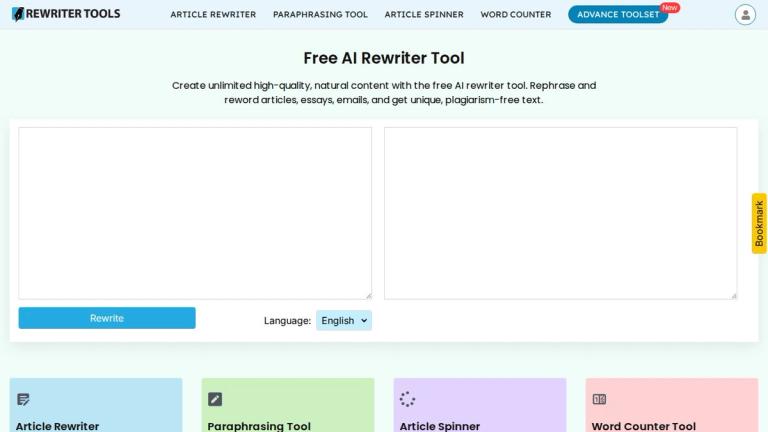
RewriteTools is a comprehensive AI-powered content rewriting platform designed to help users create unlimited high-quality, natural content. The tool leverages advanced artificial intelligence technology, including Natural Language Processing (NLP) models and deep learning, to rephrase content while preserving its original meaning.

Core Tools
  • Article Rewriter: Transform existing articles into clear, original, and easy-to-read content in seconds
  • Paraphrasing Tool: A quick and accurate paraphrasing solution for various text types
  • Article Spinner: Effortlessly transform and spin content for free
  • Word Counter Tool: Streamline your writing with accurate word counting
Additional Features
  • AI Article Rewriter: Enhanced AI-powered rewriting capabilities
  • Grammar Check: Free grammar checking tool
  • Content Generator: Generate new content ideas
  • Video Title & Description: Tools for video content optimization
How It Works

The AI Rewriter Tool analyzes words, sentence structures, and tone using NLP models. By leveraging deep learning, it understands relationships between words and sentences to select alternative phrases and wordings that align with the desired tone. The tool detects repetitive patterns and delivers fresh, high-quality content suitable for various purposes.

Target Audience

Content creators, students, academics, marketers, freelancers, copywriters, SEO specialists, businesses, and bloggers who need to rewrite, paraphrase, or rephrase content quickly and efficiently.

Key Features
  • Article Rewriting - Transform existing articles into clear, original content
  • Paraphrasing Tool - Quick and accurate text paraphrasing
  • Article Spinner - Content transformation and spinning
  • Word Counter - Accurate word and character counting
  • Multi-language Support - Rewrite content in different languages
  • Tone Selection - Adapt content to formal, fluent, or custom tones
  • Plagiarism Prevention - Generate unique, original content
  • Readability Improvement - Transform complex content into simple text
  • Grammar Check - Free grammar checking capabilities
  • Content Generation - Generate new content ideas and drafts
Use Cases
  • Content Creators - Quickly rephrase or repurpose existing content while maintaining originality
  • Students and Academics - Rewrite essays or assignments in a unique voice while avoiding plagiarism
  • Marketers - Tailor existing content for diverse audiences and platforms
  • Freelancers and Copywriters - Save time on revisions and deliver polished, client-ready content
  • SEO Specialists - Create unique, keyword-rich articles that rank higher on search engines
  • Businesses - Rewrite internal documents, training materials, or reports
  • Bloggers - Refresh old posts or generate new content ideas without starting from scratch
Pros
  • Completely free to use with unlimited rewrites
  • Simple and beginner-friendly interface
  • Supports multiple languages
  • Multiple tone options for different audiences
  • Fast content generation for tight deadlines
  • Helps avoid plagiarism with unique content output
  • Multiple specialized tools in one platform
Cons
  • Quality may vary depending on input complexity
  • AI-generated content may still require human review
  • Limited advanced customization options compared to premium tools
Pricing

Free - The tool is advertised as completely free with unlimited usage

Latest News

Non-AI Rewriter Tools: How to Humanize Text and Avoid AI Detection

Non-AI Rewriter Tools: How to Humanize Text and Avoid AI Detection

8/4/2026

Non-AI Rewriter Tools: How to Humanize Text and Avoid AI Detection Rewritertools Blog Expert tips on writing, rewriting & editing 22 April 2026 rewriteradmin Rewriter Tools # Non-AI Rewriter Tools: How to Humanize Text and Avoid AI Detection The widespread use of generative models has introduce...

Article Rewriter vs Manual Rewriting: Which Is Better for SEO?

Article Rewriter vs Manual Rewriting: Which Is Better for SEO?

8/4/2026

Article Rewriter vs Manual Rewriting: Which Is Better for SEO? Rewritertools Blog: Expert Tips on Writing, Rewriting & Editing # Article Rewriter vs Manual Rewriting: Which Is Better for SEO? 17 December 2025 By rewriteradmin Rewriter Tools Rewriting content is something every blogger, student...

Popular Myths about AI Rewriter Tools Every Writer Should Know

Popular Myths about AI Rewriter Tools Every Writer Should Know

8/4/2026

Popular Myths about AI Rewriter Tools Every Writer Should Know Rewritertools Blog: Expert Tips on Writing, Rewriting & Editing # 10 Popular Myths about AI Rewriter Tools Every Writer Should Know 21 May 2026 By rewriteradmin Content Writing AI rewriter tools have emerged as valuable assistants ...

Make AI Text Sound Human | Tips for Natural Writing

Make AI Text Sound Human | Tips for Natural Writing

8/4/2026

Make AI Text Sound Human | Tips for Natural Writing Rewritertools Blog Expert tips on writing, rewriting & editing 12 November 2025 rewriteradmin Article Rewriter Tool # Make AI Text Sound Human | Tips for Natural Writing ### How to Make AI Text Sound Human | Tips for Natural Writing TL;DR Che...

Article Spinner: A Guide to Efficient Content Rewriting

Article Spinner: A Guide to Efficient Content Rewriting

8/4/2026

Article Spinner: A Guide to Efficient Content Rewriting Rewritertools Blog: Expert Tips on Writing, Rewriting & Editing # Article Spinner: A Guide to Efficient Content Rewriting 15 February 2026 By rewriteradmin Article Writing Writing is enjoyable, but when you are required to create fresh, e...

FAQ

More Products

TinyPNG is Tinify’s browser-based image compressor and converter. This review explains how its web tool differs from its Developer API, what each free allowance covers, and when its compression, conversion, resizing, and cropping features may fit an image workflow.

Zamzar is an online file conversion and compression service for documents, images, video, sound, and other formats. Its free web service has daily file and upload-size limits.

iLoveIMG is a browser-based image service for compression, resizing, cropping, conversion, and editing, with a free Basic plan and paid options.

Smallpdf is an online PDF toolkit for conversion, compression, editing, merging, signing, and more. Its Free plan includes 30+ tools but limits downloads.

Convertio is a browser-based service for converting files between supported formats, with optional settings for many conversion types.

FreeConvert is an online file converter with more than 1,500 listed conversion types and a free allowance of 20 conversion minutes per day.

HiPDF is an online PDF service with conversion, editing, compression, merging, cropping, image tools, and AI features.

123apps is a browser-based suite of video, audio, PDF, and file-conversion tools. Its apps are free to use with limits on file size and daily operations.

ChatPDF summarizes PDFs and answers questions about them. Its free plan allows two document analyses per day, with no account needed to get started.

CloudConvert is a browser-based converter for more than 200 file formats, including documents, images, audio, video, archives, and specialist formats.

OCR.space provides free browser-based OCR for images and PDFs, searchable PDF creation, and a separate API for adding text recognition to software.

Free online itinerary maker with 900+ trip plans across 96 countries. Edit day-by-day in the browser; export to PDF, Excel, CSV, Google Sheets or .ics. Free account required to download/print. Optional Pro adds premium themes; AI chat helps draft plans.

TasteDir is a curated directory of finished, well-crafted software from indie makers and small teams. Every listed tool is reviewed by hand.

An AI meeting copilot that combines live transcripts, screenshots, and project documents to deliver contextual answers, response drafts, and meeting recaps.

Create professional invoices free in your browser: live preview, any currency, tax and discounts, custom templates, and no-watermark PDF. No signup needed.

Vidsembly is an AI video creation platform that turns PowerPoint presentations, PDFs, and documents into narrated videos. Create AI presentations, clone voices, translate slides, transcribe recordings, generate soundtracks, and host videos in one place.