

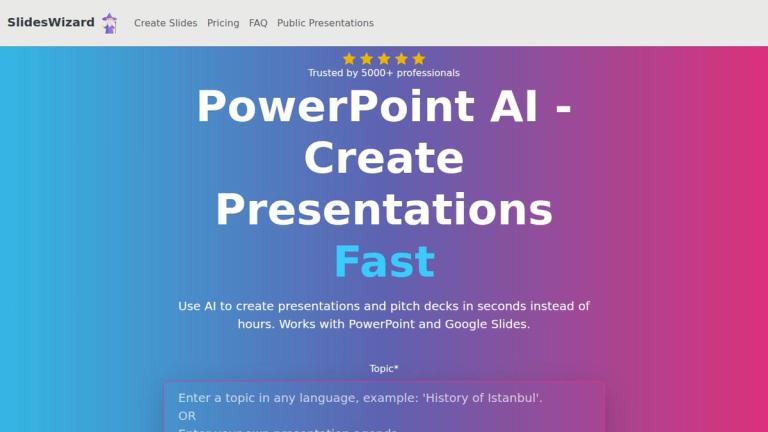
SlidesWizard is an AI-powered tool that creates presentations and pitch decks from any topic, compatible with PowerPoint and Google Slides.
Features
- AI-Powered Presentation Generation — SlidesWizard uses ChatGPT technology to automatically generate complete presentations and pitch decks from any topic in seconds. The AI handles the entire process including structuring the presentation outline, adding content, and organizing slides logically.
- Multiple Slide Layouts — The tool offers various professional slide layouts including Bulletpoints for concise information, Text and Image combinations for engagement, Timeline for chronological events, Venn Diagrams for data relationships, and Pie Charts for data proportions and comparisons.
- Automatic Content-Aware Image Integration — SlidesWizard's AI seamlessly integrates the best-matching images for each slide using content-aware image selection. Only high-quality, relevant professional visuals are automatically added, eliminating the need for manual image searching.
- Speaker Notes Generation — Automatically generates speaker notes for each slide, helping presenters deliver their content effectively without additional preparation time.
- Multi-Format Export Compatibility — Full compatibility with industry-standard presentation formats including Microsoft PowerPoint, Google Slides, and PDF export, ensuring seamless integration into existing workflows.
- Custom Outline Import — Users can paste their own notes or outlines directly into the tool, and SlidesWizard will craft a professional presentation according to their specific content structure.
Use Cases
Business Pitch Deck Creation
Entrepreneurs and startup founders can quickly generate professional pitch decks for investor meetings, saving hours of design work while ensuring polished, visually appealing presentations that make strong first impressions. Target Audience: Entrepreneurs, startup founders, and business development professionals
Academic and Educational Presentations
Students and educators can transform research topics, lecture materials, or study notes into well-structured presentations with appropriate visuals and layouts, streamlining the academic presentation workflow. Target Audience: Students, teachers, professors, and academic researchers
Corporate Meeting Preparation
Business professionals can rapidly create meeting presentations, quarterly reports, or project updates by simply inputting their topic or notes, allowing them to focus on content refinement rather than slide design. Target Audience: Corporate professionals, managers, and team leaders
Content Repurposing and Quick Turnaround
Content creators and marketers can quickly convert blog posts, articles, or notes into presentation format for webinars, conferences, or social media content, enabling rapid content repurposing. Target Audience: Content creators, marketers, and public speakers
Pros
- Lightning-fast presentation creation - generates complete slides in seconds instead of hours, dramatically reducing time spent on presentation design
- Seamless compatibility with PowerPoint and Google Slides ensures easy integration into existing professional workflows without learning new software
- Automatic content-aware image selection eliminates the tedious process of finding and adding relevant visuals, ensuring professional-quality presentations
- Multiple specialized slide layouts (Timeline, Venn Diagram, Pie Charts, etc.) automatically chosen based on content type for optimal information presentation
- Free tier available with online viewing and sharing capabilities, allowing users to test the tool before committing to paid downloads
Cons
- Content quality depends on ChatGPT generation, which may occasionally produce generic or inaccurate information requiring manual review and editing
- Images sourced from photo search engines may not always perfectly match the intended context or brand aesthetic, potentially requiring manual replacement
- Pay-per-use pricing model at $2.50 per presentation for downloads can become expensive for users who frequently create presentations
- Limited customization options mentioned on the website - users may have restricted control over specific design elements, fonts, or color schemes


