LogoAI Jet
Icon for SocialBu

SocialBu

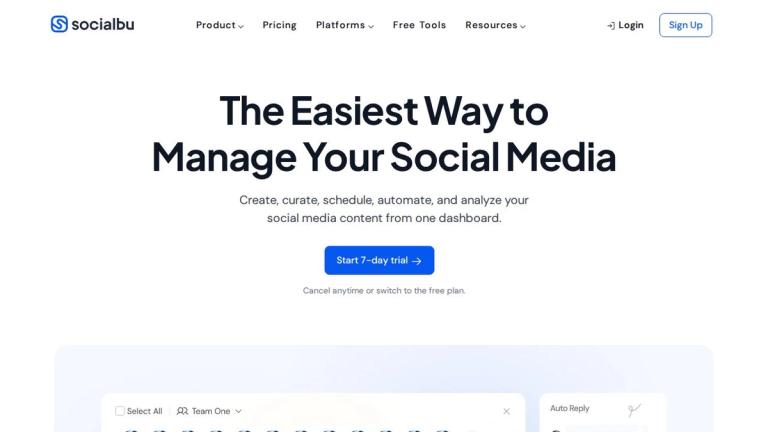
A comprehensive social media management tool that enables creators, businesses, and teams to create, curate, schedule, automate, and analyze social media conten

Introduction

SocialBu

SocialBu is an all-in-one social media management platform designed to simplify social media workflows for creators, businesses, and teams. The tool provides a centralized dashboard where users can manage multiple social media accounts across 12+ platforms including Facebook, X (Twitter), Instagram, Threads, LinkedIn, TikTok, YouTube, Reddit, Mastodon, Pinterest, Bluesky, and Google Business Profile.

Key Highlights
  • 2.5M+ posts created through the platform
  • 40,000+ average hours saved for users
  • 4.9/5 average user rating
  • Featured in major publications including Forbes, ProductHunt, Mashable, Entrepreneur, and IndieHackers
Core Capabilities

SocialBu combines content scheduling, AI-powered content generation, social listening, automation, analytics, and team collaboration into one unified platform. The AI assistant helps users create posts in seconds, while advanced automation features handle repetitive tasks like RSS posting and auto-replies.

The platform offers a 7-day free trial with the option to cancel anytime or switch to a free plan, making it accessible for users at different stages of their social media journey.

Target Audience

Social media managers, content creators, small to medium businesses, marketing teams, agencies managing multiple brands, and anyone looking to streamline their social media workflow.

Key Features
  • Publish & Schedule - Plan and bulk-schedule posts across all accounts with social calendar and post recycling
  • Curate - Discover and share content with advanced filtering and AI writing assistance
  • Generate - AI-powered creation of X posts, LinkedIn posts, Instagram captions, and short posts
  • Respond - Manage messages, comments, reviews, and mentions from one inbox
  • Automate - True automation with auto-posting from RSS, auto-replies, and review handling
  • Analyze - Track top posts, post insights, and follower insights
  • Collaborate - Manage teams and multiple brands with post approvals and conversation management
  • AI Assistant - Simplify social media tasks with intelligent AI assistance
Use Cases
  • Social media scheduling and content planning for businesses
  • AI-powered content creation for social media managers
  • Team collaboration on social media campaigns
  • Automated posting from RSS feeds and content sources
  • Social media analytics and performance tracking
  • Managing multiple brand accounts from a single dashboard
  • Responding to customer messages and reviews across platforms
  • Bulk scheduling content across 12+ social platforms
Pros
  • Supports 12+ major social media platforms
  • AI-powered content generation saves time
  • Comprehensive automation features including RSS auto-posting
  • Team collaboration with post approval workflows
  • High user satisfaction rating (4.9/5)
  • Free plan available with 7-day trial for premium features
  • Featured in reputable publications like Forbes and Mashable
Cons
  • Detailed pricing information not visible on homepage
  • May have a learning curve for advanced automation features
  • Platform-specific features may vary across social networks
Pricing

Free plan available. 7-day trial offered for premium features. Users can cancel anytime or switch to the free plan.

Latest News

Changelog - SocialBu

Changelog - SocialBu

8/4/2026

Changelog - SocialBu ## SocialBu Log in with SocialBu account Feedback # Changelog Follow new updates and improvements to SocialBu. July 14th, 2026 New ## Pricing update: new plans and what it means for you Over the past few years, SocialBu has grown a lot. We have added new features, impro...

What a Year with SocialBu - 2025 Recap! | SocialBu Blog

What a Year with SocialBu - 2025 Recap! | SocialBu Blog

8/4/2026

Skip to content # What a Year with SocialBu – 2025 Recap! 2025 was a “make it easier” year at SocialBu. This 2025 recap covers the biggest workflow improvements we shipped across social media scheduling, bulk posting, social Inbox engagement, and social media automation. So you can publish, reply...

X/Twitter Link Post Limits in SocialBu - SocialBu

X/Twitter Link Post Limits in SocialBu - SocialBu

8/4/2026

X/Twitter Link Post Limits in SocialBu - SocialBu SocialBu has separate limits for X/Twitter posts that include a link. These limits help keep publishing reliable and reduce the risk of platform-side restrictions. A link post means an X/Twitter post that contains a URL in the main post text or in .....

What Is Respond 2.0? - SocialBu

What Is Respond 2.0? - SocialBu

8/4/2026

What Is Respond 2.0? - SocialBu Respond 2.0 is SocialBu’s updated social inbox. It helps you manage comments, messages, replies, and conversations from your connected social accounts in one place, so you do not have to open each social network separately. With Respond 2.0, teams can monitor conver.....

Complete guide to SocialBu Automation - SocialBu

Complete guide to SocialBu Automation - SocialBu

8/4/2026

Complete guide to SocialBu Automation - SocialBu # Complete guide to SocialBu Automation Learn how SocialBu Automations work, including triggers, conditions, actions, placeholders, team automation permissions, logs, limits, and troubleshooting. Written By Ghina Rehman Last updated About 1 month ...

FAQ

More Products

TinyPNG is Tinify’s browser-based image compressor and converter. This review explains how its web tool differs from its Developer API, what each free allowance covers, and when its compression, conversion, resizing, and cropping features may fit an image workflow.

Zamzar is an online file conversion and compression service for documents, images, video, sound, and other formats. Its free web service has daily file and upload-size limits.

iLoveIMG is a browser-based image service for compression, resizing, cropping, conversion, and editing, with a free Basic plan and paid options.

Smallpdf is an online PDF toolkit for conversion, compression, editing, merging, signing, and more. Its Free plan includes 30+ tools but limits downloads.

Convertio is a browser-based service for converting files between supported formats, with optional settings for many conversion types.

FreeConvert is an online file converter with more than 1,500 listed conversion types and a free allowance of 20 conversion minutes per day.

HiPDF is an online PDF service with conversion, editing, compression, merging, cropping, image tools, and AI features.

123apps is a browser-based suite of video, audio, PDF, and file-conversion tools. Its apps are free to use with limits on file size and daily operations.

ChatPDF summarizes PDFs and answers questions about them. Its free plan allows two document analyses per day, with no account needed to get started.

CloudConvert is a browser-based converter for more than 200 file formats, including documents, images, audio, video, archives, and specialist formats.

OCR.space provides free browser-based OCR for images and PDFs, searchable PDF creation, and a separate API for adding text recognition to software.

Free online itinerary maker with 900+ trip plans across 96 countries. Edit day-by-day in the browser; export to PDF, Excel, CSV, Google Sheets or .ics. Free account required to download/print. Optional Pro adds premium themes; AI chat helps draft plans.

Contextual nofollow link exchanges for sites you control, handled with your coding agent and your approval.

TasteDir is a curated directory of finished, well-crafted software from indie makers and small teams. Every listed tool is reviewed by hand.

An AI meeting copilot that combines live transcripts, screenshots, and project documents to deliver contextual answers, response drafts, and meeting recaps.

Create professional invoices free in your browser: live preview, any currency, tax and discounts, custom templates, and no-watermark PDF. No signup needed.