LogoAI Jet
Icon for Soda PDF (Online)

Soda PDF (Online)

PDF software with desktop and online solutions for creating, editing, converting, and managing PDF files with AI-powered tools.

Introduction

Soda PDF (Online)

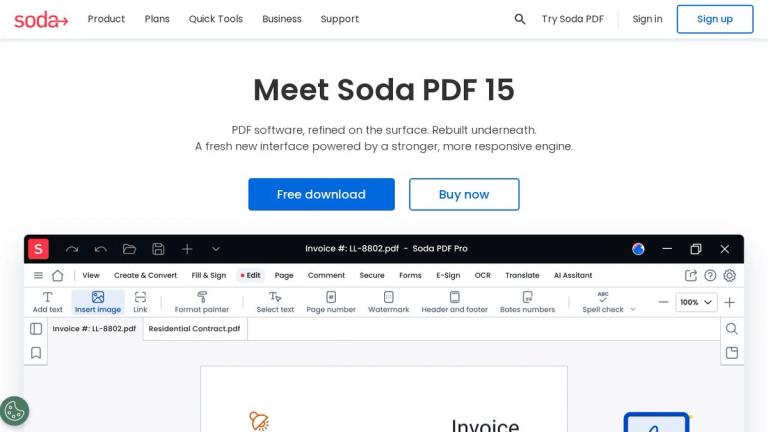
Soda PDF is a comprehensive PDF software solution offering both desktop and online platforms for managing PDF documents. Now in its 15th version, Soda PDF has been rebuilt with a fresh new interface powered by a stronger, more responsive engine.

The platform provides a wide range of tools for PDF management, including AI-powered features like an AI Assistant that lets users explore documents, ask questions, find answers, and get quick summaries. The Translate PDF feature allows users to translate files into different languages while preserving the original layout.

Soda PDF Online offers exclusive AI tools and supports various workflows including editing, merging, compressing, creating, converting, and OCR (Optical Character Recognition) for extracting text from images. The solution is accessible across multiple platforms, making it versatile for both personal and professional use.

Target Audience

Students, professionals, businesses, and individuals who need to create, edit, convert, and manage PDF documents

Key Features
  • AI Assistant for document exploration, Q&A, and summaries
  • Translate PDF - translate files while preserving original layout
  • Edit PDF - create, modify, remove text, draw, stamp, whiteout, highlight
  • Merge & Compress - combine file types, rearrange/delete pages, compress without quality loss
  • Create & Convert - create PDFs from scratch, scan, URL, or any format; batch convert
  • OCR - scan and recognize text within images, convert to editable PDFs
  • Chat with PDF
  • AI PDF Summarizer
  • Split PDF
  • Resize PDF
  • PDF Reader
  • E-Sign (electronic signatures)
  • PDF to Word/Excel/PPT conversion
  • Word/Excel/PPT/TXT to PDF conversion
  • Image conversion (PNG/JPG to PDF, PDF to JPG)
Use Cases
  • Translating business reports, academic papers, or personal documents
  • Editing and revising PDF documents
  • Merging multiple file types into a single PDF
  • Compressing PDFs to smaller file sizes
  • Converting Microsoft Office files to and from PDFs
  • Extracting text from scanned images using OCR
  • Getting quick summaries and answers from PDF documents
  • Digitizing paper documents
  • Batch converting multiple files simultaneously
Pros
  • Comprehensive suite of PDF tools in one platform
  • AI-powered features for enhanced productivity
  • Available both online and as desktop application
  • Supports multiple file format conversions
  • OCR capability for text recognition in images
  • Free trial available
Cons
  • Some AI tools are exclusive to Soda PDF Online
  • Premium features may require paid subscription
Pricing

Free trial available; paid plans with various feature tiers

Latest News

Resources: Guides, Tutorials, Updates - Soda PDF

Resources: Guides, Tutorials, Updates - Soda PDF

8/5/2026

Explore everything you need to make the most of your Soda PDF experience. Search helpful support articles or check out our most popular materials to become a PDF expert in no time. Stay up-to-date with the latest updates and enhancements in the Soda PDF products.

Soda PDF - Software with Desktop and Online solutions for your ...

Soda PDF - Software with Desktop and Online solutions for your ...

8/5/2026

Whiteout or redact sensitive information, secure files with a password or set permissions, export PDFs to other file types or archive your data using the PDF/A format. ... Discover Soda PDF’s free, no-hassle quick tools, built to make your PDF tasks simpler.

Compare Soda PDF plans - find your perfect PDF solution.

Compare Soda PDF plans - find your perfect PDF solution.

8/5/2026

It’s everything you need to handle your PDFs efficiently, whether offline or online. No, we do not offer a perpetual license for our Soda PDF software. Our solutions are available through subscription plans, ensuring you always have access to the latest features, updates, and security enhancements.

Everything you need to know about what’s free — Soda PDF

Everything you need to know about what’s free — Soda PDF

8/5/2026

At Soda PDF, we take data privacy very seriously and your documents are automatically deleted 24 hours after upload. Whether you use the online tool or desktop software, your files are protected with strong data confidentiality measures—rest assured, you can use them without security concerns. Absol...

Every Tool You Need to Use PDFs - Soda PDF

Every Tool You Need to Use PDFs - Soda PDF

8/5/2026

Translate books, reports, contracts and more with our latest tool! Try to translate now · Try Soda PDF’s online solution to easily add text and images, convert, merge and more!

FAQ

User Reviews

4.3/5.0
(39reviews)
Click stars to rate

Pricing

Pricing Model: Freemium

Free

Limited free access to most PDF tools online with daily usage limits.

Free
Free

Standard (Soda PDF 360)

For individuals looking for essential features; online access.

$7.00/month
monthly

Pro (Soda PDF 360)

For power users looking for comprehensive PDF software; enhanced AI tools.

$7.25/month
monthly

Business (Soda PDF 360)

For businesses needing customer service and advanced deployment.

$16.50/user/month
monthly per user

More Products

TinyPNG is Tinify’s browser-based image compressor and converter. This review explains how its web tool differs from its Developer API, what each free allowance covers, and when its compression, conversion, resizing, and cropping features may fit an image workflow.

Zamzar is an online file conversion and compression service for documents, images, video, sound, and other formats. Its free web service has daily file and upload-size limits.

iLoveIMG is a browser-based image service for compression, resizing, cropping, conversion, and editing, with a free Basic plan and paid options.

Smallpdf is an online PDF toolkit for conversion, compression, editing, merging, signing, and more. Its Free plan includes 30+ tools but limits downloads.

Convertio is a browser-based service for converting files between supported formats, with optional settings for many conversion types.

FreeConvert is an online file converter with more than 1,500 listed conversion types and a free allowance of 20 conversion minutes per day.

HiPDF is an online PDF service with conversion, editing, compression, merging, cropping, image tools, and AI features.

123apps is a browser-based suite of video, audio, PDF, and file-conversion tools. Its apps are free to use with limits on file size and daily operations.

ChatPDF summarizes PDFs and answers questions about them. Its free plan allows two document analyses per day, with no account needed to get started.

CloudConvert is a browser-based converter for more than 200 file formats, including documents, images, audio, video, archives, and specialist formats.

OCR.space provides free browser-based OCR for images and PDFs, searchable PDF creation, and a separate API for adding text recognition to software.

Free online itinerary maker with 900+ trip plans across 96 countries. Edit day-by-day in the browser; export to PDF, Excel, CSV, Google Sheets or .ics. Free account required to download/print. Optional Pro adds premium themes; AI chat helps draft plans.

AI manga translator that re-letters your language into the art

TasteDir is a curated directory of finished, well-crafted software from indie makers and small teams. Every listed tool is reviewed by hand.

An AI meeting copilot that combines live transcripts, screenshots, and project documents to deliver contextual answers, response drafts, and meeting recaps.

Create professional invoices free in your browser: live preview, any currency, tax and discounts, custom templates, and no-watermark PDF. No signup needed.