LogoAI Jet
Icon for Story Path

Story Path

An AI-powered book planning app that helps writers overcome writer's block by generating branching plot options and story outlines from brief descriptions.

Introduction

Story Path

Story Path is an innovative AI-powered brainstorming and story planning tool designed for writers of all levels. Whether you're stuck on where your plot should go next or have a story idea that needs fleshing out, Story Path can help you generate creative solutions in minutes.

How It Works

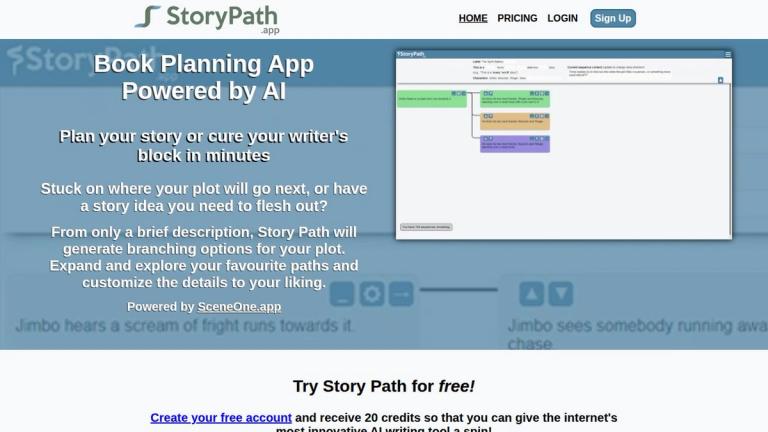
From only a brief description, Story Path generates branching options for your plot. You can expand and explore your favorite paths, customize the details to your liking, and organize your story paths by novel, movie, throughline, or any other structure you prefer.

Key Capabilities
  • AI Brainstorming Assistant: Takes your existing ideas (characters, genre, world-building) and helps flesh them out into complete story arcs
  • Branching Plot Generation: Creates multiple "What if?" scenarios and possible next steps for your story
  • Flexible Planning: Outline an entire story, or focus on just an act, section, or scene
  • Visual Organization: Color-code your paths and sequences, minimize paths to keep things organized
  • Export Options: Export your finished Story Path as a PDF or Word Doc - choose a single path or pick and choose sequences
Companion App

Story Path is powered by SceneOne.app, a companion book writing software that features an AI Writing Assistant, runs in any browser, and works on all devices (PC, Mac, iPhone, Android).

Target Audience

Writers, novelists, authors, screenwriters, and anyone working on creative fiction who needs help with story planning and overcoming writer's block

Key Features
  • AI-powered plot generation from brief descriptions
  • Branching story path exploration
  • Color-coded sequences and paths
  • Customizable suggestions with own inspiration
  • Export to PDF or Word Doc
  • Organize by novel, movie, throughline, or custom categories
  • Backtrack and explore alternative story paths
  • Minimize paths for better organization
  • Free trial with 20 credits
Use Cases
  • Overcoming writer's block
  • Planning and outlining novels or books
  • Brainstorming story ideas and plot points
  • Exploring multiple 'What if?' scenarios
  • Organizing complex story structures
  • Generating next steps for works in progress
Pros
  • Free to try with 20 credits
  • Generates creative plot options from minimal input
  • Visual branching interface for story exploration
  • Flexible organization options
  • Export capabilities for further writing
  • Works alongside companion writing app SceneOne.app
Cons
  • Credit-based system may require purchase for extended use
  • AI suggestions may need significant customization
  • Companion writing app (SceneOne.app) is separate
Pricing

Free to try with 20 credits upon account creation. Additional credits likely available for purchase.

Latest News

Book Planning & Writer's Block Cure in One App

Book Planning & Writer's Block Cure in One App

8/5/2026

Book Planning & Writer's Block Cure in One App # Book Planning AppPowered by AI ## Plan your story or cure your writer's block in minutes Stuck on where your plot will go next, or have a story idea you need to flesh out? From only a brief description, Story Path will generate branching options f...

How did the Story Path book planning software come about?

How did the Story Path book planning software come about?

8/5/2026

How did the Story Path book planning software come about? # About Story Path's Team Greetings fellow writers! My name's Brad Dehnert, and I'm the lead developer of Story Path and Scene One. I'm a writer and web developer from Australia who's lived in a few fancy places around the world but has n...

Story Path's FAQs

Story Path's FAQs

8/5/2026

Story Path's FAQs # Frequently Asked Questions ## What is a sequence? Each of the blocks of text in the image below (what you might call a 'card') is a sequence. Each sequence contains up to a paragraph of text describing an event and is the next (possible) step in you story. From each sequence ...

How much does Story Path's AI-powered writing app cost?

How much does Story Path's AI-powered writing app cost?

8/5/2026

How much does Story Path's AI-powered writing app cost? # Pricing for Story Path ## Want to try Story Path for free? Gain 20 free credits when you create your free account. ## Learn: How does Story Path help me beat writer's block? Story Path uses AI to help cure your writer's block Choose how...

Contact the Story Path app team

Contact the Story Path app team

8/5/2026

Contact the Story Path app team # Contact Us Send us a message and we'll get back to you as quick as we can! Name Email Message Send Message Message sent! We'll get back to you as soon as we can.

FAQ

User Reviews

4.7/5.0
(22reviews)
Click stars to rate

Pricing

Pricing Model: Freemium

Monthly

For anyone who wants to dig deep into the twists and turns of their Story Paths.

$9.99/month
monthly

Regular Booster

Useful to try out Story Path or if you just need to generate a few extra sequences.

$4.99
one-time

Large Booster

For Monthly users who need extra sequences, and at a discounted rate from the Regular Booster.

$9.99
one-time

More Products

TinyPNG is Tinify’s browser-based image compressor and converter. This review explains how its web tool differs from its Developer API, what each free allowance covers, and when its compression, conversion, resizing, and cropping features may fit an image workflow.

Zamzar is an online file conversion and compression service for documents, images, video, sound, and other formats. Its free web service has daily file and upload-size limits.

iLoveIMG is a browser-based image service for compression, resizing, cropping, conversion, and editing, with a free Basic plan and paid options.

Smallpdf is an online PDF toolkit for conversion, compression, editing, merging, signing, and more. Its Free plan includes 30+ tools but limits downloads.

Convertio is a browser-based service for converting files between supported formats, with optional settings for many conversion types.

FreeConvert is an online file converter with more than 1,500 listed conversion types and a free allowance of 20 conversion minutes per day.

HiPDF is an online PDF service with conversion, editing, compression, merging, cropping, image tools, and AI features.

123apps is a browser-based suite of video, audio, PDF, and file-conversion tools. Its apps are free to use with limits on file size and daily operations.

ChatPDF summarizes PDFs and answers questions about them. Its free plan allows two document analyses per day, with no account needed to get started.

CloudConvert is a browser-based converter for more than 200 file formats, including documents, images, audio, video, archives, and specialist formats.

OCR.space provides free browser-based OCR for images and PDFs, searchable PDF creation, and a separate API for adding text recognition to software.

Free online itinerary maker with 900+ trip plans across 96 countries. Edit day-by-day in the browser; export to PDF, Excel, CSV, Google Sheets or .ics. Free account required to download/print. Optional Pro adds premium themes; AI chat helps draft plans.

TasteDir is a curated directory of finished, well-crafted software from indie makers and small teams. Every listed tool is reviewed by hand.

An AI meeting copilot that combines live transcripts, screenshots, and project documents to deliver contextual answers, response drafts, and meeting recaps.

Create professional invoices free in your browser: live preview, any currency, tax and discounts, custom templates, and no-watermark PDF. No signup needed.

Vidsembly is an AI video creation platform that turns PowerPoint presentations, PDFs, and documents into narrated videos. Create AI presentations, clone voices, translate slides, transcribe recordings, generate soundtracks, and host videos in one place.