LogoAI Jet
Icon for Supernotes

Supernotes

A collaborative note-taking app that uses a revolutionary "notecard" format for organizing ideas, tasks, and lists with real-time collaboration and AI assistanc

Introduction

Supernotes

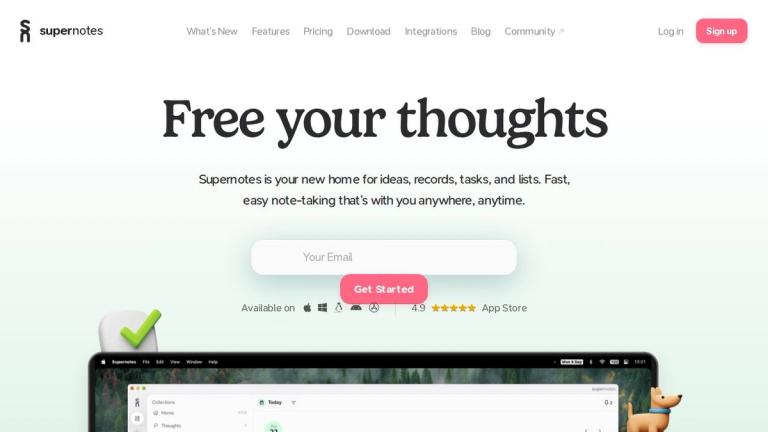
Supernotes is a modern collaborative note-taking application designed to be your home for ideas, records, tasks, and lists. The platform introduces a revolutionary "notecard" format that replaces traditional bloated note files with simple yet powerful digital cards supporting rich content including math equations, tables, images, checklists, and emojis.

Key Highlights
  • Notecard Format: A unique approach to note-taking that breaks away from traditional document-based formats, making notes more modular and manageable
  • Effortless Organisation: Organize notecards into customizable hierarchies with powerful filters, search, and sorting capabilities. Visualize connections between notes using 2D or 3D graph views
  • Real-time Collaboration: Share notecards instantly with friends and colleagues. Recipients don't need Supernotes to read shared notes, and collaborators can edit and comment in real-time
  • AI-Powered Intelligence: Features a thoughtful AI integration that helps identify typos and organize ideas better, designed to enhance thinking rather than replace it
  • Cross-Platform Availability: Works seamlessly across all devices with no downloads or loading screens required
  • Privacy-Focused: Committed to user privacy with no data snooping or selling

The app is trusted by users from leading universities and organizations worldwide, with a 4.9 rating on the App Store.

Target Audience

Students, researchers, professionals, and teams who need an efficient, collaborative note-taking and knowledge management solution

Key Features
  • Notecard format for modular note-taking
  • Rich content support (math equations, tables, images, checklists, emojis)
  • Hierarchical organization with filters, search, and sorting
  • 2D and 3D graph visualization of note connections
  • Real-time collaboration with instant sharing
  • AI-powered typo detection and idea organization
  • Markdown import for existing notes
  • Print and export to PDF
  • Night mode with two dark themes
  • Keyboard-first controls
  • API and third-party integrations
  • Thoughts Collection for rediscovering lost notes
  • Cross-platform availability
  • Private and secure data handling
Use Cases
  • Personal knowledge management and note-taking
  • Team collaboration on shared ideas and projects
  • Academic research and study organization
  • Task and list management
  • Real-time brainstorming with colleagues
  • Building interconnected knowledge bases
  • Quick capture and organization of thoughts
Pros
  • Unique notecard format promotes modular thinking
  • Excellent real-time collaboration features
  • Strong privacy commitment - no data selling
  • Works across all devices seamlessly
  • AI features enhance rather than replace thinking
  • Highly rated (4.9 on App Store)
  • Import existing markdown notes easily
Cons
  • May require adjustment period for users accustomed to traditional note apps
  • Premium features likely require paid subscription
Pricing

Freemium model with free tier available; premium features accessible via upgrade (specific pricing details available on their pricing page)

Latest News

What’s New? | Supernotes

What’s New? | Supernotes

8/5/2026

We've overhauled our paywall and marking over four years of updates to Supernotes, we're now introducing a new 4-Year license. Pay once, no subscription, and get all the perks of Unlimited for four years. Plus we'll plant four trees on your behalf. Read more here. Try it now · We've been blown away ...

Announcements - Supernotes Community

Announcements - Supernotes Community

8/5/2026

Find out what’s new in the latest release, what the team is up to and share your thoughts.

Blog | Supernotes

Blog | Supernotes

8/5/2026

A comprehensive guide about the different types of encryption, the upsides and downsides, and how to make decisions about how much encryption you need for note-taking, passwords, or anything else. Hear from Seth, a 34 year old COBOL programmer based in New York, who shares how he has started buildin...

Progress Update on Supernotes 3.2 - #6 by isaiur - Announcements ...

Progress Update on Supernotes 3.2 - #6 by isaiur - Announcements ...

8/5/2026

Does the space repetition or table include some kind of status field? I kind of asked for something like that here: Would be super helpful, I guess. Also for the tag of normal cards. That‘s a little bumper in my everyday workflow in changing tags on cards. Cutting the old tag and adding the new one ...

Frequent community-inspired product updates | Supernotes

Frequent community-inspired product updates | Supernotes

8/5/2026

We know that new features don't always create a better experience, so we take care to make sure every update makes Supernotes simpler, faster and more powerful. Like what you see? Sign up now and try Supernotes for yourself. All our features are available from the start. ... “The UI is very aestheti...

FAQ

More Products

TinyPNG is Tinify’s browser-based image compressor and converter. This review explains how its web tool differs from its Developer API, what each free allowance covers, and when its compression, conversion, resizing, and cropping features may fit an image workflow.

Zamzar is an online file conversion and compression service for documents, images, video, sound, and other formats. Its free web service has daily file and upload-size limits.

iLoveIMG is a browser-based image service for compression, resizing, cropping, conversion, and editing, with a free Basic plan and paid options.

Smallpdf is an online PDF toolkit for conversion, compression, editing, merging, signing, and more. Its Free plan includes 30+ tools but limits downloads.

Convertio is a browser-based service for converting files between supported formats, with optional settings for many conversion types.

FreeConvert is an online file converter with more than 1,500 listed conversion types and a free allowance of 20 conversion minutes per day.

HiPDF is an online PDF service with conversion, editing, compression, merging, cropping, image tools, and AI features.

123apps is a browser-based suite of video, audio, PDF, and file-conversion tools. Its apps are free to use with limits on file size and daily operations.

ChatPDF summarizes PDFs and answers questions about them. Its free plan allows two document analyses per day, with no account needed to get started.

CloudConvert is a browser-based converter for more than 200 file formats, including documents, images, audio, video, archives, and specialist formats.

OCR.space provides free browser-based OCR for images and PDFs, searchable PDF creation, and a separate API for adding text recognition to software.

Free online itinerary maker with 900+ trip plans across 96 countries. Edit day-by-day in the browser; export to PDF, Excel, CSV, Google Sheets or .ics. Free account required to download/print. Optional Pro adds premium themes; AI chat helps draft plans.

TasteDir is a curated directory of finished, well-crafted software from indie makers and small teams. Every listed tool is reviewed by hand.

An AI meeting copilot that combines live transcripts, screenshots, and project documents to deliver contextual answers, response drafts, and meeting recaps.

Create professional invoices free in your browser: live preview, any currency, tax and discounts, custom templates, and no-watermark PDF. No signup needed.

Vidsembly is an AI video creation platform that turns PowerPoint presentations, PDFs, and documents into narrated videos. Create AI presentations, clone voices, translate slides, transcribe recordings, generate soundtracks, and host videos in one place.