LogoAI Jet
Icon for Trinka AI

Trinka AI

AI-powered writing and grammar checker tool specialized for academic and technical writing, offering advanced grammar correction, style suggestions, and plagiar

Introduction

Trinka AI

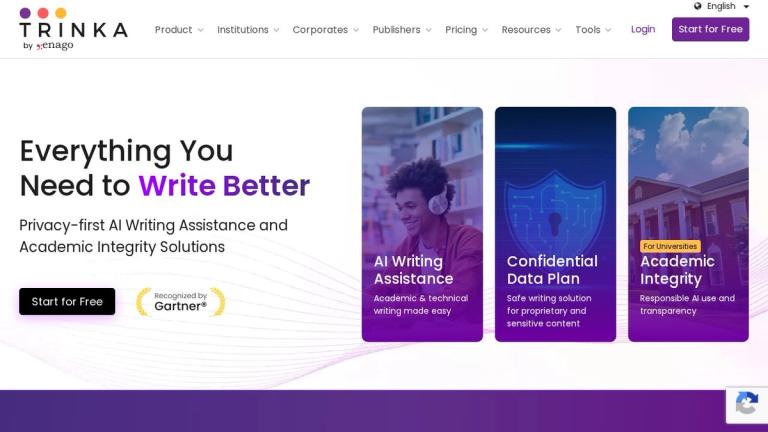
Trinka AI is an advanced AI-powered writing and grammar checker tool designed specifically for academic and professional writing. Unlike general-purpose grammar checkers, Trinka is built to understand the nuances of scholarly and technical writing, making it an invaluable tool for researchers, students, and professionals.

Key Highlights
  • Academic Focus: Trinka is tailored to handle the complexities of academic writing, including discipline-specific terminology, citation styles, and formal tone requirements.
  • Advanced Grammar & Style: Goes beyond basic grammar checking to offer suggestions on word choice, sentence structure, clarity, and conciseness.
  • Plagiarism Detection: Integrated plagiarism checking capabilities to ensure originality of content.
  • Publication Readiness: Helps authors prepare manuscripts for journal submission by checking against common publication standards.

Trinka supports multiple English variants and can be used across various academic disciplines, making it a versatile tool for the global research community.

Target Audience

Academic researchers, university students, technical writers, journal authors, and professionals requiring high-quality written communication.

Key Features
  • Advanced grammar and punctuation checking
  • Academic and technical writing specialization
  • Style and tone suggestions
  • Plagiarism detection
  • Publication readiness assessment
  • Discipline-specific writing assistance
  • Multiple English variant support
  • Browser extension available
  • Word choice optimization
  • Sentence structure improvement
Use Cases
  • Academic paper writing and editing
  • Research manuscript preparation
  • Thesis and dissertation proofreading
  • Technical documentation review
  • Journal article submission preparation
  • Student essay improvement
  • Professional report editing
  • Grant proposal writing
Pros
  • Specialized for academic and technical writing
  • Understands discipline-specific terminology
  • Helps improve publication readiness
  • Offers both free and premium plans
  • Available as browser extension
  • Supports multiple English variants
Cons
  • Premium features require paid subscription
  • May be overly specialized for casual writing needs
  • Limited language support beyond English
Pricing

Free plan available with basic features; Premium plans available for advanced features and higher usage limits.

Latest News

Trinka Introduces New Features for a Better Writing Experience

Trinka Introduces New Features for a Better Writing Experience

8/4/2026

Back # Trinka Introduces New Features for a Better Writing Experience November 28, 2024, India windows app Trinka.AI has launched updates to improve user experience and accessibility. Trinka.AI has launched updates to improve user experience and accessibility. Focused on providing practical tools fo...

Trinka AI | Accomplishments

Trinka AI | Accomplishments

8/4/2026

September 20, 2023, New York Trinka AI has announced the latest addition to its suite of offerings: the AI Content Detector. This is a conscious effort to respond to the ethical grey area that has been created in the field of education due to the increasing prevalence of AI-generated content. Trinka...

Trinka Launches “Manage Data” to Set a New Standard for Transparency and Data Privacy in AI Writing Tools

Trinka Launches “Manage Data” to Set a New Standard for Transparency and Data Privacy in AI Writing Tools

8/4/2026

Manage Data Trinka AI, a leading AI-powered writing assistant for academic and technical writing, has launched Manage Data, a new feature designed to provide users with greater transparency and control over how their data is stored, used, and deleted. [...] Safeguard research, content, and structure...

How universities use AI content detectors in 2026 | Trinka.ai

How universities use AI content detectors in 2026 | Trinka.ai

8/4/2026

receives ongoing updates and recommends resubmission to generate current reports, which tells you something about how stable these signals are. [...] Liang, W., et al. (2024). Monitoring AI-Modified Content at Scale: A Case Study on the Impact of ChatGPT on AI Conference Peer Reviews. arXiv. Turniti...

Trinka Webinars

Trinka Webinars

8/4/2026

## About Trinka Trinka AI is a privacy-first grammar checker and language enhancement writing assistant designed for academic and technical writing. Trinka helps professionals and academics ensure formal, concise, and engaging writing. Trinka's Enterprise solutions come with full access, multiple in...

FAQ

More Products

TinyPNG is Tinify’s browser-based image compressor and converter. This review explains how its web tool differs from its Developer API, what each free allowance covers, and when its compression, conversion, resizing, and cropping features may fit an image workflow.

Zamzar is an online file conversion and compression service for documents, images, video, sound, and other formats. Its free web service has daily file and upload-size limits.

iLoveIMG is a browser-based image service for compression, resizing, cropping, conversion, and editing, with a free Basic plan and paid options.

Smallpdf is an online PDF toolkit for conversion, compression, editing, merging, signing, and more. Its Free plan includes 30+ tools but limits downloads.

Convertio is a browser-based service for converting files between supported formats, with optional settings for many conversion types.

FreeConvert is an online file converter with more than 1,500 listed conversion types and a free allowance of 20 conversion minutes per day.

HiPDF is an online PDF service with conversion, editing, compression, merging, cropping, image tools, and AI features.

123apps is a browser-based suite of video, audio, PDF, and file-conversion tools. Its apps are free to use with limits on file size and daily operations.

ChatPDF summarizes PDFs and answers questions about them. Its free plan allows two document analyses per day, with no account needed to get started.

CloudConvert is a browser-based converter for more than 200 file formats, including documents, images, audio, video, archives, and specialist formats.

OCR.space provides free browser-based OCR for images and PDFs, searchable PDF creation, and a separate API for adding text recognition to software.

Free online itinerary maker with 900+ trip plans across 96 countries. Edit day-by-day in the browser; export to PDF, Excel, CSV, Google Sheets or .ics. Free account required to download/print. Optional Pro adds premium themes; AI chat helps draft plans.

TasteDir is a curated directory of finished, well-crafted software from indie makers and small teams. Every listed tool is reviewed by hand.

An AI meeting copilot that combines live transcripts, screenshots, and project documents to deliver contextual answers, response drafts, and meeting recaps.

Create professional invoices free in your browser: live preview, any currency, tax and discounts, custom templates, and no-watermark PDF. No signup needed.

Vidsembly is an AI video creation platform that turns PowerPoint presentations, PDFs, and documents into narrated videos. Create AI presentations, clone voices, translate slides, transcribe recordings, generate soundtracks, and host videos in one place.