LogoAI Jet
Icon for typedesk

typedesk

A text expander and keyboard automation app for Mac and Windows that helps users create text shortcuts, templates, and AI prompts to eliminate repetitive typing

Introduction

typedesk

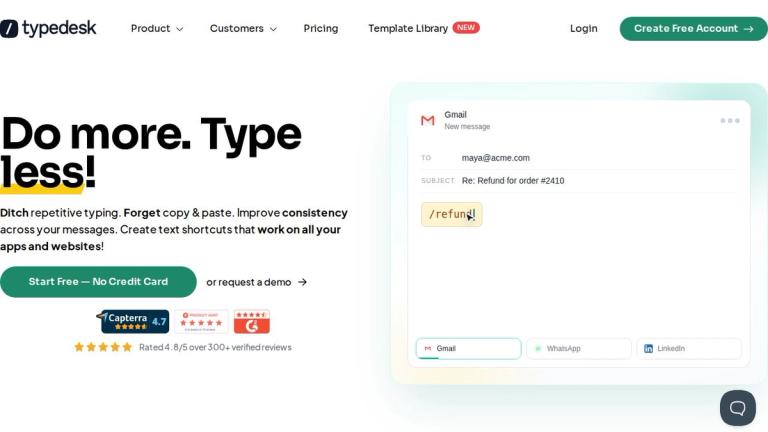
typedesk is a powerful text expander and keyboard automation application designed for both Mac and Windows platforms. It enables users to create text shortcuts that work seamlessly across all applications and websites, dramatically reducing repetitive typing and improving message consistency.

Core Products
  • Text Expander: The most advanced text expander for Mac and Windows, allowing users to create shortcuts that expand into full text snippets, canned responses, and templates
  • AI Prompt Generator: A prompt assistant available everywhere you work, helping users leverage AI capabilities directly within their workflow
  • Document Template Builder: Quickly create and personalize documents on the fly with customizable templates
Platform Integrations

typedesk integrates with a wide range of popular platforms including Gmail, Outlook, Zendesk, Slack, Microsoft Teams, Discord, Salesforce, HubSpot, Intercom, and many more, making it a versatile tool for any workflow.

Recognition

The product has earned a 4.8/5 rating across 300+ verified reviews on platforms including Capterra, Product Hunt, and G2.

Target Audience

Customer support teams, sales professionals, HR departments, legal professionals, marketing agencies, and any professionals who frequently type repetitive text across multiple applications and platforms.

Key Features
  • Text expansion with custom shortcuts
  • AI Prompt Generator for AI-powered assistance
  • Document Template Builder
  • Cross-platform support (Mac and Windows)
  • Works across all apps and websites
  • Canned responses management
  • Team collaboration and shared templates
  • Integration with 30+ popular platforms
  • Email template management
  • Keyboard automation
Use Cases
  • Customer Support and Success teams managing high volumes of inquiries
  • Human Resources departments for standardized communications
  • Legal professionals for document templates and responses
  • Sales teams using Salesforce and CRM platforms
  • Marketing agencies for consistent messaging
  • Recruitment agencies for candidate communications
  • Insurance companies for policy-related responses
  • Healthcare professionals for prescriptions and patient communications
  • Startups and eCommerce businesses for customer service
  • Remote workers needing consistent communication across platforms
Pros
  • Works across all applications and websites - not limited to specific platforms
  • Extensive integrations with 30+ popular business tools
  • Highly rated (4.8/5) with 300+ verified reviews
  • Free plan available with no credit card required
  • Combines text expansion, AI prompts, and document templates in one tool
  • Team collaboration features for shared templates
  • Available on both Mac and Windows
Cons
  • Desktop application required (not purely browser-based)
  • May require learning curve to set up all shortcuts effectively
  • Advanced features may require paid subscription
Pricing

Free plan available with no credit card required. Paid plans available for additional features and team collaboration.

Latest News

Canned responses for Social Media & Agencies

Canned responses for Social Media & Agencies

8/4/2026

Congrats @michel\_vermeulen1 on the new launch. Typedesk has hit the floor running, adding great value and features from the start. It has come a long way with each new update. Michel has always provided great support and eager to build on c... Hak left a review on ProductHunt [...] Oh mighty God, I...

How Typedesk Works | Canned Responses & Text Snippets Everywhere

How Typedesk Works | Canned Responses & Text Snippets Everywhere

8/4/2026

I love love love Typedesk. With this new update, we can use Typedesk directly for simple 1-step prompts. This would be great for generating email responses, title/metadescriptions generator etc. I can already think of some awesome use cases! Customer review Duy Nguyen App junkie There's no app that ...

Text Expander for Customer and Tech Support - typedesk

Text Expander for Customer and Tech Support - typedesk

8/4/2026

Jason E. COO Typdesk is a cross-platform tool that is highly valued by its developers and receives frequent updates. Although I sometimes encounter problems with new updates, the responsive team promptly fixes them. Overall, my experience with Typdesk has been excellent. Customer review Natasha HR M...

Text Expander & Keyboard Automation App - typedesk

Text Expander & Keyboard Automation App - typedesk

8/4/2026

Typdesk is a cross-platform tool that is highly valued by its developers and receives frequent updates. Although I sometimes encounter problems with new updates, the responsive team promptly fixes them. Overall, my experience with Typdesk has been excellent. Customer review Natasha HR Manager intere...

Canned responses for Facebook

Canned responses for Facebook

8/4/2026

Typedesk will make our team much more productive in the future. Since purchasing it, I'm constantly adding new text templates, mostly related to client communication, to share with the team. The ability to work with different variants and v... Sumo-ling left a review on appsumo [...] ## Our customer...

FAQ

More Products

TinyPNG is Tinify’s browser-based image compressor and converter. This review explains how its web tool differs from its Developer API, what each free allowance covers, and when its compression, conversion, resizing, and cropping features may fit an image workflow.

Zamzar is an online file conversion and compression service for documents, images, video, sound, and other formats. Its free web service has daily file and upload-size limits.

iLoveIMG is a browser-based image service for compression, resizing, cropping, conversion, and editing, with a free Basic plan and paid options.

Smallpdf is an online PDF toolkit for conversion, compression, editing, merging, signing, and more. Its Free plan includes 30+ tools but limits downloads.

Convertio is a browser-based service for converting files between supported formats, with optional settings for many conversion types.

FreeConvert is an online file converter with more than 1,500 listed conversion types and a free allowance of 20 conversion minutes per day.

HiPDF is an online PDF service with conversion, editing, compression, merging, cropping, image tools, and AI features.

123apps is a browser-based suite of video, audio, PDF, and file-conversion tools. Its apps are free to use with limits on file size and daily operations.

ChatPDF summarizes PDFs and answers questions about them. Its free plan allows two document analyses per day, with no account needed to get started.

CloudConvert is a browser-based converter for more than 200 file formats, including documents, images, audio, video, archives, and specialist formats.

OCR.space provides free browser-based OCR for images and PDFs, searchable PDF creation, and a separate API for adding text recognition to software.

Free online itinerary maker with 900+ trip plans across 96 countries. Edit day-by-day in the browser; export to PDF, Excel, CSV, Google Sheets or .ics. Free account required to download/print. Optional Pro adds premium themes; AI chat helps draft plans.

TasteDir is a curated directory of finished, well-crafted software from indie makers and small teams. Every listed tool is reviewed by hand.

An AI meeting copilot that combines live transcripts, screenshots, and project documents to deliver contextual answers, response drafts, and meeting recaps.

Create professional invoices free in your browser: live preview, any currency, tax and discounts, custom templates, and no-watermark PDF. No signup needed.

Vidsembly is an AI video creation platform that turns PowerPoint presentations, PDFs, and documents into narrated videos. Create AI presentations, clone voices, translate slides, transcribe recordings, generate soundtracks, and host videos in one place.