LogoAI Jet

Introduction

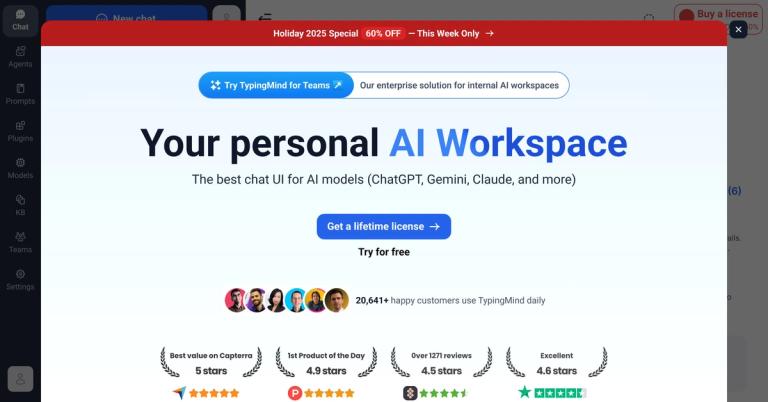
A privacy-first AI chat frontend supporting multiple LLMs with local data storage, no subscriptions, and advanced features like agents and plugins.

Features
  • Multi-Model AI Chat Interface — Access and seamlessly switch between ChatGPT, Claude, Gemini, and virtually any LLM through a unified interface. Supports multi-model parallel chats for comparing responses from different AI providers in real-time, leveraging each model's unique strengths.
  • Privacy-First Local Data Storage — All chat history, documents, and user data remain securely stored on your local device. Zero data collection or transmission for AI model training purposes, ensuring complete privacy and data ownership for individuals and organizations.
  • Comprehensive AI Agent Builder — Design custom AI agents with training files, dynamic API integrations, and plugin connections. Supports prompt chaining for multi-step workflows, voice capabilities via text-to-speech, and access to 50+ pre-built specialized agents like Pro Coder, Market Researcher, and Data Analyst.
  • Extensible Plugin Ecosystem — Enhance functionality with pre-built plugins including Web Search, DALL-E 3 image generation, PowerPoint/Word document creation, Mermaid diagrams, Slack notifications, Zapier integrations, and more. Users can also build fully custom plugins for any integration need.
  • Advanced Research & Knowledge Tools — Features RAG (Retrieval-augmented generation) for uploading documents and connecting external sources like GitHub, Notion, and Google Drive. Deep Research capability provides multi-step analysis, source verification, and detailed report generation. Includes MCP (Model Context Protocol) support for connecting AI models with external tools and services.
  • Professional Productivity Suite — Includes interactive Canvas editor for collaborative writing and coding, Artifacts for generating editable outputs, Project Folders for organized workspaces, prompt caching to reduce token costs up to 90%, temporary chat sessions, threaded/forked conversations, and data visualization with chart rendering.
Use Cases
Enterprise AI Workspace for Teams

Organizations from startups to Fortune 500 companies deploy TypingMind as a centralized AI workspace where team members can access multiple LLMs, maintain project-specific knowledge bases, and collaborate through shared agents and prompts—all while keeping sensitive data stored locally for compliance. Target Audience: Enterprise teams, IT departments, and organizations requiring secure AI adoption with data privacy compliance

Research & Analysis Powerhouse

Researchers and analysts leverage Deep Research for comprehensive multi-step investigations, RAG for querying personal document collections, and multi-model parallel chats to compare AI outputs. Ideal for market research, academic studies, and competitive analysis requiring real-time web data and source verification. Target Audience: Market researchers, data analysts, academics, and business intelligence professionals

Developer & Technical Workflow Hub

Developers use TypingMind's Canvas for real-time code collaboration, MCP integrations with GitHub/GitLab, JavaScript interpreter for testing snippets, and custom AI agents for coding assistance. The plugin system enables integration with existing development tools and CI/CD pipelines. Target Audience: Software developers, DevOps engineers, and technical teams building AI-augmented workflows

Content Creation & Document Production

Content creators and professionals generate PowerPoint presentations, Word documents, diagrams, and AI artwork through integrated plugins. The Artifacts feature enables interactive document editing, while voice input/output supports hands-free content creation and accessibility needs. Target Audience: Content creators, marketing professionals, consultants, and business professionals producing deliverables

Pros
  • One-time lifetime license with no recurring subscriptions—pay once and use forever, significantly reducing long-term AI tool costs compared to subscription-based alternatives
  • True data privacy with local-only storage and zero data collection, making it suitable for handling sensitive business information, legal documents, and confidential research
  • Unparalleled model flexibility supporting ChatGPT, Claude, Gemini, and any LLM through BYOK (bring your own API keys), allowing users to choose the best model for each task without vendor lock-in
  • Extensive customization through 50+ pre-built AI agents, comprehensive plugin ecosystem, and full custom plugin/agent creation capabilities for tailored workflows
  • Professional-grade features including RAG knowledge bases, Deep Research, MCP protocol support, prompt caching (up to 90% cost reduction), and multi-model parallel comparisons that rival enterprise AI platforms
Cons
  • Requires users to obtain and manage their own API keys from AI providers (OpenAI, Anthropic, Google, etc.), adding complexity and separate billing for API usage costs
  • Local-only data storage means chat history and settings don't automatically sync across multiple devices, potentially limiting users who work across different computers
  • Advanced features like agent building, plugin configuration, RAG setup, and MCP integration have a steeper learning curve that may overwhelm casual or non-technical users
  • One-time purchase price may represent a significant upfront cost for individual hobbyists or those wanting to simply experiment with AI chat interfaces

Latest News

Added official support for OpenCode Go and Ollama Cloud

Added official support for OpenCode Go and Ollama Cloud

8/4/2026

Added official support for OpenCode Go and Ollama Cloud ## TypingMind Sign in / Sign up Back to other posts July 22nd, 2026 New AI Models ## Added official support for OpenCode Go and Ollama Cloud You can now use models via OpenCode Go and Ollama Cloud on TypingMind! Post comment 2🎉1🔥0💯 W...

Gemini 3.6 Flash and Gemini 3.5 Flash Lite are now available!

Gemini 3.6 Flash and Gemini 3.5 Flash Lite are now available!

8/4/2026

Gemini 3.6 Flash and Gemini 3.5 Flash Lite are now available! ## TypingMind Sign in / Sign up Back to other posts July 22nd, 2026 New AI Models ## Gemini 3.6 Flash and Gemini 3.5 Flash Lite are now available! You can now use Gemini 3.6 Flash and Gemini 3.5 Flash Lite on TypingMind! Post com...

Official Support for More AI Providers

Official Support for More AI Providers

8/4/2026

Official Support for More AI Providers ## TypingMind Sign in / Sign up Back to other posts May 11th, 2026 AI Models ## Official Support for More AI Providers We’ve expanded official model support beyond OpenAI, Anthropic, and Google. You can now easily add models from: OpenRouter DeepInfra...

Added support for more AI providers: Fireworks, Chutes, Novita, Minimax, Vercel and Xiaomi

Added support for more AI providers: Fireworks, Chutes, Novita, Minimax, Vercel and Xiaomi

8/4/2026

Added support for more AI providers: Fireworks, Chutes, Novita, Minimax, Vercel and Xiaomi ## TypingMind Sign in / Sign up Back to other posts June 2nd, 2026 AI Models ## Added support for more AI providers: Fireworks, Chutes, Novita, Minimax, Vercel and Xiaomi We have just added support for ...

Claude Opus 4.7 is now available on TypingMind!

Claude Opus 4.7 is now available on TypingMind!

8/4/2026

Claude Opus 4.7 is now available on TypingMind! ## TypingMind Sign in / Sign up Back to other posts April 17th, 2026 New AI Models ## Claude Opus 4.7 is now available on TypingMind! Claude Opus 4.7 is now available on TypingMind! Better at complex coding work More reliable on long tasks C...

Alternatives

  • Jan.ai

    A desktop application for running open-source LLMs locally, prioritizing privacy and offline functionality.

  • LM Studio

    A desktop application designed to easily discover, download, and run various open-source LLMs directly on your computer.

  • Ollama

    Allows users to run large language models locally on their machine, providing a simple way to get started with local AI.

  • Open WebUI

    An open-source, self-hosted web interface that provides a unified chat experience for interacting with local and remote LLMs.

  • LocalAI

    Offers an open-source, self-hosted alternative to the OpenAI API, enabling local execution of various AI models including LLMs.

  • SillyTavern

    A highly customizable local frontend primarily for character AI and role-playing, which connects to various local and remote LLMs.

  • KoboldAI

    Provides a local AI interface focused on creative writing and chat, supporting a wide range of models and customization.

  • Poe

    Consolidates access to multiple leading AI models within a single interface, enabling users to easily switch between different LLMs.

  • ChatGPT (OpenAI)

    The popular cloud-based AI chatbot from OpenAI, offering advanced conversational capabilities and a broad range of features.

  • Hugging Face Chat

    Provides a free, cloud-based chat interface to interact with a wide array of open-source models hosted on the Hugging Face platform.

FAQ

More Products

TinyPNG is Tinify’s browser-based image compressor and converter. This review explains how its web tool differs from its Developer API, what each free allowance covers, and when its compression, conversion, resizing, and cropping features may fit an image workflow.

Zamzar is an online file conversion and compression service for documents, images, video, sound, and other formats. Its free web service has daily file and upload-size limits.

iLoveIMG is a browser-based image service for compression, resizing, cropping, conversion, and editing, with a free Basic plan and paid options.

Smallpdf is an online PDF toolkit for conversion, compression, editing, merging, signing, and more. Its Free plan includes 30+ tools but limits downloads.

Convertio is a browser-based service for converting files between supported formats, with optional settings for many conversion types.

FreeConvert is an online file converter with more than 1,500 listed conversion types and a free allowance of 20 conversion minutes per day.

HiPDF is an online PDF service with conversion, editing, compression, merging, cropping, image tools, and AI features.

123apps is a browser-based suite of video, audio, PDF, and file-conversion tools. Its apps are free to use with limits on file size and daily operations.

ChatPDF summarizes PDFs and answers questions about them. Its free plan allows two document analyses per day, with no account needed to get started.

CloudConvert is a browser-based converter for more than 200 file formats, including documents, images, audio, video, archives, and specialist formats.

OCR.space provides free browser-based OCR for images and PDFs, searchable PDF creation, and a separate API for adding text recognition to software.

Free online itinerary maker with 900+ trip plans across 96 countries. Edit day-by-day in the browser; export to PDF, Excel, CSV, Google Sheets or .ics. Free account required to download/print. Optional Pro adds premium themes; AI chat helps draft plans.

TasteDir is a curated directory of finished, well-crafted software from indie makers and small teams. Every listed tool is reviewed by hand.

An AI meeting copilot that combines live transcripts, screenshots, and project documents to deliver contextual answers, response drafts, and meeting recaps.

Create professional invoices free in your browser: live preview, any currency, tax and discounts, custom templates, and no-watermark PDF. No signup needed.

Vidsembly is an AI video creation platform that turns PowerPoint presentations, PDFs, and documents into narrated videos. Create AI presentations, clone voices, translate slides, transcribe recordings, generate soundtracks, and host videos in one place.