LogoAI Jet
icon of UI2Code AI

UI2Code AI

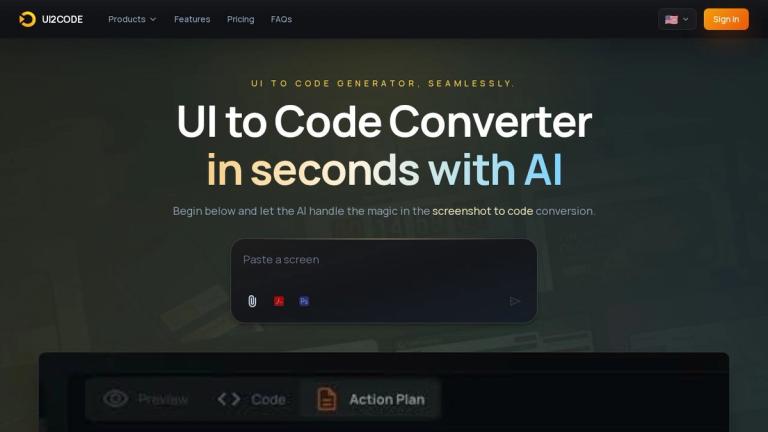
UI2Code AI transforms UI designs into production-ready code using AI, supporting multiple languages and offering time & cost efficiency.

Introduction

UI2Code AI transforms UI designs into production-ready code using AI, supporting multiple languages and offering time & cost efficiency.

Features
  • AI-Powered Visual Analysis — Upload any screenshot, Figma export, or design file and the AI automatically analyzes layout, spacing, colors, and typography to generate pixel-perfect, production-ready code. Detects layout groups, maps tokens, and splits components semantically.
  • Multiple Framework Support — Export to React with Tailwind CSS, Vue SFC, Next.js, or plain HTML/CSS. Generates clean, component-based code that follows each framework's best practices, giving developers flexibility to match their existing tech stack.
  • Real-Time Live Preview — See generated code rendered instantly in a live sandbox environment. Edit, tweak, and iterate directly in the browser before exporting, ensuring the output meets your exact requirements.
  • One-Click Export & Download — Download a complete project as a zip file or copy individual components with a single click. Output is hand-off ready and designed to drop seamlessly into existing codebases.
  • Responsive by Default — Every output is built mobile-first with responsive breakpoints automatically included. No manual adjustment is needed for tablet or desktop views, saving significant development time.
  • Flexible Custom Styling — Supports Tailwind CSS, vanilla CSS, and styled-components with full theming capabilities. Bring your own design system and maintain brand consistency across generated code.
Use Cases
Rapid Frontend Prototyping

Convert UI mockups or design screenshots into functional code components in under a minute. Ideal for quickly validating design concepts with stakeholders or building MVPs without starting from scratch. Target Audience: Frontend developers, startup teams, and product managers

Design-to-Development Handoff

Bridge the gap between designers and developers by transforming Figma exports or design screenshots directly into clean, semantic code. Eliminates manual interpretation of design specs and reduces back-and-forth communication. Target Audience: Design teams, development agencies, and cross-functional product teams

Freelance Project Acceleration

Freelancers and small agencies can dramatically speed up client deliverables by converting client-provided designs into production-ready code, allowing them to take on more projects and reduce turnaround time. Target Audience: Freelance developers, web design agencies, and independent contractors

Legacy Design Modernization

Take existing screenshots of outdated interfaces and convert them into modern, responsive code using current frameworks like React or Next.js. Useful for migrating legacy UIs without redesigning from scratch. Target Audience: Enterprise development teams and technical leads managing legacy systems

Pros
  • Exceptional speed — converts designs to production-ready code in under a minute, dramatically reducing development cycles from hours or days to seconds.
  • Multi-framework flexibility supports React, Vue, Next.js, and HTML/CSS, allowing teams to generate code that matches their existing tech stack without lock-in.
  • Clean, semantic, and maintainable code output with proper component splitting, token extraction, and framework best practices — not just raw HTML dumps.
  • Free trial available for new accounts with full commercial usage rights and no attribution required, making it risk-free to evaluate.
  • Built-in responsive design with mobile-first breakpoints eliminates manual responsive adjustments, ensuring consistent experiences across devices.
Cons
  • Complex interactions, animations, and dynamic behaviors may still require manual refinement after conversion, limiting full automation for interactive UIs.
  • File upload is restricted to JPG and PNG formats up to 10 MB, which may be limiting for high-fidelity designs or users working with other formats like Sketch or Adobe XD.
  • Currently supports a limited set of frameworks (React, Vue, Next.js, HTML/CSS), with additional frameworks added based on user feedback rather than available on demand.
  • Requires JavaScript to be enabled in the browser to function, which may be a minor barrier in restricted environments or for users with specific security configurations.

Latest News

UI2Code AI

UI2Code AI

8/4/2026

# UI to Code AI - Screenshot to Code Converter Online Transform UI designs into production-ready code instantly. Upload a screenshot, choose your framework, and export responsive code in seconds. ## Three Steps to Ship 1. Upload Your Design: Drag and drop a screenshot, Figma export, or paste a UR...

UI to Code - Convert Any UI Design to Code Online Free | UI2CODE.AI

UI to Code - Convert Any UI Design to Code Online Free | UI2CODE.AI

8/4/2026

# UI to Code Converter Upload a screenshot or mockup and get production-ready React, Vue, or HTML code in seconds. AI-powered UI to code conversion -- start free. ## Intelligent Design Analysis UI2CODE.AI analyzes screenshots, mockups, and hand-drawn layouts to generate clean frontend code that p...

AI Code Generator - Generate React, Vue & HTML Code from Designs Free | UI2CODE.AI

AI Code Generator - Generate React, Vue & HTML Code from Designs Free | UI2CODE.AI

8/4/2026

# AI Code Generator AI code generator that converts designs and descriptions into clean, production-ready code. Supports React, Vue, Next.js, and HTML/CSS -- start free. ## AI Code Generator Works AI Code Generator helps teams move from visual input to implementation faster by combining AI analys...

Design to Code - Turn Any Design into Production Code Free Online | UI2CODE.AI

Design to Code - Turn Any Design into Production Code Free Online | UI2CODE.AI

8/4/2026

# Design to Code Converter Convert Figma, Sketch, or any design file to clean React, Vue, or HTML code. Upload your design, get responsive code in seconds. Free to start. ## Design to Code Process Design to Code bridges the gap between design tools and implementation by converting approved visual...

Image to Code Converter - Transform Images to HTML, CSS, React | UI2CODE.AI

Image to Code Converter - Transform Images to HTML, CSS, React | UI2CODE.AI

8/4/2026

# Universal Image to Code Converter Convert any image to code instantly for multiple frameworks including React, Vue, and HTML/CSS. ## A Flexible Visual-to-Code Workflow The universal image-to-code flow is meant for cases where the target stack can vary from project to project, from React to Vue ...

Alternatives

  • Locofy.ai

    Locofy.ai directly converts Figma and Adobe XD designs into production-ready frontend code for various frameworks.

  • Anima

    Anima transforms design prototypes from Figma, Sketch, and Adobe XD into developer-friendly code, streamlining the handoff process.

  • TeleportHQ

    TeleportHQ is a collaborative low-code platform that generates clean code from visual designs and allows for real-time editing.

  • Webflow

    Webflow enables designers to build responsive websites with semantic HTML/CSS/JS visually, without writing any code.

  • Plasmic

    Plasmic is a visual builder that integrates into your codebase, allowing designers to build React components and pages directly.

  • Builder.io

    Builder.io is a headless visual CMS and UX platform that enables teams to drag-and-drop to create and optimize digital experiences, generating code components.

  • Framer

    Framer is a design tool that allows users to build interactive prototypes and publish production-ready websites with built-in code components.

  • Durable.ai

    Durable.ai is an AI website builder that generates an entire website with images and copy in seconds, offering a quick start for online presence.

  • Pinegrow Web Editor

    Pinegrow Web Editor is a desktop app that lets you visually build responsive websites with live multi-page editing and convert designs to code.

  • Supernova

    Supernova is a design system platform that automates the generation of design system documentation and exports production-ready code components.

FAQ

User Reviews

4.0/5.0
(89reviews)
Click stars to rate

Pricing

Pricing Model: Subscription

Basic

Perfect for trying out AI powered design to code.

$1/month (billed annually)
yearly

Pro

For creators and teams who build regularly.

$5/month (billed annually)
yearly

Ultimate

Maximum power for agencies and power users.

$15/month (billed annually)
yearly

More Products

TinyPNG is Tinify’s browser-based image compressor and converter. This review explains how its web tool differs from its Developer API, what each free allowance covers, and when its compression, conversion, resizing, and cropping features may fit an image workflow.

Zamzar is an online file conversion and compression service for documents, images, video, sound, and other formats. Its free web service has daily file and upload-size limits.

iLoveIMG is a browser-based image service for compression, resizing, cropping, conversion, and editing, with a free Basic plan and paid options.

Smallpdf is an online PDF toolkit for conversion, compression, editing, merging, signing, and more. Its Free plan includes 30+ tools but limits downloads.

Convertio is a browser-based service for converting files between supported formats, with optional settings for many conversion types.

FreeConvert is an online file converter with more than 1,500 listed conversion types and a free allowance of 20 conversion minutes per day.

HiPDF is an online PDF service with conversion, editing, compression, merging, cropping, image tools, and AI features.

123apps is a browser-based suite of video, audio, PDF, and file-conversion tools. Its apps are free to use with limits on file size and daily operations.

ChatPDF summarizes PDFs and answers questions about them. Its free plan allows two document analyses per day, with no account needed to get started.

CloudConvert is a browser-based converter for more than 200 file formats, including documents, images, audio, video, archives, and specialist formats.

OCR.space provides free browser-based OCR for images and PDFs, searchable PDF creation, and a separate API for adding text recognition to software.

Free online itinerary maker with 900+ trip plans across 96 countries. Edit day-by-day in the browser; export to PDF, Excel, CSV, Google Sheets or .ics. Free account required to download/print. Optional Pro adds premium themes; AI chat helps draft plans.

TasteDir is a curated directory of finished, well-crafted software from indie makers and small teams. Every listed tool is reviewed by hand.

An AI meeting copilot that combines live transcripts, screenshots, and project documents to deliver contextual answers, response drafts, and meeting recaps.

Create professional invoices free in your browser: live preview, any currency, tax and discounts, custom templates, and no-watermark PDF. No signup needed.

Vidsembly is an AI video creation platform that turns PowerPoint presentations, PDFs, and documents into narrated videos. Create AI presentations, clone voices, translate slides, transcribe recordings, generate soundtracks, and host videos in one place.