LogoAI Jet
Icon for UltraEdit

UltraEdit

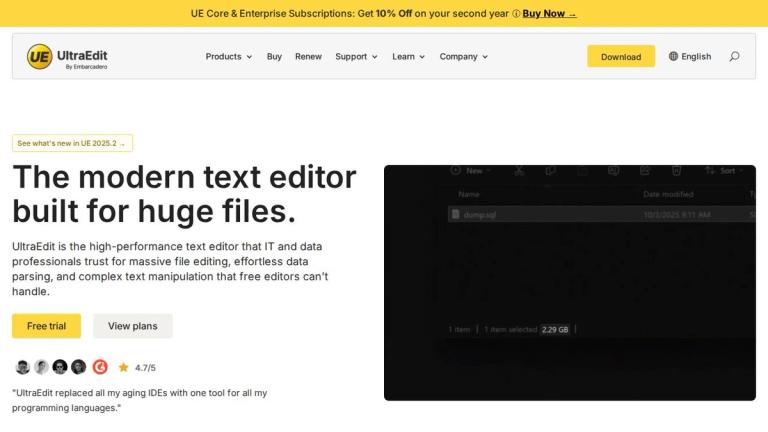
A secure text editor built for handling huge files, offering powerful editing capabilities for developers and power users.

Introduction

UltraEdit

UltraEdit is a professional-grade text editor designed for developers, programmers, and power users who need to work with large files efficiently. As a secure and feature-rich editing solution, UltraEdit has established itself as one of the world's leading text editors.

Product Suite

UltraEdit is part of a comprehensive product ecosystem that includes:

  • UltraCompare - Text, file, and folder comparison tool
  • UEStudio - Complete Git toolset for version control
  • UltraFinder - Powerful file and folder search utility
  • UltraFTP - Robust FTP client for file transfers
Subscription Options

The product offers flexible subscription plans:

  • UE Core - Includes UltraEdit + UltraCompare
  • UE Enterprise - Includes the full UltraEdit Suite

Both plans offer a 10% discount on the second year when choosing a 2-year subscription option.

Key Highlights

UltraEdit supports extensive customization through themes, macros, scripts, and wordfiles. It provides comprehensive programming language support and is available in multiple UI languages including English, French, Italian, Spanish, Korean, German, Chinese (Simplified), Japanese, and Portuguese.

Target Audience

Developers, programmers, power users, and professionals who work with large text files and need advanced editing capabilities.

Key Features
  • Secure text editing for large files
  • Customizable themes and interface
  • Macros and scripts support
  • Tags and autocomplete functionality
  • Multi-language programming support
  • Wordfiles for syntax highlighting
  • Available in multiple UI languages
  • Part of integrated product suite
Use Cases
  • Professional code editing and development
  • Working with large text and data files
  • Programming across multiple languages
  • File comparison and merging
  • File searching and management
  • FTP file transfers and management
Pros
  • Handles extremely large files efficiently
  • Comprehensive feature set for developers
  • Part of an integrated product ecosystem
  • Multi-language support for global users
  • Flexible subscription options with discounts
Cons
  • Subscription-based pricing model
  • May have learning curve for new users
  • Premium pricing compared to basic text editors
Pricing

Subscription-based pricing with UE Core and Enterprise tiers. 10% discount available on second year with 2-year subscription. Academic licenses available (free/discounted).

Latest News

What’s New in UltraEdit - See new features in the latest release

What’s New in UltraEdit - See new features in the latest release

8/5/2026

First off, a couple of updates to some of the editor’s backend functionality. UE 2022.2 brings the editor up to par with the latest standards on markdown-formatting. You can now utilize footnote syntax and tasklist-style checkboxes in UltraEdit markdown fields and live preview. FTP/FTPS/SFTP have be...

UltraEdit text editor latest changes and release notes

UltraEdit text editor latest changes and release notes

8/5/2026

Home > UltraEdit What's New | Full Feature List | Latest changes | Hotfix changes # UltraEdit latest changes The list below contains the latest new and enhanced features for UltraEdit. For a more thorough look at what has been added, take the tour of the new version. The current major version is 202...

UltraEdit 2023.0 release blog - UltraEdit

UltraEdit 2023.0 release blog - UltraEdit

8/5/2026

Home > Blogs > UltraEdit 2023.0 release blog # UltraEdit 2023.0 release blog April 24, 2023 UltraEdit 2023.0 release blog UltraEdit is back for 2023 with an overhaul of its scripting engine and some other updates to existing features. These changes allow for the capability of adding more contemporar...

UltraEdit 2025.1 release blog - UltraEdit

UltraEdit 2025.1 release blog - UltraEdit

8/5/2026

Jan 30, 2026 UltraEdit 2025.2 featuring: Improved EDI support and experience, live find and replace matching, and UC/UFTP updates!... read more #### Latest News ## Subscribe to Our Newsletter [...] Home > Blogs > UltraEdit 2025.1 release blog # UltraEdit 2025.1 release blog October 10, 2025 UltraEdi...

Get the most out of UltraEdit with our new AI Assistant

Get the most out of UltraEdit with our new AI Assistant

8/5/2026

Lower CPU usage, better stability, and smoother editing: What’s new in UltraEdit 2025.0 for macOS - June 9, 2026 AI assistant, better FTP support, and security improvements: What’s new in UltraEdit 2026.0 - June 9, 2026 Get the most out of UltraEdit with our new AI assistant - March 26, 2026  News,...

FAQ

More Products

TinyPNG is Tinify’s browser-based image compressor and converter. This review explains how its web tool differs from its Developer API, what each free allowance covers, and when its compression, conversion, resizing, and cropping features may fit an image workflow.

Zamzar is an online file conversion and compression service for documents, images, video, sound, and other formats. Its free web service has daily file and upload-size limits.

iLoveIMG is a browser-based image service for compression, resizing, cropping, conversion, and editing, with a free Basic plan and paid options.

Smallpdf is an online PDF toolkit for conversion, compression, editing, merging, signing, and more. Its Free plan includes 30+ tools but limits downloads.

Convertio is a browser-based service for converting files between supported formats, with optional settings for many conversion types.

FreeConvert is an online file converter with more than 1,500 listed conversion types and a free allowance of 20 conversion minutes per day.

HiPDF is an online PDF service with conversion, editing, compression, merging, cropping, image tools, and AI features.

123apps is a browser-based suite of video, audio, PDF, and file-conversion tools. Its apps are free to use with limits on file size and daily operations.

ChatPDF summarizes PDFs and answers questions about them. Its free plan allows two document analyses per day, with no account needed to get started.

CloudConvert is a browser-based converter for more than 200 file formats, including documents, images, audio, video, archives, and specialist formats.

OCR.space provides free browser-based OCR for images and PDFs, searchable PDF creation, and a separate API for adding text recognition to software.

Free online itinerary maker with 900+ trip plans across 96 countries. Edit day-by-day in the browser; export to PDF, Excel, CSV, Google Sheets or .ics. Free account required to download/print. Optional Pro adds premium themes; AI chat helps draft plans.

TasteDir is a curated directory of finished, well-crafted software from indie makers and small teams. Every listed tool is reviewed by hand.

An AI meeting copilot that combines live transcripts, screenshots, and project documents to deliver contextual answers, response drafts, and meeting recaps.

Create professional invoices free in your browser: live preview, any currency, tax and discounts, custom templates, and no-watermark PDF. No signup needed.

Vidsembly is an AI video creation platform that turns PowerPoint presentations, PDFs, and documents into narrated videos. Create AI presentations, clone voices, translate slides, transcribe recordings, generate soundtracks, and host videos in one place.