LogoAI Jet
icon of URL to Any

URL to Any

All-in-one URL conversion tool to transform web content into Markdown, PDF, images, and more formats, 100% FREE and easy to use!

Introduction

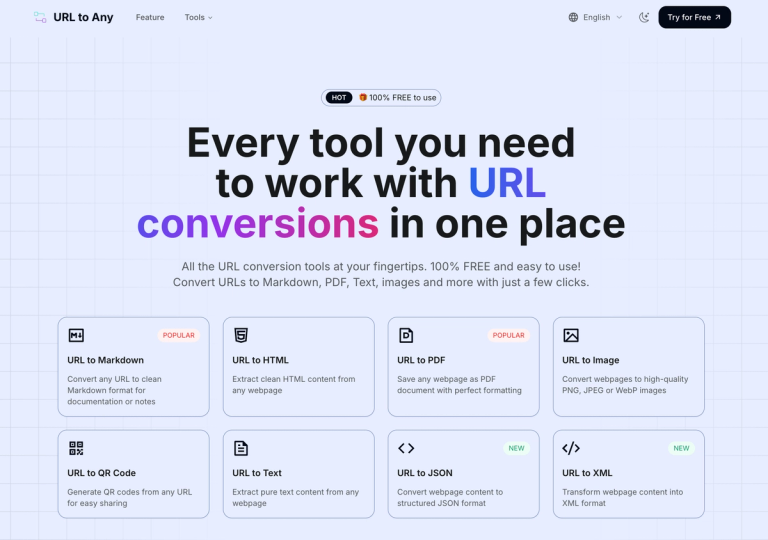
URL to Any is a versatile online tool designed to convert web content from URLs into various formats. It offers a suite of functionalities including:

  • URL to Markdown: Converts webpages to clean Markdown format, ideal for documentation and note-taking.
  • URL to HTML: Extracts HTML content from any webpage.
  • URL to PDF: Saves webpages as PDF documents with accurate formatting.
  • URL to Image: Converts webpages to high-quality PNG, JPEG, or WebP images.
  • URL to QR Code: Generates QR codes from URLs for easy sharing.
  • URL to Text: Extracts plain text from webpages.
  • URL to JSON/XML: Converts webpage content to structured JSON or XML formats.
  • URL Encode/Decode: Encodes and decodes text using various formats like URL, Base64, HTML entities, etc.
  • URL Extractor: Extracts all URLs from a website.
  • AI Summarizer: Summarizes webpage content using AI.
  • URL Meta Tags/Heading Extractor: Extracts and analyzes meta tags and headings from URLs for SEO analysis.

Key features include instant processing, a user-friendly interface, and secure cloud-based operation. It caters to a wide range of users, including developers, content creators, marketers, and researchers who need to quickly convert and repurpose web content.

Alternatives

  • PrintFriendly & PDF

    This tool allows users to remove ads and navigation, then print or save web pages as clean PDFs or HTML, similar to URL to Any's conversion features.

  • Adobe Acrobat Online

    Adobe offers online tools to convert web pages directly into high-quality PDF documents, providing a reliable alternative for PDF conversion.

  • Pocket

    Pocket saves articles and web pages in a clean, readable format for later viewing, effectively converting complex web content into a simplified version.

  • Evernote Web Clipper

    This browser extension captures web pages, articles, or screenshots into Evernote notes, offering versatile saving options for web content.

  • GoFullPage

    GoFullPage is a popular browser extension that captures full-page screenshots of any webpage, converting web content into a single image file.

  • MarkDownload

    This browser extension specifically converts web pages into Markdown format, directly addressing one of URL to Any's key conversion capabilities.

  • Smallpdf

    Smallpdf provides a suite of online PDF tools, including a web to PDF converter that allows users to transform URLs into PDF documents.

  • Instapaper

    Similar to Pocket, Instapaper focuses on saving web articles for offline reading in a clean, distraction-free format, simplifying web content.

  • Notion Web Clipper

    The Notion Web Clipper saves web pages and articles directly into your Notion workspace, allowing for organized content capture and conversion.

  • Online-Convert.com

    This comprehensive online conversion platform offers various tools, including options to convert web pages to different document and image formats.

FAQ

More Products

TinyPNG is Tinify’s browser-based image compressor and converter. This review explains how its web tool differs from its Developer API, what each free allowance covers, and when its compression, conversion, resizing, and cropping features may fit an image workflow.

Zamzar is an online file conversion and compression service for documents, images, video, sound, and other formats. Its free web service has daily file and upload-size limits.

iLoveIMG is a browser-based image service for compression, resizing, cropping, conversion, and editing, with a free Basic plan and paid options.

Smallpdf is an online PDF toolkit for conversion, compression, editing, merging, signing, and more. Its Free plan includes 30+ tools but limits downloads.

Convertio is a browser-based service for converting files between supported formats, with optional settings for many conversion types.

FreeConvert is an online file converter with more than 1,500 listed conversion types and a free allowance of 20 conversion minutes per day.

HiPDF is an online PDF service with conversion, editing, compression, merging, cropping, image tools, and AI features.

123apps is a browser-based suite of video, audio, PDF, and file-conversion tools. Its apps are free to use with limits on file size and daily operations.

ChatPDF summarizes PDFs and answers questions about them. Its free plan allows two document analyses per day, with no account needed to get started.

CloudConvert is a browser-based converter for more than 200 file formats, including documents, images, audio, video, archives, and specialist formats.

OCR.space provides free browser-based OCR for images and PDFs, searchable PDF creation, and a separate API for adding text recognition to software.

Free online itinerary maker with 900+ trip plans across 96 countries. Edit day-by-day in the browser; export to PDF, Excel, CSV, Google Sheets or .ics. Free account required to download/print. Optional Pro adds premium themes; AI chat helps draft plans.

Contextual nofollow link exchanges for sites you control, handled with your coding agent and your approval.

TasteDir is a curated directory of finished, well-crafted software from indie makers and small teams. Every listed tool is reviewed by hand.

An AI meeting copilot that combines live transcripts, screenshots, and project documents to deliver contextual answers, response drafts, and meeting recaps.

Create professional invoices free in your browser: live preview, any currency, tax and discounts, custom templates, and no-watermark PDF. No signup needed.