LogoAI Jet
Icon for VS Code

VS Code

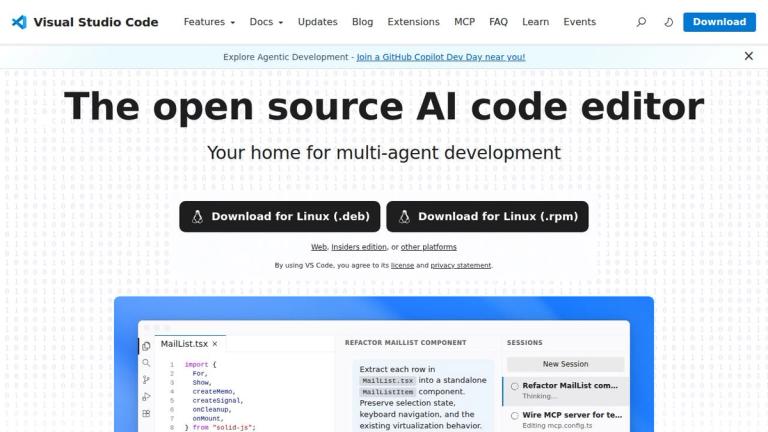
Open source AI code editor with multi-agent development capabilities, extensive extension ecosystem, and cross-platform support for modern software development.

Introduction

Visual Studio Code (VS Code)

Visual Studio Code is a free, open-source AI code editor developed by Microsoft. It has become one of the most popular code editors worldwide, offering a powerful and lightweight development environment for building modern applications.

Key Highlights
  • AI-Powered Development: Built-in AI capabilities for intelligent code completion, refactoring, and multi-agent development workflows
  • Multi-Agent Development: First-class support for building and orchestrating AI agents with integrated tools and MCP (Model Context Protocol) support
  • Extensible Architecture: Rich marketplace with thousands of extensions for languages, frameworks, and tools
  • Cross-Platform: Available on macOS, Windows, Linux, and as a web application (vscode.dev)
  • Open Source: Fully open-source with active community contributions
Development Experience

VS Code provides an integrated terminal, debugging tools, Git integration, and intelligent code editing features. The editor supports virtually every programming language through extensions and offers customizable themes, keybindings, and workspace settings.

AI & Agent Capabilities

With GitHub Copilot integration and native MCP support, VS Code enables developers to leverage AI assistants for code generation, refactoring, and building multi-agent systems. The platform supports agentic development workflows where AI agents can autonomously perform complex coding tasks.

Target Audience

Software developers, AI engineers, web developers, DevOps engineers, data scientists, and development teams of all sizes.

Key Features
  • AI-powered code completion and generation
  • Multi-agent development support
  • Integrated MCP (Model Context Protocol) server
  • Extensive extension marketplace
  • Built-in Git integration
  • Integrated terminal
  • IntelliSense code intelligence
  • Cross-platform support (macOS, Windows, Linux, Web)
  • Debugging tools
  • Customizable themes and keybindings
  • Remote development capabilities
  • Insiders edition for early access features
Use Cases
  • Software development and coding
  • AI agent development and orchestration
  • Web application development
  • Full-stack development
  • DevOps and infrastructure automation
  • Data science and machine learning workflows
  • Collaborative development with GitHub Copilot
  • Remote development on servers and containers
  • Extension and plugin development
  • Code review and refactoring
Pros
  • Free and open source
  • Lightweight yet powerful
  • Massive extension ecosystem
  • Excellent AI integration with GitHub Copilot
  • Active community and frequent updates
  • Cross-platform availability including web
  • Strong TypeScript/JavaScript support
  • Built-in terminal and debugging
Cons
  • Can become resource-heavy with many extensions
  • Some advanced features require extensions
  • Learning curve for advanced customization
  • Web version has limited functionality compared to desktop
Pricing

Free and open source. GitHub Copilot subscription available separately for enhanced AI features.

Latest News

Visual Studio Code 1.131

Visual Studio Code 1.131

8/5/2026

Visual Studio Code 1.131 📼 Rewatch VS Code Live at MS Build 2026 # Visual Studio Code 1.131 Follow us on LinkedIn, X, Bluesky --- Release date: July 29, 2026 --- Welcome to the 1.131 release of Visual Studio Code. This release brings more visibility into running subagents, built-in dictation ...

Visual Studio Code 1.131

Visual Studio Code 1.131

8/5/2026

Visual Studio Code 1.131 📼 Rewatch VS Code Live at MS Build 2026 # Visual Studio Code 1.131 Follow us on LinkedIn, X, Bluesky --- Release date: July 29, 2026 --- Welcome to the 1.131 release of Visual Studio Code. This release brings more visibility into running subagents, built-in dictation ...

Visual Studio Code 1.130

Visual Studio Code 1.130

8/5/2026

Visual Studio Code 1.130 📼 Rewatch VS Code Live at MS Build 2026 # Visual Studio Code 1.130 Follow us on LinkedIn, X, Bluesky --- Release date: July 22, 2026 --- Welcome to the 1.130 release of Visual Studio Code. This release brings agent host improvements, faster review workflows in the Age...

Visual Studio Code 1.129

Visual Studio Code 1.129

8/5/2026

Visual Studio Code 1.129 📼 Rewatch VS Code Live at MS Build 2026 # Visual Studio Code 1.129 Follow us on LinkedIn, X, Bluesky --- Release date: July 15, 2026 Update 1.129.1: The update addresses these issues. --- Welcome to the 1.129 release of Visual Studio Code. This release brings a dedic...

Visual Studio Code 1.128

Visual Studio Code 1.128

8/5/2026

Visual Studio Code 1.128 📼 Rewatch VS Code Live at MS Build 2026 # Visual Studio Code 1.128 Follow us on LinkedIn, X, Bluesky --- Release date: July 8, 2026 Update 1.128.1: The update addresses these security issues. --- Welcome to the 1.128 release of Visual Studio Code. This release brings...

FAQ

More Products

TinyPNG is Tinify’s browser-based image compressor and converter. This review explains how its web tool differs from its Developer API, what each free allowance covers, and when its compression, conversion, resizing, and cropping features may fit an image workflow.

Zamzar is an online file conversion and compression service for documents, images, video, sound, and other formats. Its free web service has daily file and upload-size limits.

iLoveIMG is a browser-based image service for compression, resizing, cropping, conversion, and editing, with a free Basic plan and paid options.

Smallpdf is an online PDF toolkit for conversion, compression, editing, merging, signing, and more. Its Free plan includes 30+ tools but limits downloads.

Convertio is a browser-based service for converting files between supported formats, with optional settings for many conversion types.

FreeConvert is an online file converter with more than 1,500 listed conversion types and a free allowance of 20 conversion minutes per day.

HiPDF is an online PDF service with conversion, editing, compression, merging, cropping, image tools, and AI features.

123apps is a browser-based suite of video, audio, PDF, and file-conversion tools. Its apps are free to use with limits on file size and daily operations.

ChatPDF summarizes PDFs and answers questions about them. Its free plan allows two document analyses per day, with no account needed to get started.

CloudConvert is a browser-based converter for more than 200 file formats, including documents, images, audio, video, archives, and specialist formats.

OCR.space provides free browser-based OCR for images and PDFs, searchable PDF creation, and a separate API for adding text recognition to software.

Free online itinerary maker with 900+ trip plans across 96 countries. Edit day-by-day in the browser; export to PDF, Excel, CSV, Google Sheets or .ics. Free account required to download/print. Optional Pro adds premium themes; AI chat helps draft plans.

TasteDir is a curated directory of finished, well-crafted software from indie makers and small teams. Every listed tool is reviewed by hand.

An AI meeting copilot that combines live transcripts, screenshots, and project documents to deliver contextual answers, response drafts, and meeting recaps.

Create professional invoices free in your browser: live preview, any currency, tax and discounts, custom templates, and no-watermark PDF. No signup needed.

Vidsembly is an AI video creation platform that turns PowerPoint presentations, PDFs, and documents into narrated videos. Create AI presentations, clone voices, translate slides, transcribe recordings, generate soundtracks, and host videos in one place.