LogoAI Jet
Icon for WriteVoice

WriteVoice

AI-powered voice-to-text keyboard app that transforms messy voice notes into polished, ready-to-send content with intelligent formatting and tone adjustment.

Introduction

WriteVoice

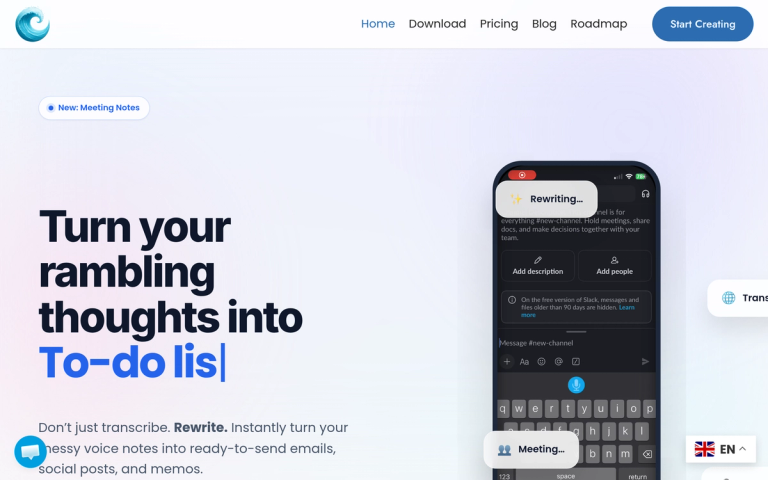
WriteVoice is an AI-powered dictation tool that goes beyond simple voice-to-text transcription. It acts as an intelligent editor built into your keyboard, transforming rambling voice notes into perfectly structured, ready-to-publish content.

How It Works
  1. Just Talk — Speak naturally without worrying about "umms," "ahhs," or punctuation
  2. AI Extraction — The AI removes filler words, fixes grammar, and structures your thoughts instantly
  3. Ready to Publish — Get polished text ready for Slack, Notion, email, or any platform
Key Differentiators
  • AI Auto-Formatting: Converts streams of consciousness into structured action plans, lists, and organized content
  • App-Aware Tone: Automatically detects which app you're using and adjusts the writing style (professional for LinkedIn, casual for WhatsApp, formal for Gmail)
  • Rewrite Commands: Instantly shorten, expand, fix grammar, or add emojis to any text
  • Meeting Notes: New feature for capturing and organizing meeting content
  • Translation: Built-in translation capabilities

Available on iOS, Mac, and Web platforms.

Target Audience

Mobile professionals, content creators, busy executives, remote workers, and anyone who wants to communicate faster and more effectively using voice input

Key Features
  • AI-powered voice-to-text dictation
  • Automatic content structuring and formatting
  • App-aware tone adjustment (LinkedIn, WhatsApp, Gmail, etc.)
  • AI rewrite commands (shorten, expand, fix grammar, emojify)
  • Meeting Notes feature
  • Translation support
  • Cross-platform availability (iOS, Mac, Web)
  • Filler word and noise removal
  • Keyboard integration for seamless workflow
Use Cases
  • Converting voice notes into professional emails
  • Creating social media posts from spoken ideas
  • Generating structured action plans from rambling thoughts
  • Drafting meeting notes and summaries
  • Quick content creation for blogs and newsletters
  • Translating spoken content into different languages
  • Composing Slack messages and team communications
Pros
  • 5x faster than typing (150 WPM speaking vs 30 WPM typing)
  • Eliminates need for manual editing after dictation
  • Context-aware tone matching for different platforms
  • Seamless keyboard integration reduces app switching
  • Available on multiple platforms (iOS, Mac, Web)
  • Transforms unstructured thoughts into organized content
Cons
  • Requires internet connection for AI processing
  • May not perfectly capture highly technical or specialized vocabulary
  • Relies on AI interpretation which could occasionally miss nuances
Pricing

Free trial available; paid plans offered (specific pricing details available on the pricing page)

FAQ

More Products

TinyPNG is Tinify’s browser-based image compressor and converter. This review explains how its web tool differs from its Developer API, what each free allowance covers, and when its compression, conversion, resizing, and cropping features may fit an image workflow.

Zamzar is an online file conversion and compression service for documents, images, video, sound, and other formats. Its free web service has daily file and upload-size limits.

iLoveIMG is a browser-based image service for compression, resizing, cropping, conversion, and editing, with a free Basic plan and paid options.

Smallpdf is an online PDF toolkit for conversion, compression, editing, merging, signing, and more. Its Free plan includes 30+ tools but limits downloads.

Convertio is a browser-based service for converting files between supported formats, with optional settings for many conversion types.

FreeConvert is an online file converter with more than 1,500 listed conversion types and a free allowance of 20 conversion minutes per day.

HiPDF is an online PDF service with conversion, editing, compression, merging, cropping, image tools, and AI features.

123apps is a browser-based suite of video, audio, PDF, and file-conversion tools. Its apps are free to use with limits on file size and daily operations.

ChatPDF summarizes PDFs and answers questions about them. Its free plan allows two document analyses per day, with no account needed to get started.

CloudConvert is a browser-based converter for more than 200 file formats, including documents, images, audio, video, archives, and specialist formats.

OCR.space provides free browser-based OCR for images and PDFs, searchable PDF creation, and a separate API for adding text recognition to software.

Free online itinerary maker with 900+ trip plans across 96 countries. Edit day-by-day in the browser; export to PDF, Excel, CSV, Google Sheets or .ics. Free account required to download/print. Optional Pro adds premium themes; AI chat helps draft plans.

TasteDir is a curated directory of finished, well-crafted software from indie makers and small teams. Every listed tool is reviewed by hand.

An AI meeting copilot that combines live transcripts, screenshots, and project documents to deliver contextual answers, response drafts, and meeting recaps.

Create professional invoices free in your browser: live preview, any currency, tax and discounts, custom templates, and no-watermark PDF. No signup needed.

Vidsembly is an AI video creation platform that turns PowerPoint presentations, PDFs, and documents into narrated videos. Create AI presentations, clone voices, translate slides, transcribe recordings, generate soundtracks, and host videos in one place.