

Xodo PDF
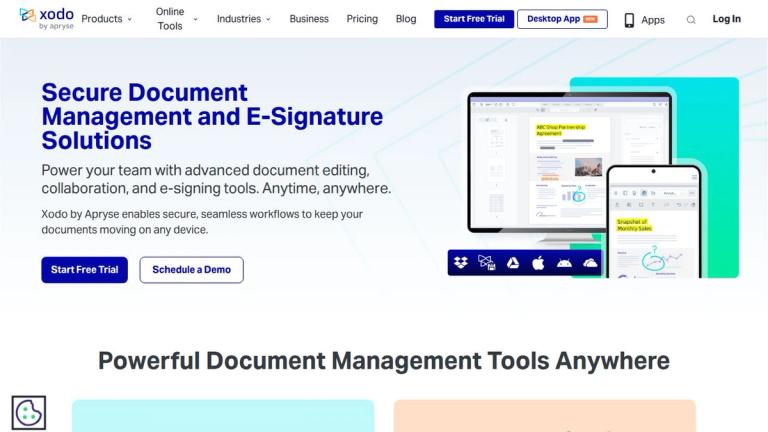
Xodo is a comprehensive document management and e-signature platform designed to streamline PDF workflows for individuals and teams. The platform offers a complete suite of tools accessible across multiple platforms including web, desktop (Xodo PDF Studio), and mobile applications.
Core Capabilities
Xodo provides an extensive range of PDF tools organized into several categories:
Conversion Tools
- Convert from PDF: Transform PDFs to Word, Excel, HTML, Text, PDF/A, PowerPoint, JPG, PNG formats
- Convert to PDF: Create PDFs from Word, JPG, Excel, PNG, PowerPoint, HEIC, and DICOM files
- OCR Converter: Extract text from scanned documents and images
Organization Tools
- Merge multiple PDFs into one document
- Split PDFs into separate files
- Delete, rotate, and rearrange pages
Editing Tools
- Full PDF text editing capabilities
- Document compression
- E-signature integration
- PDF redaction for sensitive information
- Form filling
- PDF flattening
- Annotation tools
Viewing & Analysis
- PDF and Office document viewer
- PDF comparison tool
- Text comparison
- PDF/A validation
- ASK PDF - AI-powered document querying
Product Ecosystem
- Xodo Web: Browser-based tools for quick PDF tasks
- Xodo PDF Studio Desktop: Full-featured desktop application
- Xodo Mobile: iOS and Android apps for on-the-go document management
- Xodo Sign: Dedicated e-signature solution (powered by eversign)
- Xodo PDF Reader: Free PDF reading application
Target Audience
Professionals, businesses, students, and individuals who need comprehensive PDF management, document conversion, editing, and e-signature capabilities
Key Features
- PDF conversion to/from multiple formats (Word, Excel, HTML, Text, PowerPoint, JPG, PNG)
- OCR text extraction from scanned documents
- PDF merging, splitting, and page management
- Full PDF text editing
- Document compression
- E-signature capabilities
- PDF redaction for sensitive content
- PDF form filling
- PDF annotation tools
- PDF and document comparison
- AI-powered ASK PDF feature
- Multi-platform support (Web, Desktop, Mobile)
- PDF/A validation
- Office document viewing
Use Cases
- Converting documents between PDF and other formats
- Digitizing scanned documents with OCR
- Merging and organizing multiple PDF files
- Editing and annotating PDF documents
- Signing documents electronically
- Filling out PDF forms
- Comparing document versions
- Compressing PDFs for easier sharing
- Redacting sensitive information from documents
- Viewing and reading PDF and Office documents
Pros
- Comprehensive all-in-one PDF solution
- Available on multiple platforms (web, desktop, mobile)
- Wide range of conversion options
- Built-in e-signature functionality
- OCR capability for scanned documents
- AI-powered document querying feature
- Free PDF reader available
Cons
- Some advanced features may require paid subscription
- Desktop application requires separate installation
Pricing
Free PDF reader available; premium features and desktop application require subscription (pricing details available on website)


