LogoAI Jet
Icon for AutoCut

AutoCut

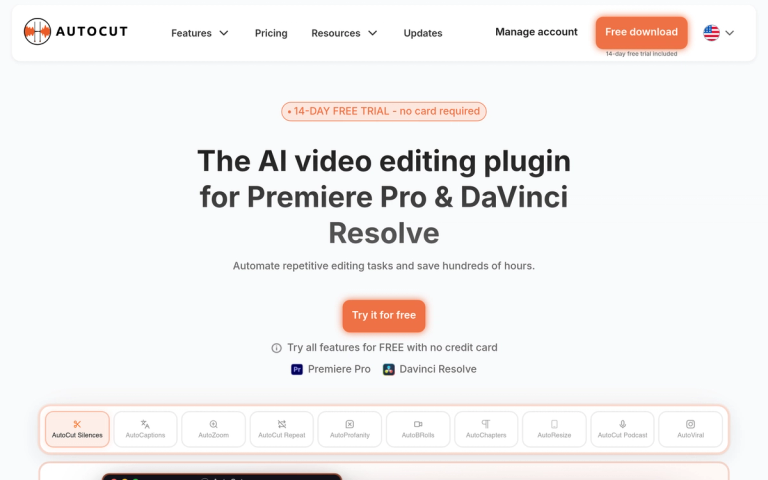
AI-powered video editing plugin for Premiere Pro and DaVinci Resolve that automates repetitive editing tasks, saving editors hundreds of hours.

Introduction

AutoCut AI Plugin

AutoCut is an innovative AI-powered video editing plugin designed specifically for Adobe Premiere Pro and DaVinci Resolve. It revolutionizes the video editing workflow by automating repetitive and time-consuming tasks that editors face daily.

What is AutoCut?

AutoCut leverages artificial intelligence to streamline the video editing process. The plugin intelligently analyzes footage and automates cutting, trimming, and subtitle generation tasks that traditionally require hours of manual work. Whether you're a beginner or a professional editor, AutoCut helps you focus on the creative aspects of editing rather than getting bogged down in tedious technical work.

Key Benefits
  • Massive Time Savings: Users report reducing editing time from 6 hours to just 30 minutes
  • Seamless Integration: Works directly within Premiere Pro and DaVinci Resolve as a native plugin
  • AI-Powered Accuracy: Intelligent algorithms ensure precise cuts and professional-quality results
  • Beginner-Friendly: Intuitive interface that's easy to learn while powerful enough for professionals
Getting Started

AutoCut offers a 14-day free trial with no credit card required, allowing editors to experience the full capabilities of the plugin before committing to a subscription.

Target Audience

Video editors, content creators, YouTubers, filmmakers, podcast producers, and anyone who regularly edits video content using Premiere Pro or DaVinci Resolve.

Key Features
  • AI-powered automatic video cutting
  • Compatible with Adobe Premiere Pro
  • Compatible with DaVinci Resolve
  • Automated subtitle generation
  • Repetitive task automation
  • Intuitive user interface
  • 14-day free trial with no credit card required
Use Cases
  • Automating repetitive video editing tasks
  • Generating subtitles for video content
  • Speeding up YouTube video production
  • Reducing editing time for content creators
  • Professional video post-production workflows
  • Podcast and interview editing
  • Educational content creation
Pros
  • Dramatically reduces editing time (up to 90% reduction reported)
  • Works as native plugin within popular NLEs
  • No credit card required for free trial
  • Suitable for both beginners and professionals
  • High accuracy in automated cuts
  • Intuitive and easy to use
Cons
  • Limited to Premiere Pro and DaVinci Resolve only
  • May require manual adjustments for complex edits
  • AI accuracy may vary with different content types
Pricing

14-day free trial available with no credit card required. Paid subscription plans available after trial period.

FAQ

User Reviews

4.9/5.0
(6reviews)
Click stars to rate

Pricing

Pricing Model: Freemium

Freemium

14-day free trial available with no credit card required. Paid subscription plans available after trial period.

Free

Website Traffic

autocut.com ·

Estimated monthly visits
190,930
+1.2% vs. prior month
Pages per visit
2.70
Bounce rate
37.18%
Avg. session
1m 6s
Global rank
#210,663
Country rank (PK)
#8,909

Visits Over Time

228,477
188,726
190,930

Traffic Sources

Direct
28.27%
Search
45.78%
Referrals
8.1%
Social
16.44%
Paid referrals
0%
Mail
0.68%
Generative AI
0.62%
Affiliate
0.11%
Other
0%
Organic search
44.46%
Paid search
1.33%
Organic social
16.14%
Paid social
0.29%

Top Keywords

KeywordVolumeCPCEst. monthly value
autocut21,620$1.15$24,500.00
auto cut3,630$0.55$3,690.00
autocut premiere pro1,730$1.22$1,740.00
auuto cut.fr160$0.00$950.00
autocut price390$0.00$920.00

Top Regions

RegionPercentage
United States (US)17.63%
Brazil (BR)15.66%
India (IN)13.01%
France (FR)4.63%
Turkey (TR)4.01%

More Products

TinyPNG is Tinify’s browser-based image compressor and converter. This review explains how its web tool differs from its Developer API, what each free allowance covers, and when its compression, conversion, resizing, and cropping features may fit an image workflow.

Zamzar is an online file conversion and compression service for documents, images, video, sound, and other formats. Its free web service has daily file and upload-size limits.

iLoveIMG is a browser-based image service for compression, resizing, cropping, conversion, and editing, with a free Basic plan and paid options.

Smallpdf is an online PDF toolkit for conversion, compression, editing, merging, signing, and more. Its Free plan includes 30+ tools but limits downloads.

Convertio is a browser-based service for converting files between supported formats, with optional settings for many conversion types.

Ezgif is a free online toolset for making and editing animated GIFs, converting videos to animations, and working with other image formats.

FreeConvert is an online file converter with more than 1,500 listed conversion types and a free allowance of 20 conversion minutes per day.

HiPDF is an online PDF service with conversion, editing, compression, merging, cropping, image tools, and AI features.

123apps is a browser-based suite of video, audio, PDF, and file-conversion tools. Its apps are free to use with limits on file size and daily operations.

ChatPDF summarizes PDFs and answers questions about them. Its free plan allows two document analyses per day, with no account needed to get started.

CloudConvert is a browser-based converter for more than 200 file formats, including documents, images, audio, video, archives, and specialist formats.

OCR.space provides free browser-based OCR for images and PDFs, searchable PDF creation, and a separate API for adding text recognition to software.

Free online itinerary maker with 900+ trip plans across 96 countries. Edit day-by-day in the browser; export to PDF, Excel, CSV, Google Sheets or .ics. Free account required to download/print. Optional Pro adds premium themes; AI chat helps draft plans.

TasteDir is a curated directory of finished, well-crafted software from indie makers and small teams. Every listed tool is reviewed by hand.

An AI meeting copilot that combines live transcripts, screenshots, and project documents to deliver contextual answers, response drafts, and meeting recaps.

Create professional invoices free in your browser: live preview, any currency, tax and discounts, custom templates, and no-watermark PDF. No signup needed.