Banva - AI Subtitling, Transcription & Translation
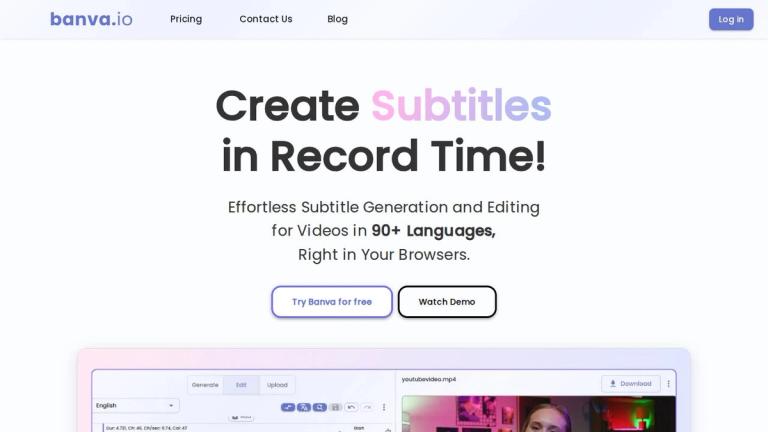
Banva is a browser-based AI tool designed to streamline the subtitling workflow for video and audio content. It enables users to generate, edit, style, and export subtitles with remarkable speed and accuracy.
What Banva Offers
Banva leverages advanced AI models to automatically generate contextually accurate subtitles for videos and audio files. The platform supports over 90 languages and boasts 99% generation accuracy, making it a powerful solution for content creators seeking to make their content accessible to global audiences.
How It Works
The workflow is simple and intuitive:
- Upload Media - Upload your video or audio in your preferred format
- Generate Subtitles - Select source and target languages, then let the AI generate subtitles with customizable guidelines
- Edit and Style - Fine-tune subtitles for 100% accuracy using powerful editing tools, and customize with fonts, animations, and text effects
- Export - Download subtitles as .srt or .vtt files, or export the video with subtitles burned in
Key Capabilities
- AI Video Subtitling: Instant subtitle generation for videos with full customization options
- AI Audio Transcription: Convert voice to text with AI precision
- Multi-Format Export: Export in SRT, VTT, TXT, or JSON formats
- Burn Subtitles: Embed subtitles directly into video files
- Fast Processing: One hour of video typically processes in under five minutes using parallel processing
Platform Compatibility
Banva works seamlessly on both desktop and mobile devices across all major browsers, allowing users to switch between devices without interruption.
Target Audience
Content creators, video editors, YouTubers, educators, marketers, and businesses needing multilingual subtitles and transcription services
Key Features
- AI-Powered Subtitle Generation with 99% accuracy
- Support for 90+ Languages
- Subtitle Styling with fonts, animations, and text effects
- Multi-Format Export (SRT, VTT, TXT, JSON)
- Burn Subtitles directly into video files
- Fast parallel processing for large videos
- Browser-based - no software installation required
- Works on desktop and mobile devices
Use Cases
- Creating subtitles for YouTube videos and social media content
- Transcribing audio recordings to text
- Translating video content for international audiences
- Adding accessible subtitles to educational videos
- Generating captions for marketing and promotional videos
- Producing multilingual subtitles for corporate training materials
Pros
- Free tier available with 15 minutes of generation credits
- High accuracy (99%) across multiple languages
- Fast processing - 1 hour video in under 5 minutes
- No software installation needed - works in browser
- Comprehensive styling and editing tools included
- Supports both video and audio files
- No hidden costs for editing and burning features
Cons
- Free credits limited to 15 minutes of generation
- Credits deducted per language when generating multilingual subtitles
- Video dubbing/text-to-speech not yet supported
- Requires purchasing credits after free tier is exhausted
Pricing
Free tier includes 15 minutes of generation credits upon account creation. Additional credits can be purchased. Editing, burning subtitles, and other features are free with no hidden costs.