LogoAI Jet
Icon for CANVID

CANVID

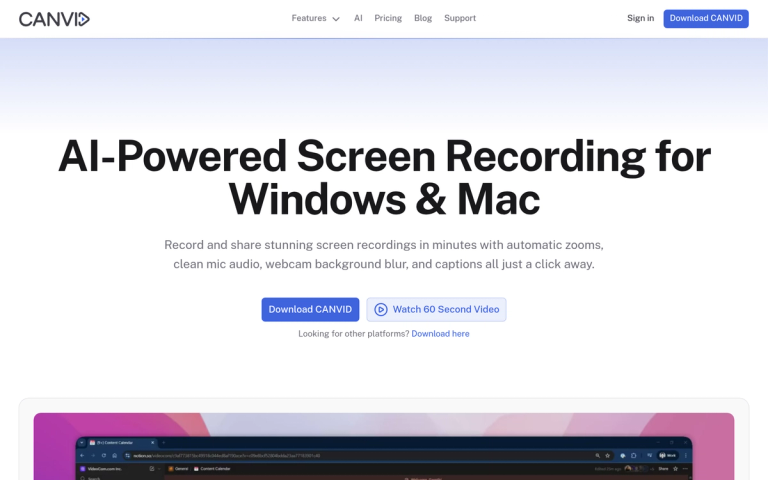
AI-powered screen recording tool for Windows & Mac with automatic zooms, voice clarity, webcam background blur, and instant captions.

Introduction

CANVID

CANVID is an AI-powered screen recording application designed for both Windows and Mac users. It transforms basic screen captures into polished, professional videos with minimal effort. The tool automatically handles common post-production tasks like zooming on clicks, enhancing voice clarity, blurring webcam backgrounds, and generating captions—all with just a click.

CANVID is trusted by over 5,000 makers, founders, and course creators for creating product demos, tutorials, customer support videos, and internal team hand-offs. It offers both a one-time purchase option and a subscription model, making it accessible for various budgets and use cases.

Target Audience

Founders, course creators, product teams, customer support teams, and content creators who need to create polished screen recordings quickly.

Key Features
  • Automatic zooms on every click for smooth viewer experience
  • AI voice clarity - removes hum and echo for studio-quality sound
  • Webcam background magic - blur, swap or drop backdrop without green-screen
  • Instant auto-generated captions that can be edited like plain text
  • Edit-while-you-record workflow with automatic keyframes
  • Quick Share links for instant sharing to Slack, X, LinkedIn or email
  • 4K screen recording support for Windows & Mac
Use Cases
  • Product demos - ship updates with polished screen demos
  • Tutorial channels - auto zooms and captions for efficient teaching
  • Customer support - send Quick Share links to resolve tickets faster
  • Internal hand-offs - show bugs once and let developers replay them
Pros
  • Automatic editing features save significant time compared to manual editing
  • Clean, minimalistic UI design
  • One-time purchase option available ($75)
  • Works on both Windows and Mac
  • Instant share links for quick distribution
  • 4K recording capability
Cons
  • Subscription model may not appeal to all users
  • Limited information about free trial availability
Pricing

Own it forever for $75 or keep it flexible with a subscription.

Latest News

Blog | CANVID

Blog | CANVID

8/5/2026

Gareth Reynolds June 2025 Product Update: Smarter Recording + New 2.0 Tease ## June 2025 Product Update: Smarter Recording + New 2.0 Tease Learn what's new in CANVID June 2025: smarter recording tools, key fixes, and exciting AI-powered features coming in version 2.0. Gareth Reynolds Gareth Reynolds...

Changelog | CANVID

Changelog | CANVID

8/5/2026

Updated the recording toolbar and source preview for region recording. Revised default recording hotkeys to avoid common shortcut conflicts. CANVID now detects missing system codecs before recording begins on Windows N editions. Improved timeline responsiveness when adding or editing zooms. Improved...

How Screen Recording Improves Education | CANVID

How Screen Recording Improves Education | CANVID

8/5/2026

August 2025 Updates: Polishing 2.0, Tray Mode, and Hotkeys When CANVID 2.0 dropped in July, it was a game-changer. AI Audio Retakes, Synthetic Webcam Generation, click effects, waveform editing, all packed into one massive release. But with a launch that big, you know what comes next: a few rough ed...

CANVID AI | Synthetic Webcam, Audio Retakes, Local & Cloud AI | CANVID

CANVID AI | Synthetic Webcam, Audio Retakes, Local & Cloud AI | CANVID

8/5/2026

I have been an enthusiastic user of CANVID ever since I discovered it in late 2024. It is now my go-to tool for videos on my private YouTube channel, and our team at KPF relies heavily on CANVID for training and other screen-recorded content. Compared to other tools, CANVID saves us significant time...

CANVID | Powerful Screen Studio alternative for Windows & Mac | CANVID

CANVID | Powerful Screen Studio alternative for Windows & Mac | CANVID

8/5/2026

| Masking Sensitive Data | Coming Soon | ✅ Yes | Screen Studio allows hiding or darkening sensitive parts of the screen. CANVID is integrating this feature. | | Audio Background | Coming Soon | ✅ Yes | Screen Studio has a built-in music library. CANVID is integrating this feature. | | Click Sounds |...

FAQ

More Products

TinyPNG is Tinify’s browser-based image compressor and converter. This review explains how its web tool differs from its Developer API, what each free allowance covers, and when its compression, conversion, resizing, and cropping features may fit an image workflow.

Zamzar is an online file conversion and compression service for documents, images, video, sound, and other formats. Its free web service has daily file and upload-size limits.

iLoveIMG is a browser-based image service for compression, resizing, cropping, conversion, and editing, with a free Basic plan and paid options.

Smallpdf is an online PDF toolkit for conversion, compression, editing, merging, signing, and more. Its Free plan includes 30+ tools but limits downloads.

Convertio is a browser-based service for converting files between supported formats, with optional settings for many conversion types.

Ezgif is a free online toolset for making and editing animated GIFs, converting videos to animations, and working with other image formats.

FreeConvert is an online file converter with more than 1,500 listed conversion types and a free allowance of 20 conversion minutes per day.

HiPDF is an online PDF service with conversion, editing, compression, merging, cropping, image tools, and AI features.

123apps is a browser-based suite of video, audio, PDF, and file-conversion tools. Its apps are free to use with limits on file size and daily operations.

ChatPDF summarizes PDFs and answers questions about them. Its free plan allows two document analyses per day, with no account needed to get started.

CloudConvert is a browser-based converter for more than 200 file formats, including documents, images, audio, video, archives, and specialist formats.

OCR.space provides free browser-based OCR for images and PDFs, searchable PDF creation, and a separate API for adding text recognition to software.

Free online itinerary maker with 900+ trip plans across 96 countries. Edit day-by-day in the browser; export to PDF, Excel, CSV, Google Sheets or .ics. Free account required to download/print. Optional Pro adds premium themes; AI chat helps draft plans.

TasteDir is a curated directory of finished, well-crafted software from indie makers and small teams. Every listed tool is reviewed by hand.

An AI meeting copilot that combines live transcripts, screenshots, and project documents to deliver contextual answers, response drafts, and meeting recaps.

Create professional invoices free in your browser: live preview, any currency, tax and discounts, custom templates, and no-watermark PDF. No signup needed.