LogoAI Jet
Icon for FireCut

FireCut

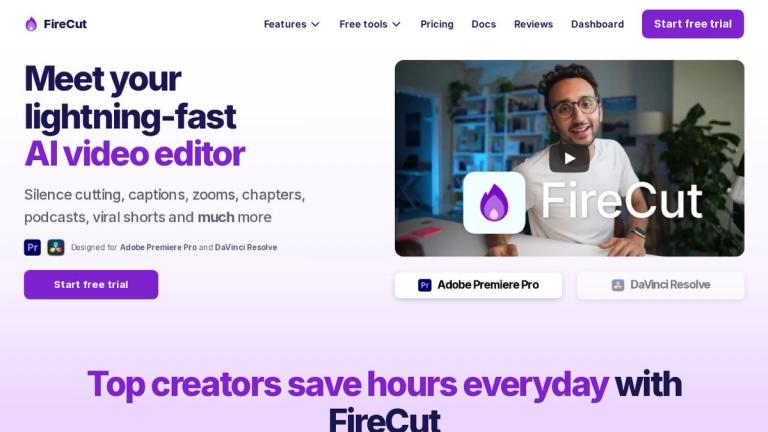
Lightning-fast AI video editor plugin for Adobe Premiere Pro and DaVinci Resolve with silence cutting, captions, zooms, chapters, and viral shorts creation.

Introduction

FireCut - AI Video Editor

FireCut is a powerful AI-powered video editing tool designed to streamline and accelerate the video editing workflow. It operates as a plugin for two of the industry's leading video editing platforms: Adobe Premiere Pro and DaVinci Resolve.

The tool leverages artificial intelligence to automate time-consuming editing tasks, making it an invaluable asset for content creators, video editors, podcasters, and social media managers. With its lightning-fast processing capabilities, FireCut helps users produce professional-quality videos in significantly less time.

Key Capabilities

FireCut specializes in automating repetitive editing tasks that traditionally require hours of manual work. From automatically detecting and removing silent portions of footage to generating accurate captions and creating engaging zoom effects, FireCut transforms the video editing experience.

The tool is particularly valuable for creators who need to produce content at scale, such as YouTube creators, podcast producers, and social media content managers who regularly need to create short-form viral content from longer recordings.

Target Audience

Video editors, content creators, YouTubers, podcast producers, social media managers, and digital marketing professionals

Key Features
  • Silence cutting - Automatically detect and remove silent portions of video/audio
  • Auto captions - AI-generated captions for videos
  • Smart zooms - Automated zoom effects for engaging content
  • Chapter generation - Automatic chapter creation for long-form content
  • Podcast editing - Specialized tools for podcast production
  • Viral shorts creation - Transform long videos into short-form viral content
  • Adobe Premiere Pro integration
  • DaVinci Resolve integration
Use Cases
  • YouTube video editing and optimization
  • Podcast production and editing
  • Social media content creation
  • Short-form video production for TikTok, Reels, and Shorts
  • Educational content creation
  • Interview and webinar editing
  • Content repurposing from long-form to short-form
Pros
  • Lightning-fast AI processing speeds
  • Seamless integration with industry-standard editing software
  • Automates time-consuming manual editing tasks
  • Supports multiple video editing workflows
  • Free trial available for testing
  • Suitable for both beginners and professional editors
Cons
  • Requires Adobe Premiere Pro or DaVinci Resolve to use
  • Limited information about standalone capabilities
  • Pricing details not clearly visible on homepage
Pricing

Free trial available; specific pricing plans not displayed on homepage

Latest News

FireCut Changelog – What's New

FireCut Changelog – What's New

8/4/2026

FireCut - Changelog # Changelog # FireCut for Premiere Pro # FireCut for Premiere Pro ### 16 Mar 2026 ### 16 Mar 2026 ### v1.2.14 ### v1.2.14 Download 📝 Captions: Faster caption rendering by making better use of multi-core CPUs Improved interface with better use of space and a more promin...

How FireCut Transforms Premiere Pro: Auto-Captions, Jump Cuts & Editing Made Easy

How FireCut Transforms Premiere Pro: Auto-Captions, Jump Cuts & Editing Made Easy

8/4/2026

How FireCut Transforms Premiere Pro: Auto-Captions, Jump Cuts & Editing Made Easy On this page Every video editor struggles with manual labor: you sit down with hours of raw footage, ready to craft a masterpiece, only to spend the next four hours doing mind-numbing administrative work. Rough cuts...

From Raw Footage to Final Cut: Speed Up your Workflow with FireCut

From Raw Footage to Final Cut: Speed Up your Workflow with FireCut

8/4/2026

From Raw Footage to Final Cut: Speed Up your Workflow with FireCut DaVinci Resolve is an absolute powerhouse. From its industry-standard color grading to its incredibly robust Fairlight audio page, it’s no surprise that Hollywood films and top-tier content creators alike flock to the platform. But.....

FireCut – AI Video Editing Plugin for Premiere Pro & DaVinci ...

FireCut – AI Video Editing Plugin for Premiere Pro & DaVinci ...

8/4/2026

--- title: "FireCut – AI Video Editing Plugin for Premiere Pro & DaVinci Resolve" description: FireCut runs inside Premiere Pro and DaVinci Resolve, automating silence removal, captions, zoom cuts, chapters and more. Try it free. published: "Jul 29, 2026, 7:36 PM UTC" --- # Meet your lightning-fast....

The Ultimate Video Editing Setup: DaVinci Resolve Meets FireCut AI

The Ultimate Video Editing Setup: DaVinci Resolve Meets FireCut AI

8/4/2026

The Ultimate Video Editing Setup: DaVinci Resolve Meets FireCut AI Every video editor knows the bittersweet reality of opening DaVinci Resolve. On one hand, you are looking at the absolute gold standard for color grading, audio post-production (Fairlight), and Hollywood-level finishing. On the othe....

FAQ

More Products

TinyPNG is Tinify’s browser-based image compressor and converter. This review explains how its web tool differs from its Developer API, what each free allowance covers, and when its compression, conversion, resizing, and cropping features may fit an image workflow.

Zamzar is an online file conversion and compression service for documents, images, video, sound, and other formats. Its free web service has daily file and upload-size limits.

iLoveIMG is a browser-based image service for compression, resizing, cropping, conversion, and editing, with a free Basic plan and paid options.

Smallpdf is an online PDF toolkit for conversion, compression, editing, merging, signing, and more. Its Free plan includes 30+ tools but limits downloads.

Convertio is a browser-based service for converting files between supported formats, with optional settings for many conversion types.

Ezgif is a free online toolset for making and editing animated GIFs, converting videos to animations, and working with other image formats.

FreeConvert is an online file converter with more than 1,500 listed conversion types and a free allowance of 20 conversion minutes per day.

HiPDF is an online PDF service with conversion, editing, compression, merging, cropping, image tools, and AI features.

123apps is a browser-based suite of video, audio, PDF, and file-conversion tools. Its apps are free to use with limits on file size and daily operations.

ChatPDF summarizes PDFs and answers questions about them. Its free plan allows two document analyses per day, with no account needed to get started.

CloudConvert is a browser-based converter for more than 200 file formats, including documents, images, audio, video, archives, and specialist formats.

OCR.space provides free browser-based OCR for images and PDFs, searchable PDF creation, and a separate API for adding text recognition to software.

Free online itinerary maker with 900+ trip plans across 96 countries. Edit day-by-day in the browser; export to PDF, Excel, CSV, Google Sheets or .ics. Free account required to download/print. Optional Pro adds premium themes; AI chat helps draft plans.

TasteDir is a curated directory of finished, well-crafted software from indie makers and small teams. Every listed tool is reviewed by hand.

An AI meeting copilot that combines live transcripts, screenshots, and project documents to deliver contextual answers, response drafts, and meeting recaps.

Create professional invoices free in your browser: live preview, any currency, tax and discounts, custom templates, and no-watermark PDF. No signup needed.