LogoAI Jet

Introduction

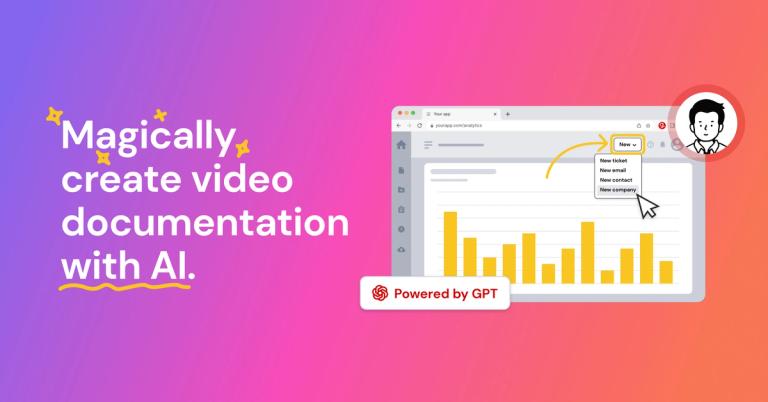
AI-powered platform for creating video documentation, how-to guides, SOPs, and training materials 11x faster.

Features
  • Magic Capture — Browser extension and desktop app that records workflows in real-time, capturing screen actions and clicks to create the foundation for video documentation without manual recording setup.
  • AI-Powered Storyboarding — Automatically transforms captured workflow recordings into structured, professional storyboards with logical step sequences, eliminating the need for manual video editing or design skills.
  • AI-Generated Voiceover — Automatically adds natural-sounding narration to video guides, with the ability to fix verbal mistakes automatically—no retakes or audio editing required.
  • Auto-Translation (50+ Languages) — Instantly translates video documentation into over 50 languages, enabling global teams to access training materials in their native language from a single source creation.
  • Broadcast Delivery System — Embeds video guidance directly into the applications teams already use (Salesforce, SAP, HubSpot, ServiceNow, etc.), delivering contextual help in the flow of work without context switching.
  • Polished Narration & Advanced Editor — Professional editing tools combined with AI-powered captions, highlights, and branding options that transform raw captures into polished, enterprise-ready video documentation.
Use Cases
Employee Onboarding & Talent Development

HR and L&D teams create comprehensive onboarding video libraries that slash production time while meeting compliance requirements. New hires access role-specific training instantly, reducing ramp-up time and enabling personalized learning paths across departments. Target Audience: HR Directors, Learning & Development Managers, Training Coordinators

Customer Support & Self-Service Knowledge Bases

Support teams build searchable video help centers that reduce inbound ticket volumes. Customers find instant answers through visual tutorials embedded in knowledge bases, improving satisfaction while scaling support across 50+ languages without additional headcount. Target Audience: Customer Support Managers, Knowledge Base Administrators, Customer Success Teams

Enterprise Software Implementation & Change Management

IT and operations teams create department-wide training before major software rollouts (SAP, Salesforce, Microsoft Dynamics 365). Contextual guidance is delivered directly within applications, ensuring smooth transitions and reducing resistance to new tools. Target Audience: IT Directors, Change Management Leads, Enterprise Software Administrators

SOP Documentation & Process Standardization

Operations teams build dual-format visual SOPs that standardize processes across regions and time zones. Subject matter experts capture institutional knowledge before it leaves the organization, creating searchable workflows that update in minutes as processes evolve. Target Audience: Operations Managers, Quality Assurance Teams, Process Improvement Specialists

Pros
  • 11x faster documentation creation compared to traditional methods, dramatically reducing production time from hours to minutes for video guides and tutorials.
  • Zero video editing skills required—AI automatically handles voiceover, captions, storyboard structure, and professional formatting, empowering subject matter experts to create content independently.
  • Extensive enterprise integrations with Microsoft Dynamics 365, SAP, Salesforce, HubSpot, ServiceNow, NetSuite, and Workday, enabling contextual delivery within existing workflows.
  • Built-in auto-translation to 50+ languages from a single source creation, making global team training and customer education scalable without multiplying content creation effort.
  • Proven ROI metrics including 40-60% quicker guide creation, significant reduction in inbound support tickets, and high user training satisfaction rates as demonstrated by enterprise case studies like Emerson.
Cons
  • Requires browser extension or desktop app installation for workflow capture, which may face IT security approval hurdles in regulated enterprise environments.
  • AI-generated voiceover and storyboarding may require human review for nuanced or highly technical content to ensure accuracy and appropriate tone for specific audiences.
  • Optimal value realization depends on organization-wide adoption and integration setup, which may involve initial configuration time and change management effort.
  • Advanced customization and branding features may have a learning curve for teams seeking highly polished, enterprise-branded outputs beyond default templates.

Latest News

Release Notes 2025: Discover What’s New in Guidde! | Guidde Help Center

Release Notes 2025: Discover What’s New in Guidde! | Guidde Help Center

8/4/2026

Select a use case and let our AI automatically adapt your content. Each use case tailors transcripts, terminology, structure, and messaging, creating viewer oriented and process-specific guiddes for teams across L&D, IT, Operations, Product, Marketing, Support, Sales, and more! New use cases: How-To...

Guidde

Guidde

8/4/2026

Guidde is the best user guide software for 2026. Its AI-powered automation, 200+ professional voices, automatic branding, and deep business integrations deliver superior results at a price point accessible to teams of all sizes. Whether you're creating customer onboarding guides, internal training m...

Guidde

Guidde

8/4/2026

When you release product updates or new features, users need clear guidance on what changed and how to use it. Creating update videos with traditional tools takes too long, often causing delays in communicating changes. Guidde enables you to create update training videos in minutes, ensuring users l...

Guidde

Guidde

8/4/2026

After comprehensive analysis of free and paid AI course creation tools available in 2026, Guidde emerges as the clear winner for organizations and individuals serious about creating professional training content efficiently. Here's why Guidde delivers superior results: ### Speed and Efficiency: 11x ...

Emerson

Emerson

8/4/2026

The biggest surprise wasn't the time saved creating content. It was watching new hires confidently navigate complex systems after just a few videos. Teams retained information better. Support tickets dropped. Training sessions almost disappeared. ‍"Guidde saves us so much time by making video creati...

Alternatives

  • Loom

    Loom offers quick video recording and sharing for asynchronous communication, making it a simple alternative for internal documentation.

  • Tella

    Tella allows users to create polished video presentations and tutorials with easy editing and screen recording features.

  • Screencast-O-Matic

    Screencast-O-Matic provides screen recording and video editing tools for creating tutorials and training videos.

  • Snagit

    Snagit is a screen capture and recording tool with advanced editing capabilities for creating detailed visual documentation.

  • CloudApp

    CloudApp offers screen recording, GIF creation, and file sharing for quick visual communication and documentation.

  • Trainual

    Trainual focuses on creating standardized training manuals and onboarding processes for businesses.

  • Lessonly

    Lessonly is a training software that helps businesses create, share, and track employee training materials.

  • TalentLMS

    TalentLMS is a cloud-based learning management system (LMS) for creating and delivering online training courses.

  • iSpring Suite

    iSpring Suite is a PowerPoint-based authoring tool for creating e-learning courses and assessments.

  • Camtasia

    Camtasia is a robust video editing and screen recording software for creating professional-looking tutorials and presentations.

FAQ

User Reviews

4.1/5.0
(22reviews)
Click stars to rate

Pricing

Pricing Model: Freemium, Subscription

Free

For getting started

$0 per creator/month
monthly

Pro

For individuals and small teams

$18 per creator/month
monthly

Business

Transform teamwork, grow your brand and simplify workflows

$39 per creator/month
monthly

Enterprise

For your organization

Contact us
Contact

Pro

For individuals and small teams

$25 per creator/month
yearly

Business

Transform teamwork, grow your brand and simplify workflows

$55 per creator/month
yearly

Business

For employee or customer facing applications

Paid annually
yearly

Enterprise

For your organization

Paid annually
yearly

More Products

TinyPNG is Tinify’s browser-based image compressor and converter. This review explains how its web tool differs from its Developer API, what each free allowance covers, and when its compression, conversion, resizing, and cropping features may fit an image workflow.

Zamzar is an online file conversion and compression service for documents, images, video, sound, and other formats. Its free web service has daily file and upload-size limits.

iLoveIMG is a browser-based image service for compression, resizing, cropping, conversion, and editing, with a free Basic plan and paid options.

Smallpdf is an online PDF toolkit for conversion, compression, editing, merging, signing, and more. Its Free plan includes 30+ tools but limits downloads.

Convertio is a browser-based service for converting files between supported formats, with optional settings for many conversion types.

Ezgif is a free online toolset for making and editing animated GIFs, converting videos to animations, and working with other image formats.

FreeConvert is an online file converter with more than 1,500 listed conversion types and a free allowance of 20 conversion minutes per day.

HiPDF is an online PDF service with conversion, editing, compression, merging, cropping, image tools, and AI features.

123apps is a browser-based suite of video, audio, PDF, and file-conversion tools. Its apps are free to use with limits on file size and daily operations.

ChatPDF summarizes PDFs and answers questions about them. Its free plan allows two document analyses per day, with no account needed to get started.

CloudConvert is a browser-based converter for more than 200 file formats, including documents, images, audio, video, archives, and specialist formats.

OCR.space provides free browser-based OCR for images and PDFs, searchable PDF creation, and a separate API for adding text recognition to software.

Free online itinerary maker with 900+ trip plans across 96 countries. Edit day-by-day in the browser; export to PDF, Excel, CSV, Google Sheets or .ics. Free account required to download/print. Optional Pro adds premium themes; AI chat helps draft plans.

Verla AI is an AI learning platform that helps teams and students learn and apply AI faster with guided courses, tools, and hands-on practice.

TasteDir is a curated directory of finished, well-crafted software from indie makers and small teams. Every listed tool is reviewed by hand.

An AI meeting copilot that combines live transcripts, screenshots, and project documents to deliver contextual answers, response drafts, and meeting recaps.