LogoAI Jet
Icon for Subtitle Edit

Subtitle Edit

A free, open-source subtitle editor with cross-platform support, featuring OCR, AI translation, and audio transcription capabilities.

Introduction

Subtitle Edit

Subtitle Edit is a powerful, free, and open-source subtitle editing application developed by Nikse. It has gained significant popularity with over 10 million downloads and nearly 10,000 GitHub stars.

Overview

Subtitle Edit provides comprehensive tools for creating, editing, and synchronizing subtitles across multiple video formats. The software supports a wide range of subtitle formats and offers advanced features including OCR (Optical Character Recognition), AI-powered translation, and audio-to-text transcription.

Latest Version

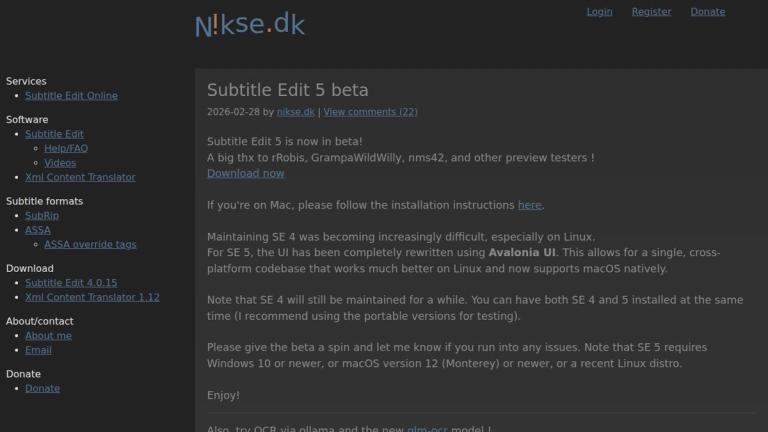
Subtitle Edit 5 is currently in beta, featuring a completely rewritten UI using Avalonia UI framework. This major update enables:

  • Single, cross-platform codebase
  • Native macOS support
  • Improved Linux compatibility
  • Requires Windows 10+, macOS 12 (Monterey)+, or recent Linux distro

Subtitle Edit 4.x remains actively maintained and can be installed alongside SE 5 for testing purposes.

Key Technologies
  • OCR Engines: PaddleOCR (standalone, no Python required), Ollama vision models
  • AI Translation: Mistral, KoboldCpp, AvalAI, LM Studio, Ollama, Anthropic
  • Audio Transcription: Whisper, Faster-Whisper-XXL
  • UI Framework: Avalonia UI (for SE 5)
Development

The project is hosted on GitHub and welcomes community contributions. Users can support the development through donations on the official website.

Target Audience

Video editors, subtitle creators, translators, content creators, film professionals, accessibility specialists

Key Features
  • Cross-platform support (Windows, macOS, Linux)
  • OCR with PaddleOCR and Ollama vision models
  • AI-powered translation (Mistral, KoboldCpp, AvalAI, LM Studio, Ollama, Anthropic)
  • Audio-to-text transcription with Whisper
  • Generate transparent video with subtitles
  • Burn-in subtitles to video
  • Spectrogram and waveform visualization
  • Text-to-Speech with voice-over support
  • Support for numerous subtitle formats
  • Actor conversion between ASSA and other formats
  • Batch processing mode
  • Portable version available
Use Cases
  • Creating and editing subtitles for videos
  • Translating subtitles using AI
  • Extracting text from video frames using OCR
  • Transcribing audio to subtitles
  • Synchronizing subtitles with video
  • Converting between subtitle formats
  • Generating videos with burned-in subtitles
  • Batch processing multiple subtitle files
Pros
  • Completely free and open-source
  • Cross-platform compatibility
  • Extensive feature set for subtitle editing
  • Active development and community support
  • AI-powered translation and OCR capabilities
  • No Python dependency for OCR (standalone PaddleOCR)
  • Over 10 million downloads - proven reliability
Cons
  • SE 5 beta may have stability issues
  • Learning curve for advanced features
  • Windows 10+ required for SE 5
Pricing

Free and open-source (GPL license)

Latest News

Nikse - Blog - Subtitle Edit 5 RC

Nikse - Blog - Subtitle Edit 5 RC

8/5/2026

Nikse - Blog - Subtitle Edit 5 RC Services Software Subtitle formats Download - Subtitle Edit 5.0.0 - Xml Content Translator 1.12 About/contact Donate ### Subtitle Edit 5 RC 2026-02-28 by nikse.dk| Viewing 33 comments Subtitle Edit 5 is now in RC4! A big thx to rRobis, GrampaWildWilly, nms...

Nikse - Blog - Subtitle Edit 4.0.12

Nikse - Blog - Subtitle Edit 4.0.12

8/5/2026

Nikse - Blog - Subtitle Edit 4.0.12 Services Software Subtitle formats Download - Subtitle Edit 4.0.16 - Xml Content Translator 1.12 About/contact Donate ### Subtitle Edit 4.0.12 2025-04-14 by nikse.dk| Viewing 22 comments This release of Subtitle Edit brings major feature additions and nu...

Nikse - Blog

Nikse - Blog

8/5/2026

Nikse - Blog Services - Subtitle Edit Online Software Subtitle formats - ASSA override tags Download - Subtitle Edit 5.0.0 - Xml Content Translator 1.12 About/contact Donate ### Subtitle Edit v5.0.0 2026-06-22 by nikse.dk| View comments (3) Subtitle Edit 5 is a major new release and a bi...

Nikse - Subtitle Edit

Nikse - Subtitle Edit

8/5/2026

Nikse - Subtitle Edit Services * [Subtitle Edit Online](https://www.nikse.dk/subtitleedit/online) Software * [Subtitle Edit](https://www.nikse.dk/subtitleedit) * [Help/FAQ](https://www.nikse.dk/subtitleedit/help) * [Videos](https://www.nikse.dk/subtitleedit/video) * [Xml Content Translator](https://...

Nikse - Blog - Subtitle Edit 4.0.8

Nikse - Blog - Subtitle Edit 4.0.8

8/5/2026

Nikse - Blog - Subtitle Edit 4.0.8 Services Software Subtitle formats Download - Subtitle Edit 4.0.16 - Xml Content Translator 1.12 About/contact Donate ### Subtitle Edit 4.0.8 2024-09-06 by nikse| Viewing 8 comments Subtitle Edit 4.0.8 is now available. A bugfix release with these highlig...

FAQ

User Reviews

4.1/5.0
(49reviews)
Click stars to rate

Pricing

Pricing Model: Free

Free

Free and open-source (GPL license)

Free

Website Traffic

nikse.dk ·

Estimated monthly visits
302,563
-15.7% vs. prior month
Pages per visit
1.71
Bounce rate
55.97%
Avg. session
0m 40s
Global rank
#174,245
Country rank (US)
#301,416

Visits Over Time

421,380
359,070
302,563

Traffic Sources

Direct
24.9%
Search
61.87%
Referrals
6.59%
Social
3.67%
Paid referrals
0.15%
Mail
0.03%
Generative AI
2.79%
Affiliate
0%
Other
0%
Organic search
61.87%
Paid search
0%
Organic social
3.67%
Paid social
0%

Top Keywords

KeywordVolumeCPCEst. monthly value
subtitle edit104,420$0.51$59,160.00
subtitle edit download8,720$0.41$7,570.00
subtitleedit9,340$0.54$3,880.00
subtitle edit download for windows 111,180$0.00$1,200.00
subedit1,350$0.00$1,120.00

Top Regions

RegionPercentage
United States (US)9.43%
Korea, Republic of (KR)7.01%
China (CN)5.11%
United Kingdom (GB)4.39%
Thailand (TH)4.37%

AI Referral Trends

Share of AI assistant referrals by month.

AssistantAug 2026Sep 2026Oct 2026
gemini.google.com18.27%10.76%14.21%
chatgpt.com81.25%34.82%8.72%

More Products

TinyPNG is Tinify’s browser-based image compressor and converter. This review explains how its web tool differs from its Developer API, what each free allowance covers, and when its compression, conversion, resizing, and cropping features may fit an image workflow.

Zamzar is an online file conversion and compression service for documents, images, video, sound, and other formats. Its free web service has daily file and upload-size limits.

iLoveIMG is a browser-based image service for compression, resizing, cropping, conversion, and editing, with a free Basic plan and paid options.

Smallpdf is an online PDF toolkit for conversion, compression, editing, merging, signing, and more. Its Free plan includes 30+ tools but limits downloads.

Convertio is a browser-based service for converting files between supported formats, with optional settings for many conversion types.

Ezgif is a free online toolset for making and editing animated GIFs, converting videos to animations, and working with other image formats.

FreeConvert is an online file converter with more than 1,500 listed conversion types and a free allowance of 20 conversion minutes per day.

HiPDF is an online PDF service with conversion, editing, compression, merging, cropping, image tools, and AI features.

123apps is a browser-based suite of video, audio, PDF, and file-conversion tools. Its apps are free to use with limits on file size and daily operations.

ChatPDF summarizes PDFs and answers questions about them. Its free plan allows two document analyses per day, with no account needed to get started.

CloudConvert is a browser-based converter for more than 200 file formats, including documents, images, audio, video, archives, and specialist formats.

OCR.space provides free browser-based OCR for images and PDFs, searchable PDF creation, and a separate API for adding text recognition to software.

Free online itinerary maker with 900+ trip plans across 96 countries. Edit day-by-day in the browser; export to PDF, Excel, CSV, Google Sheets or .ics. Free account required to download/print. Optional Pro adds premium themes; AI chat helps draft plans.

AI manga translator that re-letters your language into the art

TasteDir is a curated directory of finished, well-crafted software from indie makers and small teams. Every listed tool is reviewed by hand.

An AI meeting copilot that combines live transcripts, screenshots, and project documents to deliver contextual answers, response drafts, and meeting recaps.