

What it is
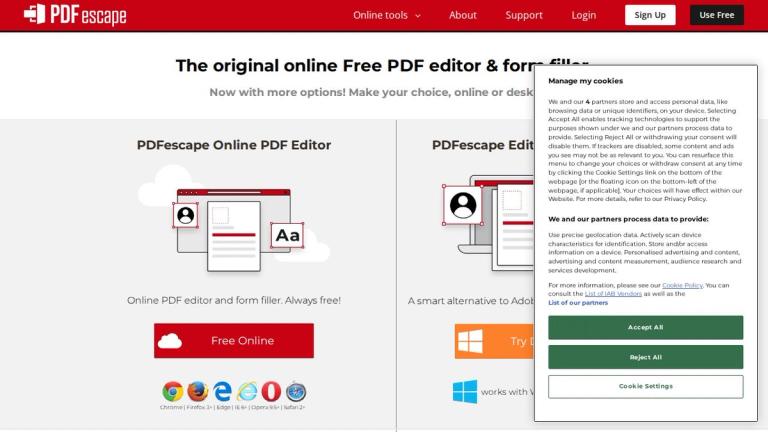
PDFescape (pdfescape.com) is a long-running online PDF editor and form filler. The online version is free; paid plans add an ad-free workspace, a Windows desktop app and advanced editing.
Key features
- Free online: annotate and mark up, fill and save forms, create basic forms, share files — no watermark.
- Premium: edit existing text and images, combine/extract pages, convert PDF to Word, watermark, page numbers, compress, scan to PDF, print to PDF.
- Ultimate: advanced forms, digital signatures, redaction, and publishing fillable forms online.
Free vs paid at a glance (pdfescape.com)
| Feature | Online (free) | Premium / Desktop |
|---|---|---|
| View, annotate, comment | ✔ | ✔ |
| Fill out PDF forms | ✔ | ✔ |
| Create basic forms | ✔ | ✔ |
| Password protect | ✔ | ✔ |
| Share documents online | ✔ | ✔ |
| Edit existing text and images | — | ✔ |
| Merge PDFs | — | ✔ |
| Convert PDF to Word and other formats | — | ✔ |
| Watermark, page numbers | — | ✔ |
| Compress PDF | — | ✔ |
| Print to PDF | — | ✔ |
The online editor runs in Chrome, Firefox, Edge, Safari and Opera. The desktop editor works on Windows 11, 10, 8 and 7 — there is no Mac app.
How to add or change text for free
Open the PDF in PDFescape Online, choose Insert → Text, click where you want it and type. To "change" existing text on the free plan, the usual workaround is to cover it with a white-out rectangle and type new text on top; truly editing the original text layer needs Premium.
How to use it
- Go to pdfescape.com and upload a PDF (or create one).
- Add text, annotations or form fields; fill existing forms.
- Save and download — no account required for basic use.
- Upgrade for desktop editing of existing text and conversions.
Pricing
| Plan | Price | Limits | Source (verified 2026-10-15) |
|---|---|---|---|
| Free | $0 | 10 MB / 100 pages per file; 10 files stored for 7 days; ads | pdfescape.com/signup |
| Premium | $2.99/mo billed yearly; $5.99 monthly | 40 MB / 1,000 pages; 100 files for 30 days; desktop app | pdfescape.com/signup |
| Ultimate | $5.99/mo billed yearly; $8.99 monthly | No storage expiry; form publishing | pdfescape.com/signup |
7-day free trial of Premium; 15-day refund guarantee.
Use cases
- Filling government or school forms that weren't made fillable: add text boxes and checkmarks, then download.
- Signing documents: insert an image of your scanned signature.
- Reviewing drafts: highlight, strike out and comment, then share the link.
- Protecting files: add a password before emailing a sensitive PDF.
- Quick office jobs on Windows: merge, compress and convert with Premium/Desktop.
Which PDFescape plan should you choose?
- Stay free if you only fill forms, add text, annotate or sign occasionally, and your files are under 10 MB and 100 pages. Remember that free files are kept online for only 7 days and you can store 10 at a time.
- Premium ($2.99/month billed yearly) if you need to change existing text, merge or compress documents, or convert PDFs to Word regularly. Larger files (40 MB / 1,000 pages) and the Windows desktop app are included.
- Ultimate ($5.99/month billed yearly) if you publish fillable forms online for others to complete, need redaction or digital signatures, or want documents stored without expiry.
The monthly prices ($5.99 and $8.99) cost about double the yearly rate, so try the 7-day Premium trial first and switch to yearly only if you'll keep using it. There's a 15-day money-back guarantee.
Limitations to know
- Very large or complex PDFs can load slowly in the browser.
- The interface looks dated next to newer tools, but that also makes it lightweight and simple.
Pros & cons
Pros
- Free tier is genuinely useful for filling and annotating.
- No watermark on free output.
- Cheap upgrade compared with Acrobat.
Cons
- Editing existing text and PDF→Word need Premium.
- Ads in the free workspace; 10 MB limit.
- Desktop app is Windows-only.
PDFescape vs Adobe Acrobat
Acrobat is the more complete tool — OCR, advanced editing, e-signature workflows, and Mac and mobile apps — but it costs considerably more per month. PDFescape covers the everyday jobs most people actually need (filling forms, adding text, signing, annotating, password protection) for free in the browser, and its Premium plan adds text editing, merging and conversion at a fraction of the price. If you work on Windows and edit PDFs a few times a month, PDFescape Premium is the budget choice; if PDFs are central to your job or you're on a Mac, Acrobat or a modern free tool like PDFgear is a better fit.
Best for
Anyone who needs to fill, sign-annotate or lightly edit a PDF in the browser for free.
Alternatives
| Tool | Choose it instead if… |
|---|---|
| PDFgear | You want free desktop editing incl. existing text. |
| iLovePDF | You mainly convert, merge or compress. |
| LightPDF | You want AI chat with documents. |
| Adobe Acrobat (not on AI Jet) | You need the industry standard with full editing, OCR and e-signature workflows. |
| Sejda (not on AI Jet) | You want a free browser editor that can also edit existing text (with daily limits). |
| PDF24 (not on AI Jet) | You want free desktop and online tools without ads-heavy limits. |
| Smallpdf (not on AI Jet) | You prefer a polished all-in-one web suite with e-signatures. |
| Mathpix | You need to convert PDFs with math or tables into editable text. |
Verdict
For filling and annotating PDFs, PDFescape's free tier is still one of the easiest options. For real text editing, its Premium is cheap — but free desktop tools like PDFgear now cover much of that.


